

A connected brand is not the same as a syncing brand. Every brand on your Connections screen carries a toggle, and that toggle decides whether its data flows into your workspace at all.
It is a small control with large consequences, and it is the first thing to check when a brand's numbers look wrong — or when they have stopped appearing entirely.
Prefer to watch? Eighty-two seconds on two levels of toggle, and the rule that silently does nothing.
Where it lives
Settings → Connections → Connected brands.
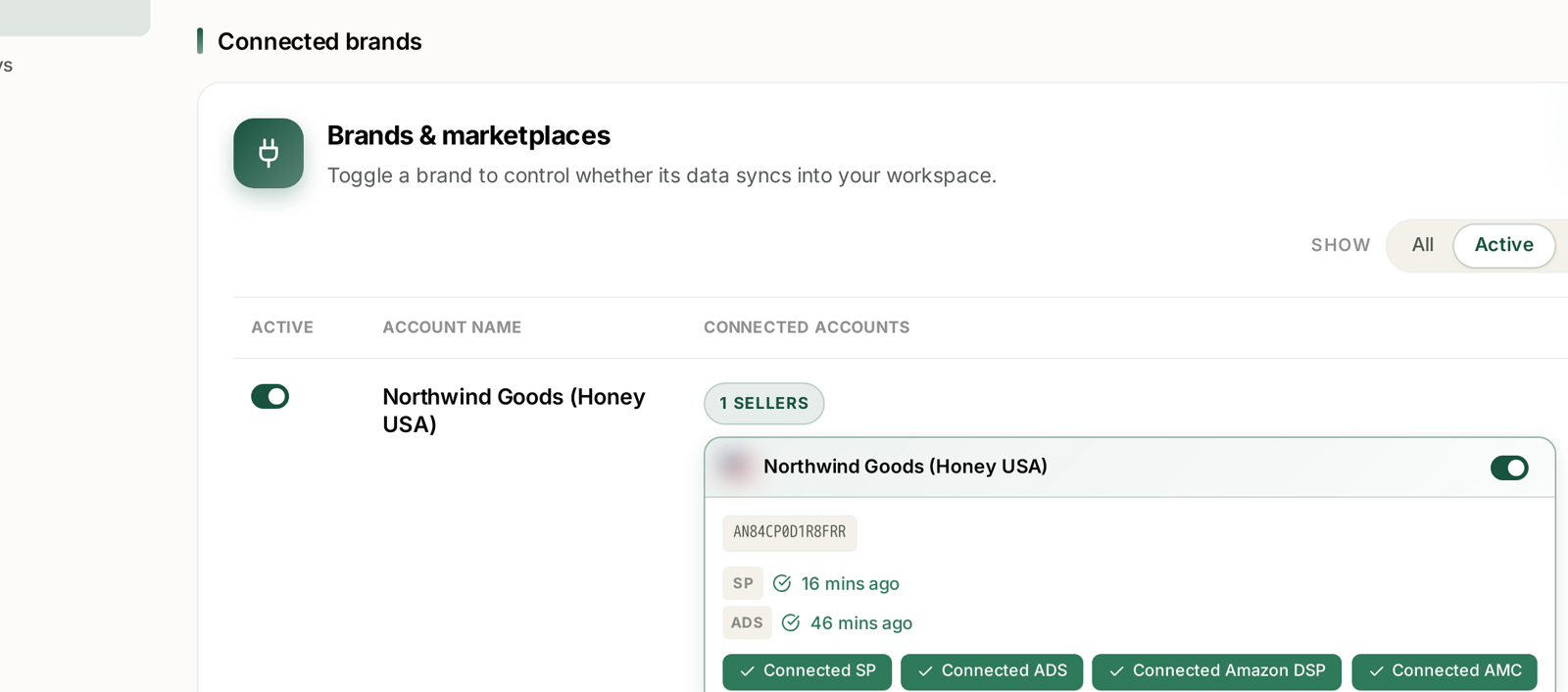
Toggle a brand to control whether its data syncs into your workspace.
The panel lists every brand with:
| Column | What it shows |
|---|---|
| Active | the sync toggle |
| Account Name | the brand and marketplace |
| Connected Accounts | how many seller accounts sit under it |
A Show filter sits above with three settings — All, Active, Inactive. It matters more than it looks: it defaults to Active, and on Active you cannot see the brands that are switched off, which is exactly the state you are usually trying to diagnose. Inactive lists only the switched-off brands, which is the fastest way to answer "what have we turned off and forgotten about".
Two levels of toggle
Expand a brand and each connected account underneath it has its own toggle as well.
So there are two switches, and they do different jobs:
The brand toggle turns the whole brand's sync on or off.
The account toggle turns one seller account within that brand on or off — useful when a brand spans several accounts and only one of them should be reporting.
A brand that appears active while one of its accounts is switched off will show partial data, which is far more confusing than showing none. That is the case worth checking when totals look plausible but low.
What each connection carries
Each account card shows its seller ID and the data sources connected to it — SP, ADS, Amazon DSP and AMC — each with a green Connected chip, and a last-synced time beside the source.
The last-synced times are the useful part. SP 16 mins ago and ADS 46 mins ago tell you the answer to "how fresh is this number?" without guessing. Different sources refresh at different rates, which is why they rarely match.
A source with a stale timestamp is a connection problem wearing the disguise of a data problem. See Fixing a Broken or Expired Amazon Connection.
When to switch a brand off
Turning sync off is the right move less often than people assume, but there are real cases:
A brand you no longer operate. Historic data stays; new data stops arriving. This keeps dead accounts out of your totals without deleting anything.
A test or staging account. Anything that would distort portfolio-level numbers.
A brand mid-migration. If ownership or account structure is changing, pausing sync avoids importing a period you will have to explain later.
During a support investigation, if asked. Occasionally the cleanest way to isolate a data problem is to stop one source moving.
What switching it off actually does
Be clear about the scope before you touch it:
New data stops arriving. The brand's figures freeze at the last sync.
Existing data stays. This is not a delete. History remains and reappears when you switch it back on.
Everything downstream is affected. Dashboards, rules, alerts and reports all read the same data. A rule scoped to campaigns in an inactive brand simply finds nothing to act on — it does not error, it silently does nothing. That is the failure mode worth knowing about.
Rank Tracker keeps tracking what it was told to track, but the advertising figures beside it will not move.
The diagnostic habit
When a brand's numbers look wrong, check in this order — it takes under a minute and rules out the cheap causes first:
- Is the brand toggle on? Set the filter to All, not Active.
- Are all its accounts toggled on? Partial data is the confusing case.
- Is every expected source connected — SP, ADS, DSP, AMC?
- What are the last-synced times? Stale means connection, not data.
Only after those four is it worth looking at date ranges, filters or attribution. See My Dashboard Is Empty.
What not to do
Do not switch a brand off to "clean up" a view. Filters and saved views do that without stopping data collection. Once sync is off, you are accruing a gap you cannot backfill.
Do not leave it off and forget. A brand switched off for an investigation and never switched back on produces a hole in the history that nobody notices until a quarterly comparison looks strange.
Do not expect it to fix a broken connection. Toggling sync is not the same as re-authorising. A connection whose token has expired needs reconnecting.
Related
- Managing Your Connected Accounts (SP, Ads, DSP, AMC) — the screen in full.
- Fixing a Broken or Expired Amazon Connection — when a source has gone stale.
- Where Your Data Comes From and How Fresh It Is — what the sync times mean.
- My Dashboard Is Empty — the troubleshooting path this feeds.