

SQP looking thin is usually not a fault. It is the report behaving the way Amazon publishes it — weekly, lagged, and only for queries with enough volume to be disclosed.
Work through these in order. The first four explain nearly every case.
Prefer to watch? A hundred and three seconds on four causes that explain nearly every thin SQP dashboard.
1. It is weekly, and the latest week may not exist yet
SQP is published in whole-week cohorts, and Amazon releases each week some days after it closes.
So the most recent week is routinely absent or incomplete, and a range ending "today" will look like it is missing data — because it is.
Check the date range on the dashboard. It reads as whole weeks, for example Last 6 weeks · Jun 28 – Aug 8. If you have asked for a period that includes the current, unfinished week, expect a gap at the end.
This is the single most common cause. See SQP Is Weekly: Reading Week Cohorts Correctly.
2. Amazon suppresses low-volume queries
Amazon does not publish search-query data for every phrase. Queries below a volume threshold are withheld, because the data would identify individual shoppers.
The consequences are worth being clear about:
Long-tail terms will be missing, permanently, however long you wait.
Small categories will look sparse overall. This is not a TrackIQ limitation and no setting changes it.
Your niche products may have almost no SQP data, while your best sellers have plenty.
If your account is small or your category is narrow, thin SQP is the expected state rather than a problem to solve.
3. You are on the Products tab with a thin product
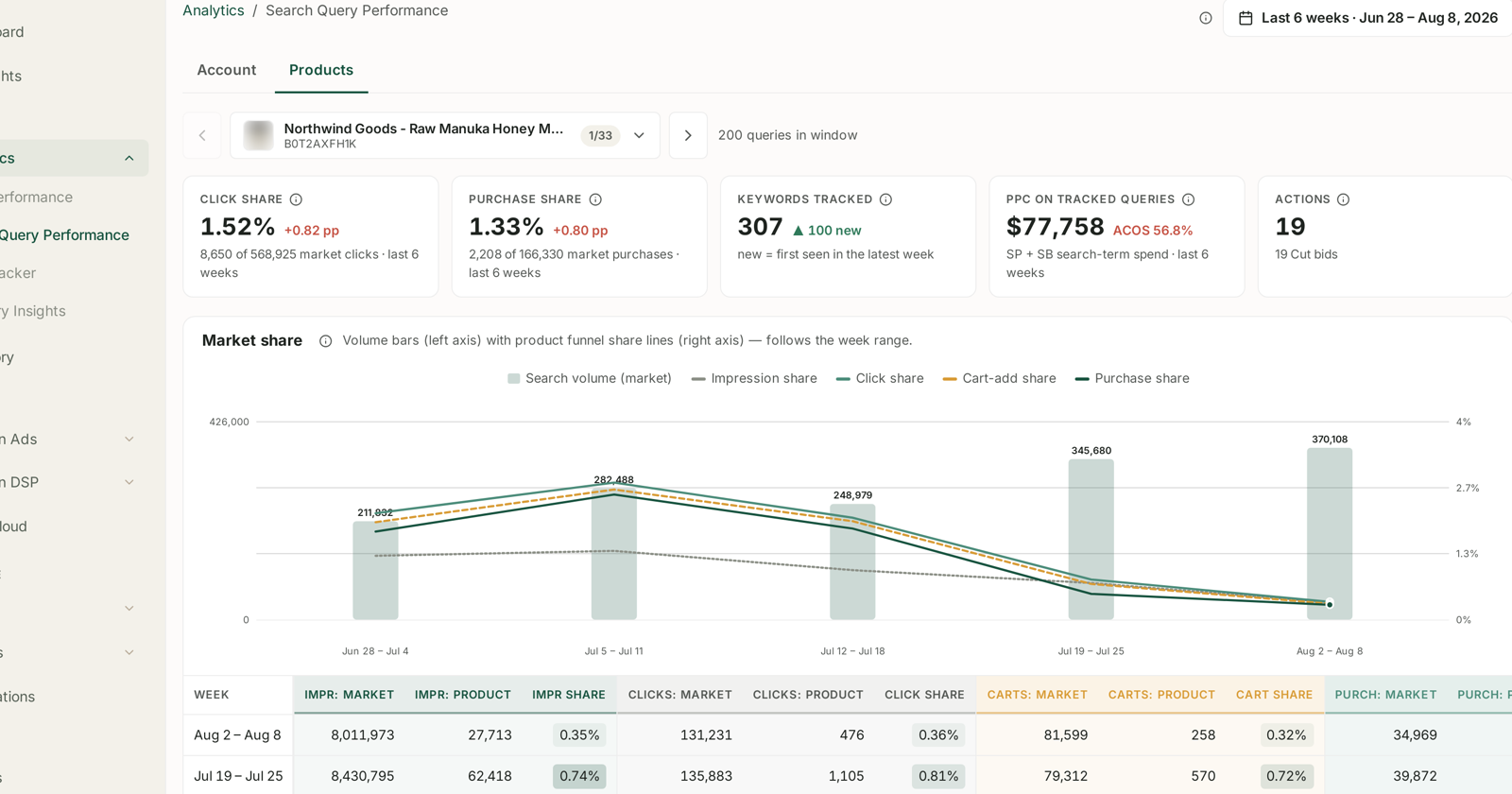
The Products tab reports one ASIN at a time and covers only ASINs with tracked query data.
A product with few queries will show very little, while Account looks perfectly healthy. Switch to Account to confirm the data exists at all before concluding anything is broken. See Account vs Products: Two Ways to Read SQP.
4. The filters are narrower than you think
Three controls quietly reduce what you see:
The Generic / Branded / Competitor chips. If Branded is selected and you have few brand terms, the table will be nearly empty. That is the filter, not the data. See Generic, Branded and Competitor Terms.
The search box above the table.
The top-200 cap. The analysis table shows the top 200 queries by SQ Score, not everything. A term you expect may simply be below the cut.
5. Check the connection
If the whole dashboard is empty rather than thin, this becomes the likely cause.
Settings → Connections. SQP arrives through the Amazon Ads connection, so check:
Is the brand toggled on? Set the filter to All, not Active — a brand switched off is invisible under Active. See Turning Brand Sync On and Off.
Is ADS connected, and what is its last-synced time? A stale timestamp is a connection problem. See Fixing a Broken or Expired Amazon Connection.
6. It may be genuinely new
A newly connected account has no history to show. SQP builds up as weeks close, so a connection made three weeks ago has at most three weeks of cohorts — and the most recent may not have published yet.
There is no backfill to request. It fills in on its own.
7. Check your plan
Search Query Performance is not on every plan. If the section is missing from the sidebar entirely — rather than present and empty — that is a plan question, not a data one.
Worth knowing: MCP Only includes SQP where Starter does not, which surprises people. See What's Included in Each Plan.
How to tell which one you have
| Symptom | Most likely cause |
|---|---|
| Latest week missing, earlier weeks fine | 1 — publication lag |
| Big terms present, long tail absent | 2 — suppression, permanent |
| Account fine, one product empty | 3 — thin product |
| Table nearly empty, tiles populated | 4 — a filter |
| Everything empty | 5 — connection or sync |
| Everything empty, account is new | 6 — wait |
| Section not in the sidebar | 7 — plan |
What not to do
Do not widen the date range to "find" the missing week. It will not appear before Amazon publishes it, and a wider range makes week-over-week comparison harder.
Do not compare arbitrary date ranges. SQP is weekly. Ranges that cut across weeks produce movements that are artefacts of the cut.
Do not expect long-tail terms. Suppression is Amazon's, and permanent.
Do not conclude a query has no demand because it is absent. Absent means undisclosed, which is not the same as zero.
Related
- SQP Is Weekly: Reading Week Cohorts Correctly — cause 1, in full.
- Account vs Products: Two Ways to Read SQP — cause 3.
- Turning Brand Sync On and Off — cause 5.
- My Dashboard Is Empty — when it is not just SQP.