

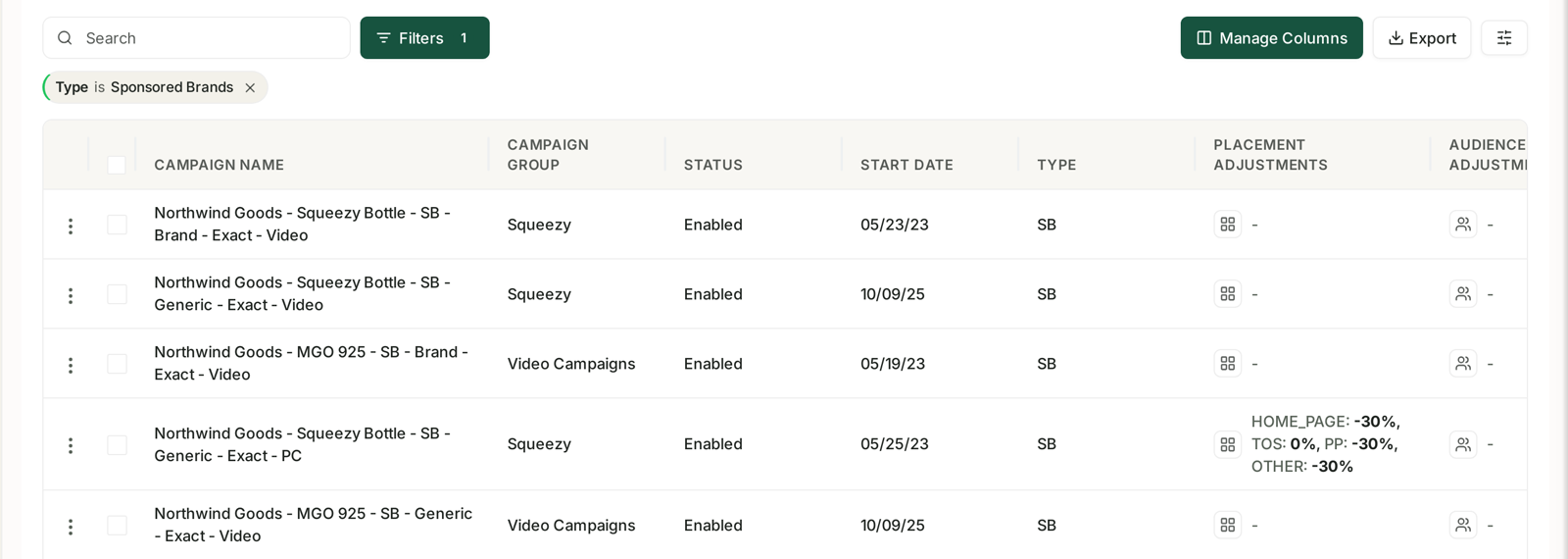
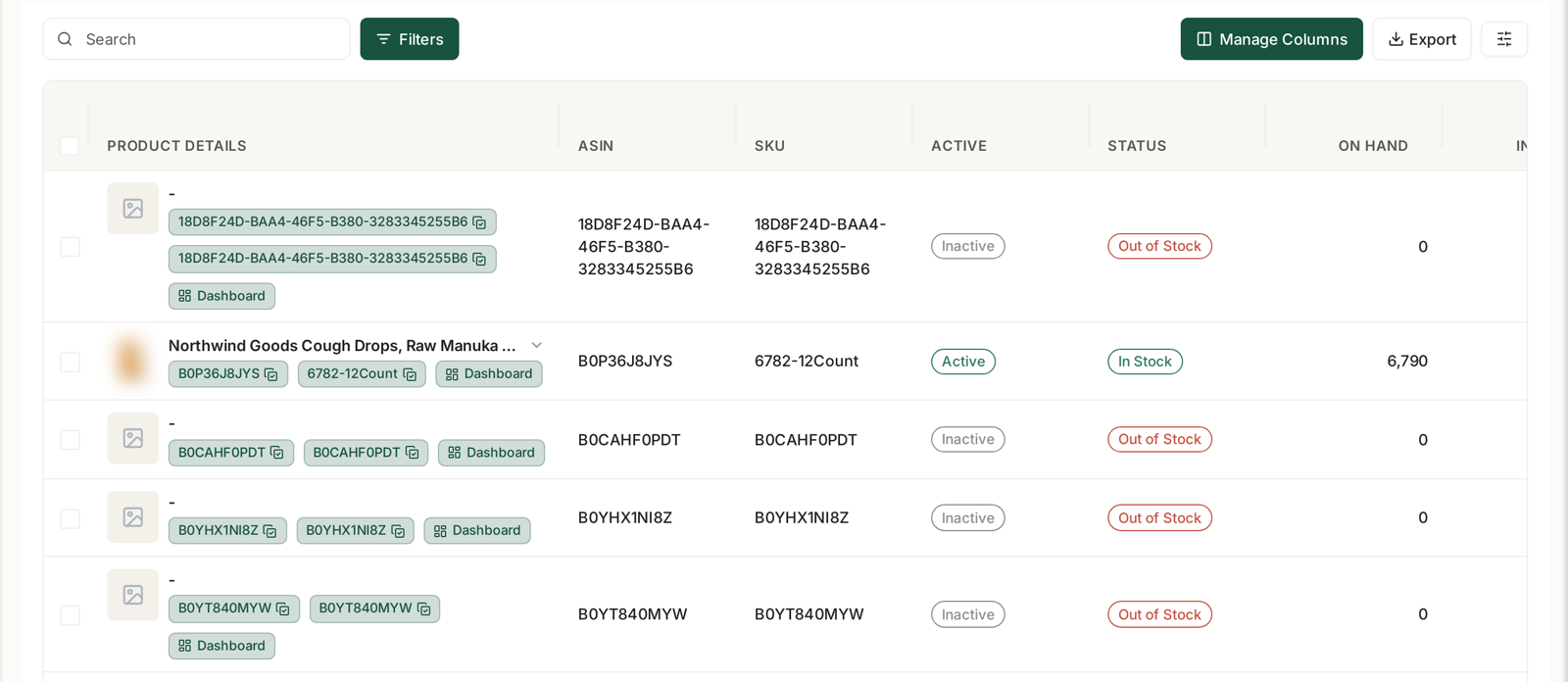
Every data table in TrackIQ — campaigns, keywords, products, inventory, DSP, AMC — carries the same four controls. They behave identically everywhere.
Prefer to watch? Fifty-two seconds on the four controls every table shares.
Search
A plain text box above the table. It matches against the table's main identifying column: campaign name on the campaign screens, product title or code on the product screens, keyword on the keyword screens.
Use it for a known item. Use Filters for a set.
Filters
Opens the filter panel for that screen. The available filters follow the table's own columns, so the campaign screen filters on things like status and type, and the inventory screen filters on stock condition.
Filters combine, and they apply to the export as well as to the screen. That last part matters: if you export while a filter is active, you export the filtered set, not the whole table.
Manage Columns
Most tables carry more columns than fit on screen. Manage Columns shows the full list and lets you choose which appear.
This is worth doing properly rather than scrolling sideways. On the campaigns table, for example, hiding the columns you never look at makes the ones you do look at fit in a single view, and the table becomes something you can scan instead of navigate.
Export
Sends the current table — with your filters and column choices applied — to a file.
Exports are prepared in the background rather than downloaded instantly, because a wide table over a long date range can be large. You can carry on working while one is prepared, and every export you have requested is listed under Exports in the sidebar, with its type, account, marketplace, status and the time it was requested.
Paging
Below the table: an entries per page selector and a count reading something like Showing 1 to 22 of 22 entries.
That count is the honest total after filtering. If it says 22 and you expected 200, a filter is on — or your date range is narrower than you think.
Related
- Exporting Data to CSV and Excel — the export itself.
- Analyzing Your Data — the wider screen these controls sit on.