

Reading your current stock tells you where you are. Forecasting tells you when you have to act. TrackIQ does that with three numbers, and the useful one is the one most people never sort by.
(For reading current stock levels, see How to Monitor Your Stock Levels. This article is about what happens next.)
Prefer to watch? Fifty-five seconds on turning stock into a reorder date.
The three numbers
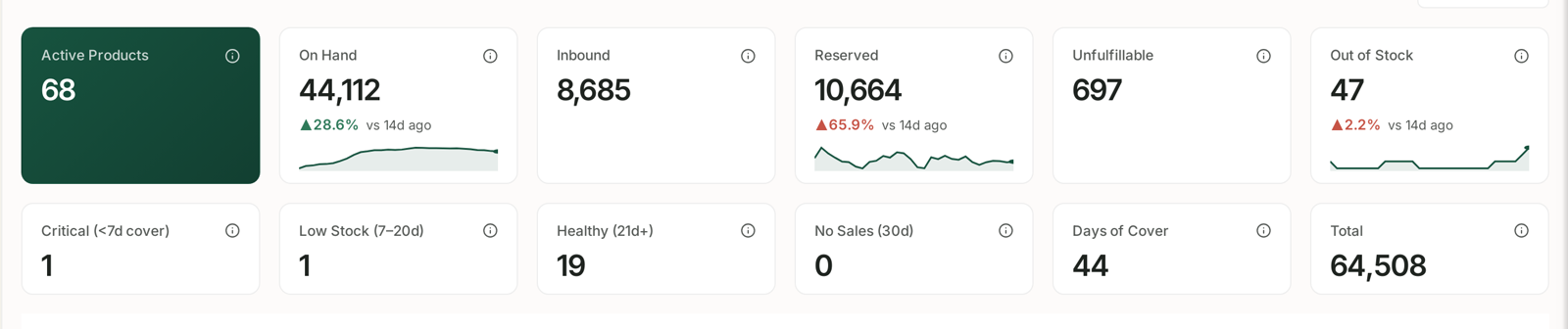
Daily Velocity (30d) — average units sold per day over the last thirty days.
Days of Cover — On Hand ÷ Daily Velocity. How long your stock lasts at the current rate.
Stockout Forecast — a projection that an ASIN will run out within 14 days at current velocity. It appears as an alert rather than a column.
The important property of Days of Cover is that it is not a stock level — it is a countdown. It moves when either side of the division changes. A product with steady stock can drop from healthy to critical purely because demand picked up, and nothing about the stock number would have warned you.
The bands, and why they may be wrong for you
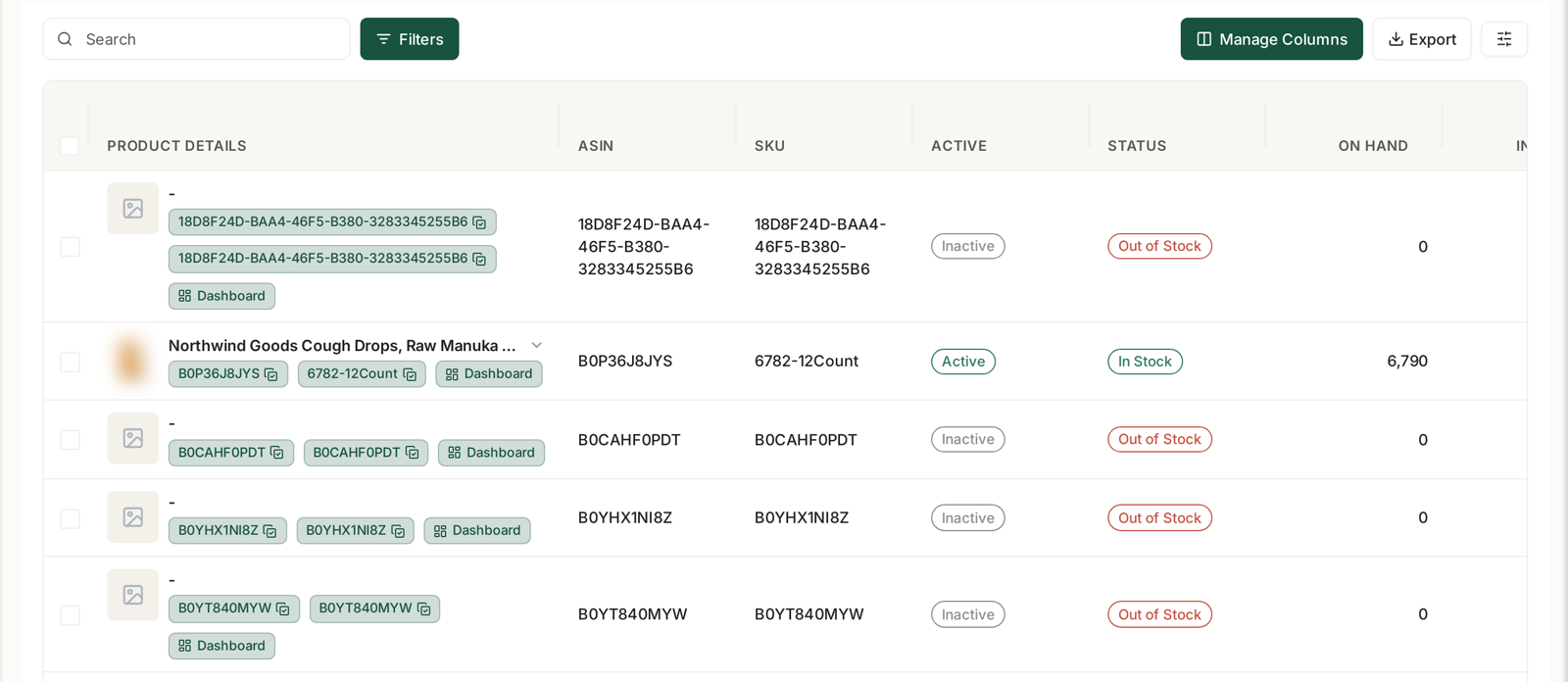
| Band | Cover |
|---|---|
| Critical | under 7 days |
| Low Stock | 7–20 days |
| Healthy | 21 days or more |
These are sensible defaults, but the only threshold that matters is your own lead time.
If it takes three weeks from placing an order to units being sellable at Amazon, then “Low Stock” is already too late — a product at 15 days of cover will be out of stock for a week before your replenishment lands.
Work out your real lead time, including the inbound receiving time at Amazon, add a buffer, and treat that as your reorder line. For many sellers it lands somewhere in the middle of the Healthy band.
Velocity moves before you notice
Daily velocity is a thirty-day average, which makes it stable — and slightly slow.
Before a peak, real demand rises faster than the average. Your cover figure is therefore optimistic in exactly the period when running out is most expensive. In the run-up to a seasonal event, mentally discount days of cover.
After a stockout, velocity is artificially low, because you sold nothing while unavailable. Cover on a freshly restocked product will look better than it is.
A reorder routine
- Sort by days of cover, ascending. That is your restocking order, most urgent first.
- Apply your own threshold, not the Critical band.
- Check velocity direction for anything close to the line — a product with rising velocity needs ordering sooner than its cover suggests.
- Look at Inbound before ordering again. Units already on their way count.
Let it come to you instead
Three alerts do this monitoring for you, and fire on the same logic:
| Alert | Fires when |
|---|---|
| Low Stock Alert | cover below 3 weeks |
| Critical Stock Alert | cover below 1 week |
| Stockout Forecast | projected to run out within 14 days |
See Alert Categories, Priorities and What Actually Triggers Them.
And for products that are going to run out regardless, a rule can pause their advertising automatically — so you stop paying for clicks on something you cannot ship. That is usually the highest-value automation in the whole product, because it saves money on a day when you are already losing sales.
Related
- Catch a Stockout Before It Costs You Rank — the playbook.
- Find Zero-Sales ASINs and Decide What to Do With Them — the other end of the catalogue.