

TrackIQ reads four separate Amazon sources, and they are four separate connections. Connecting your Seller account does not give you advertising, and advertising does not give you DSP or AMC. That catches almost everyone out once.
Prefer to watch? Fifty-five seconds on the order to connect in.
Connect in this order

Settings → Connections.
| Order | Source | Gives you |
|---|---|---|
| 1 | Seller (SP) | sales, orders, inventory, traffic |
| 2 | Advertising | Sponsored Products, Brands, Display |
| 3 | Amazon DSP | the DSP screens |
| 4 | AMC | the AMC Cloud dashboards |
Start with the Seller account. Sales, orders, inventory and traffic all come from it, and almost every other screen leans on that data — including the ones that look like pure advertising screens. TACoS needs total sales. Inventory alerts need stock. Connect advertising first and much of the product still looks half-empty.
DSP and AMC are optional and only relevant if you use them. If you have never run Amazon DSP, skipping it costs you nothing.
What you are authorising
Each connection is a standard Amazon authorisation — you sign in to Amazon, approve access, and are returned to TrackIQ. TrackIQ reads reporting data. It does not need or take your Amazon password.
You need to be an admin on the Amazon account to authorise it. If you are not, the authorisation will fail at Amazon's end rather than TrackIQ's, and the person who does hold that access will need to complete this step.
Confirm it actually worked
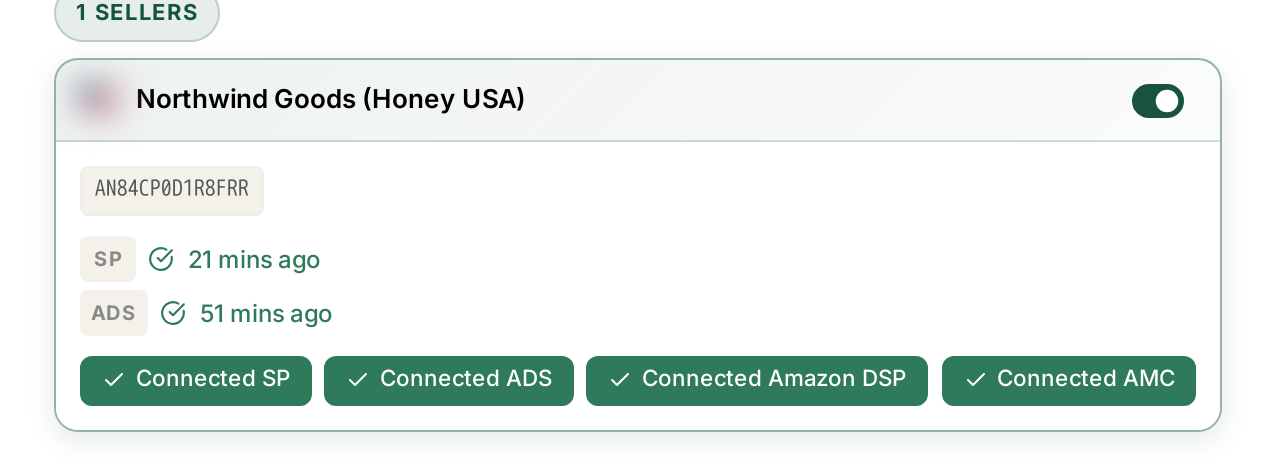
Each connected source shows a last-synced time.
That timestamp is your real confirmation. An authorisation can succeed while data has not yet arrived — connected and synced are different states, and the timestamp is the one that matters.
Empty screens on day one are normal
This is the most common first-day support question, and the answer is usually “wait”.
- The first sync is not instant. Amazon delivers historical data over a period, not in one go.
- Different sources arrive at different speeds. Sales data lands sooner than advertising data.
- Some data has its own cadence. Search Query Performance publishes weekly. AMC publishes monthly. A blank AMC dashboard on your first day is expected and will stay blank until Amazon's next monthly delivery.
Before reporting a screen as broken, check the last-synced time for the source behind it.
Multiple brands and marketplaces
Each brand you connect appears under Brands & marketplaces, with a toggle controlling whether its data syncs at all.
If you manage several brands, remember that every reporting screen is scoped to whichever brand is selected in the top bar. See Managing Your Connected Accounts for the detail.
If a connection breaks later
Amazon's access tokens expire, so a connection that worked for months can stop. The symptom is a last-synced time that stops advancing rather than an error message.
Check Connections, and reauthorise the source that has gone stale. Nothing is lost — data resumes from where it stopped.
Related
- How to Connect Amazon Advertising Data — the advertising grant specifically.