

A stock-out costs you more than the sales you miss while it lasts. Best Seller Rank decays with no sales, organic position follows, and when the stock lands you restart from a worse place than you left.
The damage is recoverable. It is just slow, and it is entirely avoidable with about ten minutes a week.
Time: 10 minutes weekly, plus whatever the reorder takes.
Prefer to watch? Eighty-three seconds on the alert that arrives in time, and slowing yourself down.
Step 1 — Let the alerts find it
Insights & Alerts.
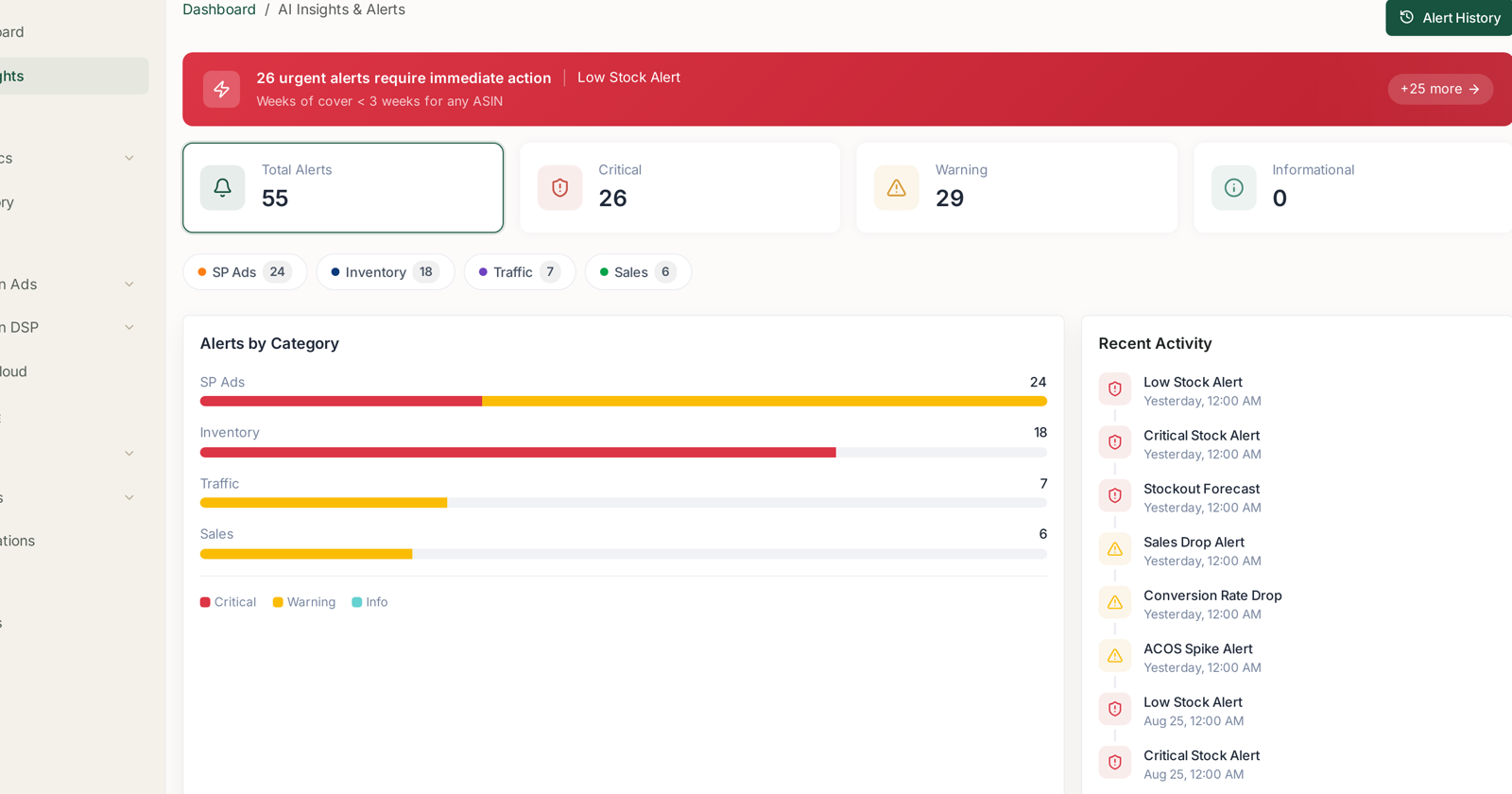
Three inventory rules fire before you run out, and they are the only alerts in the product that measure against an absolute rather than against last week:
| Alert | Fires when | Read it as |
|---|---|---|
| Stockout Forecast | projected to stock out within 14 days at current velocity | the early warning |
| Low Stock Alert | weeks of cover below 3 weeks | act now |
| Critical Stock Alert | weeks of cover below 1 week | too late to reorder normally |
Stockout Forecast is the one that saves you, because it is the only one that arrives while a reorder can still land. By the time Critical Stock fires you are managing a stock-out, not preventing one.
Open Alert History and check whether the same ASIN has fired before. An ASIN that goes low every few weeks is describing a reorder point that is set too tight, not a run of bad luck. See Alert History and Priority.
Step 2 — Check the cover yourself
Inventory.
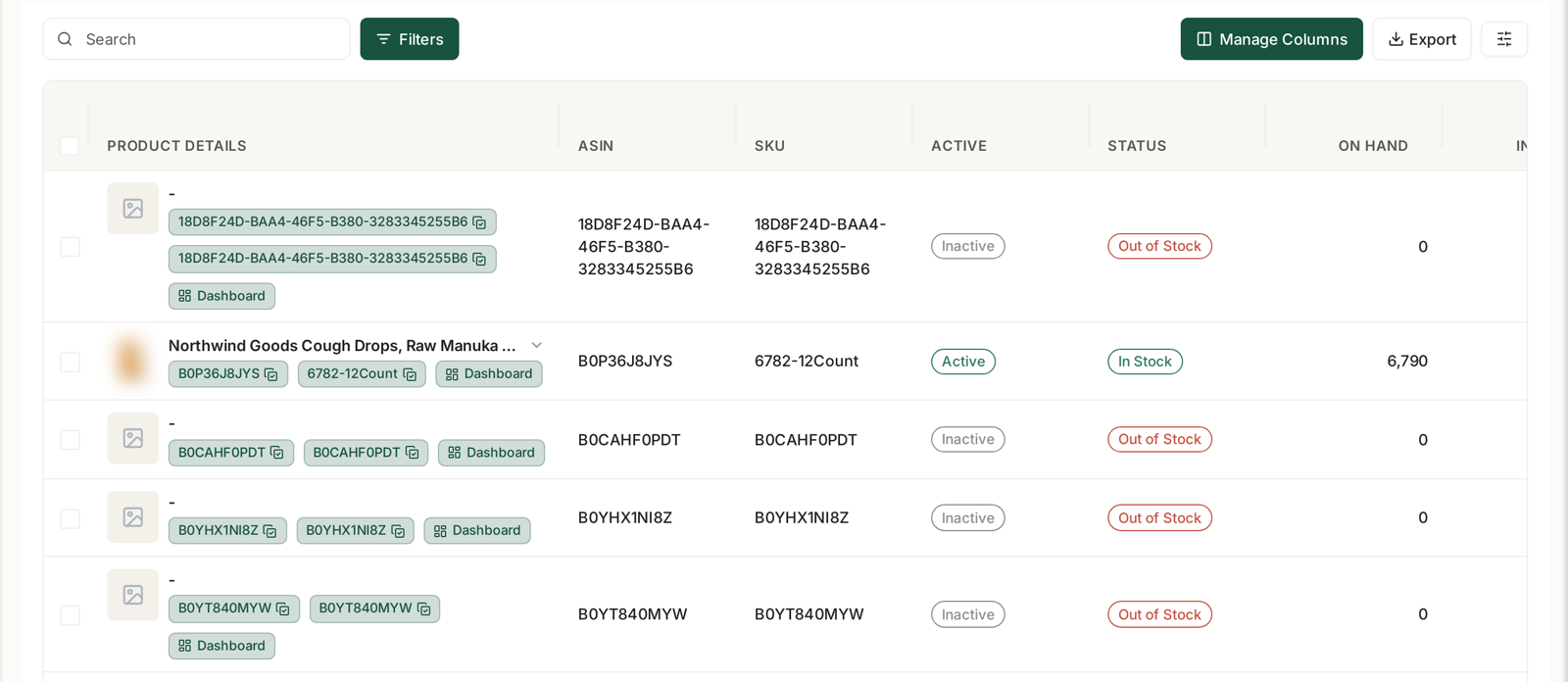
Alerts use fixed thresholds. Your lead times are not fixed, so do the arithmetic that actually matters:
days of cover must exceed supplier lead time + inbound transit + Amazon receiving
Amazon receiving is the part people forget. Stock that has arrived at the warehouse but is not yet checked in cannot be sold, and on a busy week that can be several days on its own.
Sort by days of cover, ascending. Anything below your true replenishment time is already late, whatever the alert says.
Check inbound quantity beside it. Low cover with a large inbound is fine. Low cover with nothing inbound is the actual problem.
Step 3 — Protect the rank while you are short
This is the step almost nobody takes, and it is where the lasting damage is either done or avoided.
If you are going to be tight for a week or two, slow your own sales down deliberately rather than selling out and going to zero:
Reduce bids rather than pausing campaigns. A paused campaign stops accumulating history; a reduced bid keeps you present at lower volume. When stock lands you resume from a slowed campaign, not a cold one.
Raise the price slightly. Unpopular, and effective. Fewer units at a higher margin stretches the same stock across the gap and keeps some velocity, which is what BSR is measuring.
Never let it hit zero if you can help it. A listing that goes out of stock loses its position outright, and the Buy Box with it. Trickling out at a slower rate is materially better than a hard stop.
Step 4 — Watch what it costs you
Rank Tracker → the product → BSR Tracker.
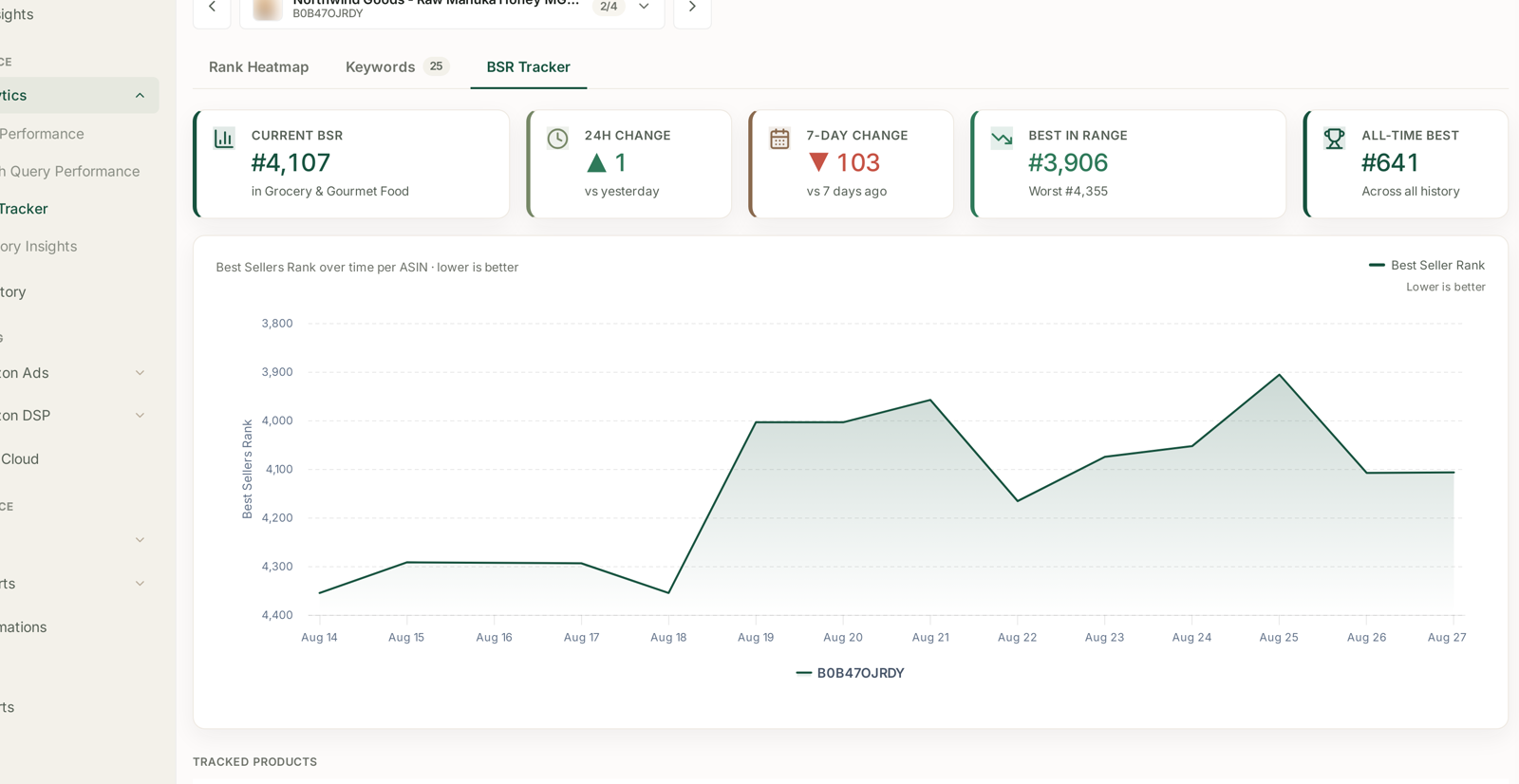
BSR reacts to sales velocity within days, so it is the fastest read on how much damage a shortage is doing. Remember the chart's axis is inverted — a line going up is good — and the arrows track the outcome, so green means the rank improved.
Watch the 7-day and 30-day columns on the tracked products table. A cliff with no marketing change behind it is very often availability, and this is where you see it first.
Then check the Rank Heatmap for the same product. Organic position follows BSR with a lag, so a rank slide that starts a week after a shortage is the shortage arriving.
Step 5 — Come back properly
Recovery is not automatic. When stock lands:
Restore bids gradually, not in one jump. A sudden return to full spend on a listing with degraded rank buys expensive clicks at a worse conversion rate.
Expect BSR to lag. It is computed over a rolling window, so it improves after sales do, not with them.
Watch Amazon's Choice. The badge is sensitive to availability and does not always come straight back. If the count fell, that is the last thing to recover. See Tracking the Amazon's Choice Badge.
What good looks like
Stockout Forecast fires and you have already ordered. That is the whole goal. The alert should be a confirmation, not news.
Over a quarter, the number of Critical Stock alerts should fall while Low Stock alerts stay roughly constant — that pattern means you are catching things earlier, not eliminating variability.
What not to do
Do not use the 3-week threshold as your reorder point. It is a general default. Yours depends on your lead times.
Do not pause advertising outright unless you are genuinely at zero. See step 3.
Do not let a rule pause it for you. Rules do not know your stock position, and a pause rule that fires during a shortage will do exactly the wrong thing. See Guardrails to Set Before You Automate Anything.
Do not judge recovery on sales alone. Sales come back before rank does; rank is what determines whether they stay.
Related
- Alert Categories, Priorities and What Actually Triggers Them — the three inventory rules.
- Inventory: On Hand, Inbound, Days of Cover and Velocity — step 2.
- Best Seller Rank Tracking — step 4.
- Protect the products that bring you new customers — which ASINs matter most here.
- What a Relaunch Is, and When to Run One — why 98% in stock is a precondition for launching.
- Monitoring Inventory Against Sales — the weekly routine behind the alert.
- When You Are Going Out of Stock — what to do when it is already unavoidable.