

Sponsored Display is the odd one out. Sponsored Products and Sponsored Brands target searches. Sponsored Display targets people — shoppers who viewed something, bought something, or fit a behaviour Amazon has inferred — and it can follow them off Amazon.
That difference changes how you judge it, which is where most Display budgets get cut by mistake.
Prefer to watch? One hundred and eighteen seconds on the optimisation strategy that quietly softens your numbers, the five targeting families, and the budget that gets cut by mistake.
Creating the campaign
Amazon Ads console → Campaign manager → Create campaign → Sponsored Display.
1. Name, dates, budget. Start the budget low — Display reaches broadly and can spend quickly. Something in the region of a quarter of what you would give a Sponsored Products campaign is a sensible opening.
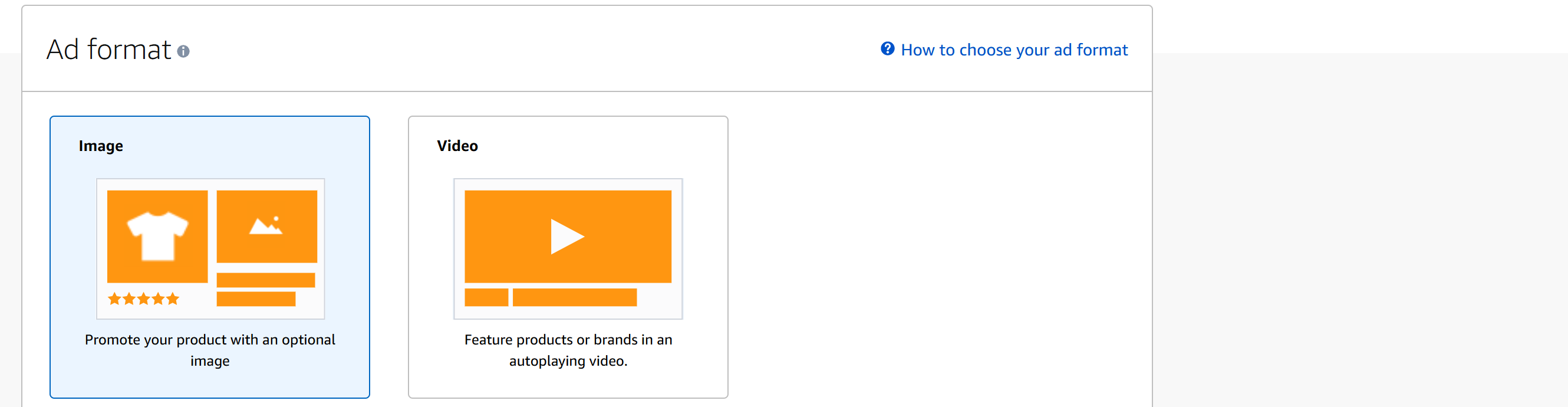
2. Creative type: image or video. Either can land on a specific product or on your storefront. Product page is the usual choice; storefront suits a broad range.
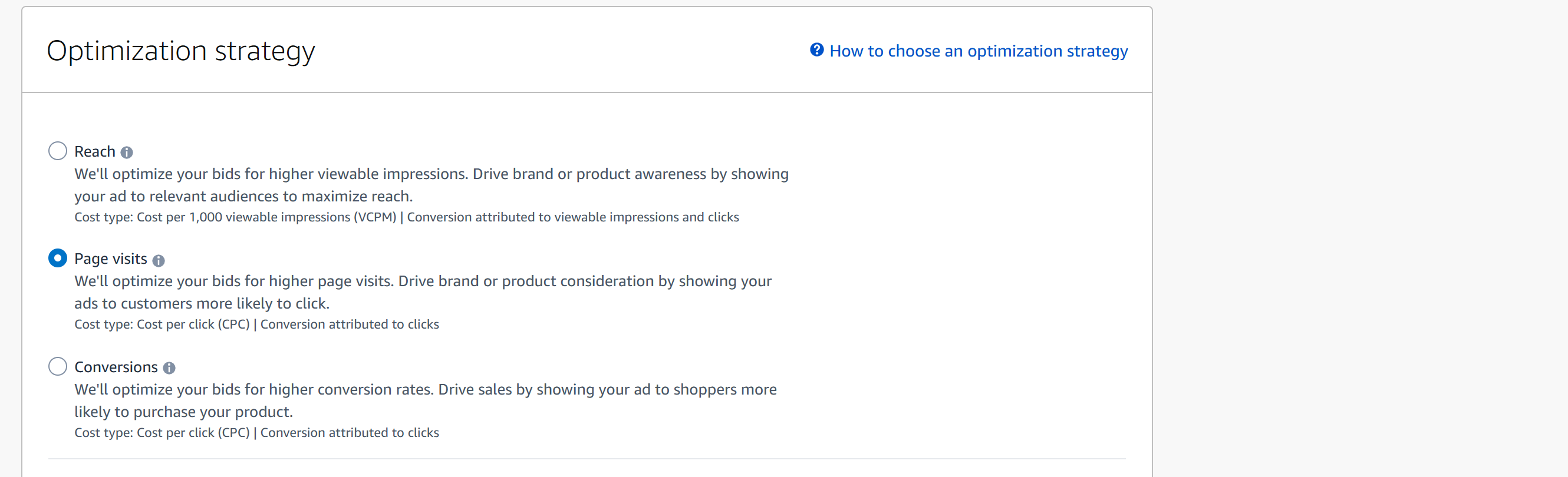
3. Optimisation strategy. Three, and the pricing differs:
| Strategy | Cost type | Conversions attributed to |
|---|---|---|
| Reach | vCPM | viewable impressions and clicks |
| Page visits | CPC | clicks |
| Conversions | CPC | clicks |
Optimise for conversions. This is the one to use.
Avoid reach. It bills per thousand viewable impressions, and because it credits conversions to impressions as well as clicks, its reported results are far softer than they look. You will be buying exposure with no reliable way to tell whether it did anything.
4. Set your bids. Sponsored Display bids per target, so each audience you add gets its own bid in the targeting table. There is also an optional cost control setting, currently in beta, that lets Amazon manage bids to hold a metric at or below a value you name. Leave it off until the campaign has a baseline — it takes around 72 hours to settle, and you cannot read a campaign that is being steered while you are still learning what it does.
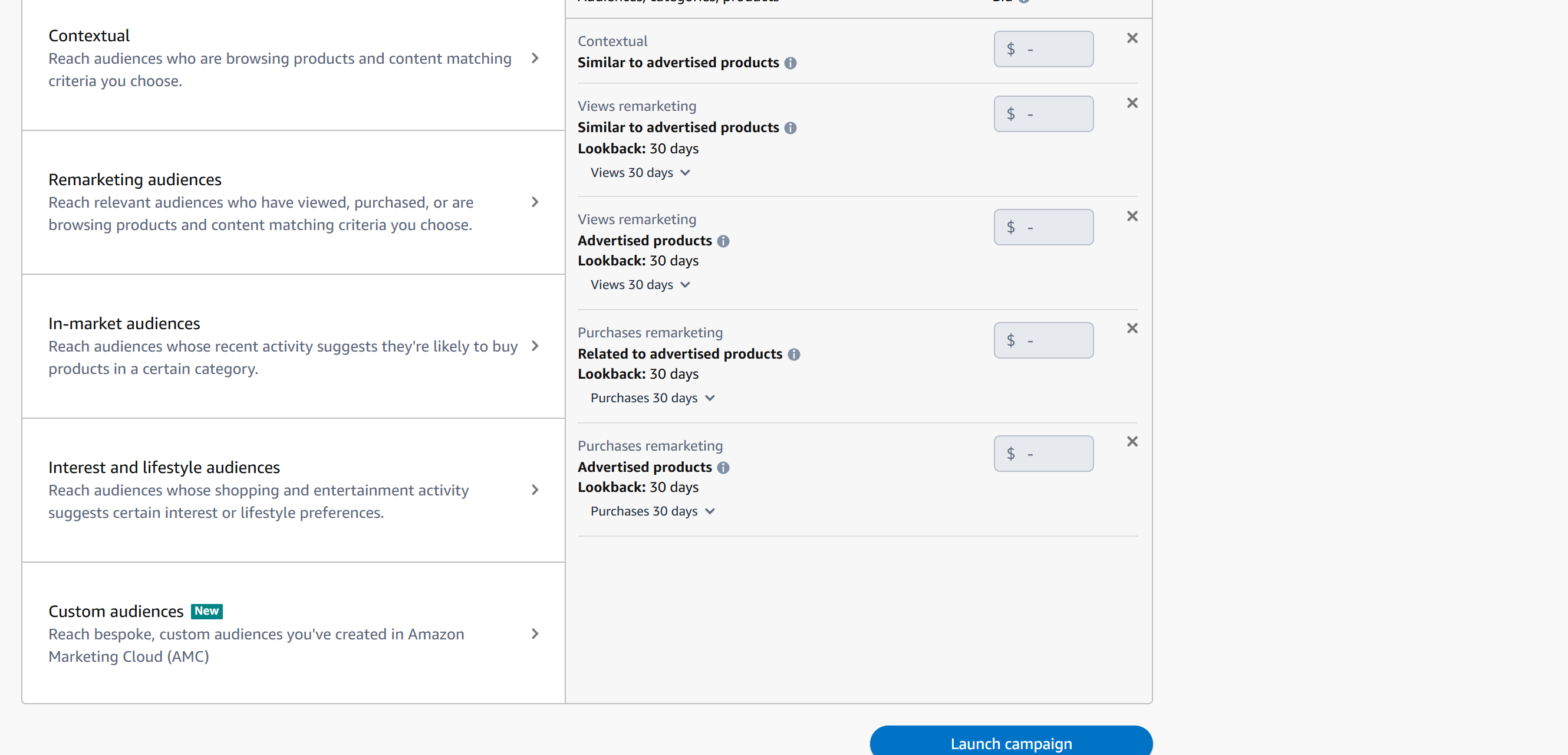
5. Choose your targeting. Five families, and they behave nothing alike:
| Family | Who it reaches | Realistic job |
|---|---|---|
| Contextual | shoppers on chosen products or categories | conquesting, defending |
| Remarketing | people who viewed or purchased, over a lookback window | the warmest — start here |
| In-market | people shopping the category now | reach, cold |
| Interest and lifestyle | long-run behavioural groups | coldest, broadest |
| Custom audiences | a segment you built yourself in AMC | precise, and yours alone |
Start with views-remarketing. Smallest, warmest, cheapest to prove. Note the lookback window on each remarketing target — 30 days by default — which decides how far back a view still counts. Expand outward once it works.
Custom audiences are the interesting one. They are built in Amazon Marketing Cloud rather than picked from a list, which means you can target a segment defined by your own data instead of one of Amazon's presets. See Understanding AMC Cloud: New-to-Brand and Path-to-Purchase Insights.
6. Build the creative. Headline to 50 characters, logo showing your brand name, image or video to Amazon's stated specification. Then launch.
Judging it in TrackIQ
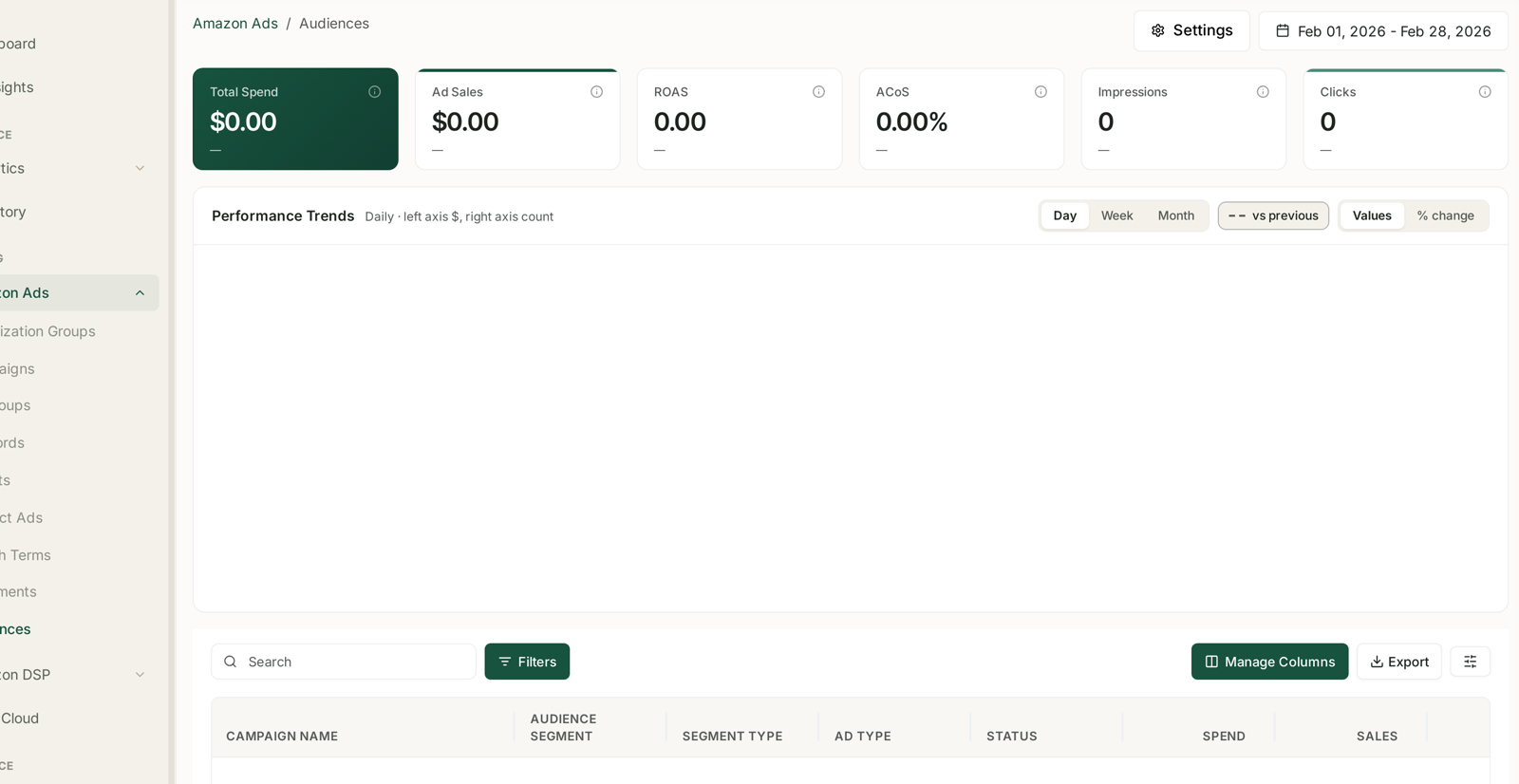
Amazon Ads → Audiences reports one row per campaign per segment, with a Segment type column that groups them into those four families. See Audiences: Segment Performance.
Compare within a family, never across it. Remarketing beating lifestyle on ACoS is not a finding, it is arithmetic. The warm audience was always going to win a last-click comparison.
Judge each family against its own job:
Remarketing should convert. If it does not, the problem is the listing, not the audience.
In-market and lifestyle should bring new people. Held to a conversion target they will always fail, and cutting them removes the thing that fed remarketing its audience in the first place.
Attribution is 14 days. Recent days understate more than Sponsored Products does.
The measure that actually settles it
For the cold families, last-click ACoS is the wrong instrument. The right question is whether they brought customers who did not know you.
AMC Cloud → NTB Customers gives new versus repeat as people, not orders. See NTB Customers: New vs Repeat, Counted as People.
AMC Cloud → Path to Purchase shows whether Display appeared first in the journey or merely intercepted a sale already in progress. That distinction is the whole argument. See Path to Purchase: Which Ad Sequences Actually Convert.
The full method is Prove Your Display Campaigns Created Demand.
Sponsored Display is not Amazon DSP
They are frequently confused. Sponsored Display is self-service, sits in the Ads console beside your other campaigns, and reports under Amazon Ads → Audiences.
Amazon DSP is a separate programmatic platform with its own console, its own audiences and its own reporting, under Amazon DSP in TrackIQ. See DSP Audience Segments.
Common mistakes
Judging cold audiences on ACoS. The most common way a working Display budget gets cut.
Starting with lifestyle audiences because the reach numbers are large. Start warm.
Adding segment sales together. Segments overlap; one shopper can sit in several.
Reading a segment with forty clicks. Not enough to mean anything.
Choosing the reach objective. You will not be able to prove it worked.
Related
- Audiences: Segment Performance — the screen, in full.
- Shift Budget from Harvesting to Acquisition — when efficiency has crowded out growth.
- What 'New to Brand' Actually Means — defined differently in different places.