

Beside every Performance Trends chart sit two small toggles: −− vs previous, and Values / % change. They are easy to ignore and they change what the chart is telling you.
Prefer to watch? Sixty-five seconds on when each toggle is the honest one.
What each one does
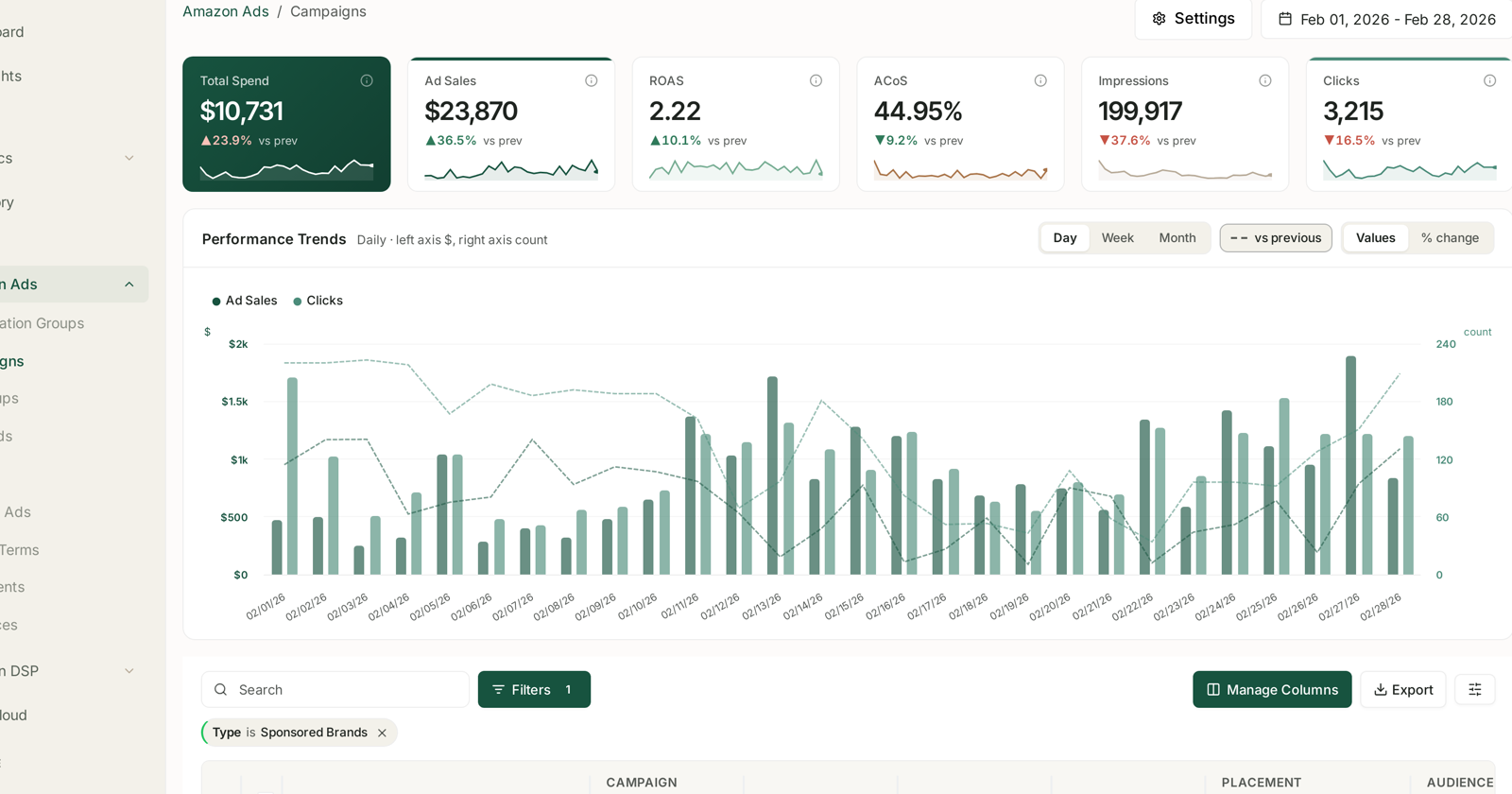
vs previous overlays the preceding period as a dashed line. Same length, immediately before — so a 28-day view compares against the 28 days before it.
Values plots the actual numbers. % change plots movement instead.
They combine, and the combination is the point.
Values, with vs previous
The default, and right most of the time.
You see this period solid and last period dashed, in the same units. Scale is preserved, so you can tell whether a change is large or merely visible — a spike that looks dramatic in isolation often turns out to be a normal Tuesday once last month is drawn beside it.
Use it for: “are we up or down, and by how much?”
% change
Plots the movement rather than the level, which does two useful things.
It makes small series comparable to large ones. A campaign spending $200 and one spending $20,000 cannot share a y-axis in Values — the small one is a flat line at the bottom. In % change they are directly comparable.
It surfaces the thing you actually care about, which is usually the direction rather than the amount.
Use it for: “what moved most?”
The trade is that % change hides scale. A 300% rise on $40 and a 3% rise on $400,000 look nothing alike in reality and can look similar here. Check the tile above before acting.
A rule of thumb
| Question | Setting |
|---|---|
| Are we up or down? | Values + vs previous |
| Which of these moved most? | % change |
| Is this spike real? | Values + vs previous |
| Comparing very different sizes | % change |
| About to quote a number | Values |
The tiles use it too
The vs prev figure on each headline tile is the same comparison in one number — “▲23.9% vs prev” means this period against the one immediately before.
Two cautions there:
Percentage points versus percent. When the metric is itself a percentage — ACoS, CTR, conversion — a change from 40% to 44% is 4 percentage points, not a 4% rise. It is a 10% rise. Getting this backwards over-reports or under-reports every efficiency change.
Direction is not quality. ACoS falling is good; impressions falling usually is not. The arrow colour tells you the direction, not whether to be pleased.
Granularity changes the comparison too
Day / Week / Month sets the grain, and the comparison period follows it.
Daily advertising data is noisy. Weekday patterns make every daily chart look volatile, and a single quiet Sunday can read as a collapse. For anything longer than a fortnight, Week is usually the honest view.
The caveat that applies to all of it
Whatever you set these to, the last day or two of any period is still filling in — Sponsored Products is credited over 7 days, Brands and Display over 14.
So a vs previous comparison ending today compares a settled period against an unsettled one, and will always flatter the past. If the comparison needs to be fair, end it a fortnight ago.
See My Ad Data Is Missing or Looks Wrong and Where Your Data Comes From and How Fresh It Is.
Related
- Date Ranges, Granularity and Comparing Against the Previous Period — the comparison period itself.
- Analyzing Your Data — the screens this toggle sits on.