

An insight report is a piece of analysis TrackIQ writes for you. You choose the question and the data it should draw on; it produces slides. Unlike a chat answer, it is kept and versioned, so the same question can be asked again next month and compared.
Prefer to watch? A minute on data sources and why versions matter.
Where they live

Reports → Insight Reports. + Create Insight Report starts a new one; the usual search, filters, column and export controls sit above the table.
Reading the list
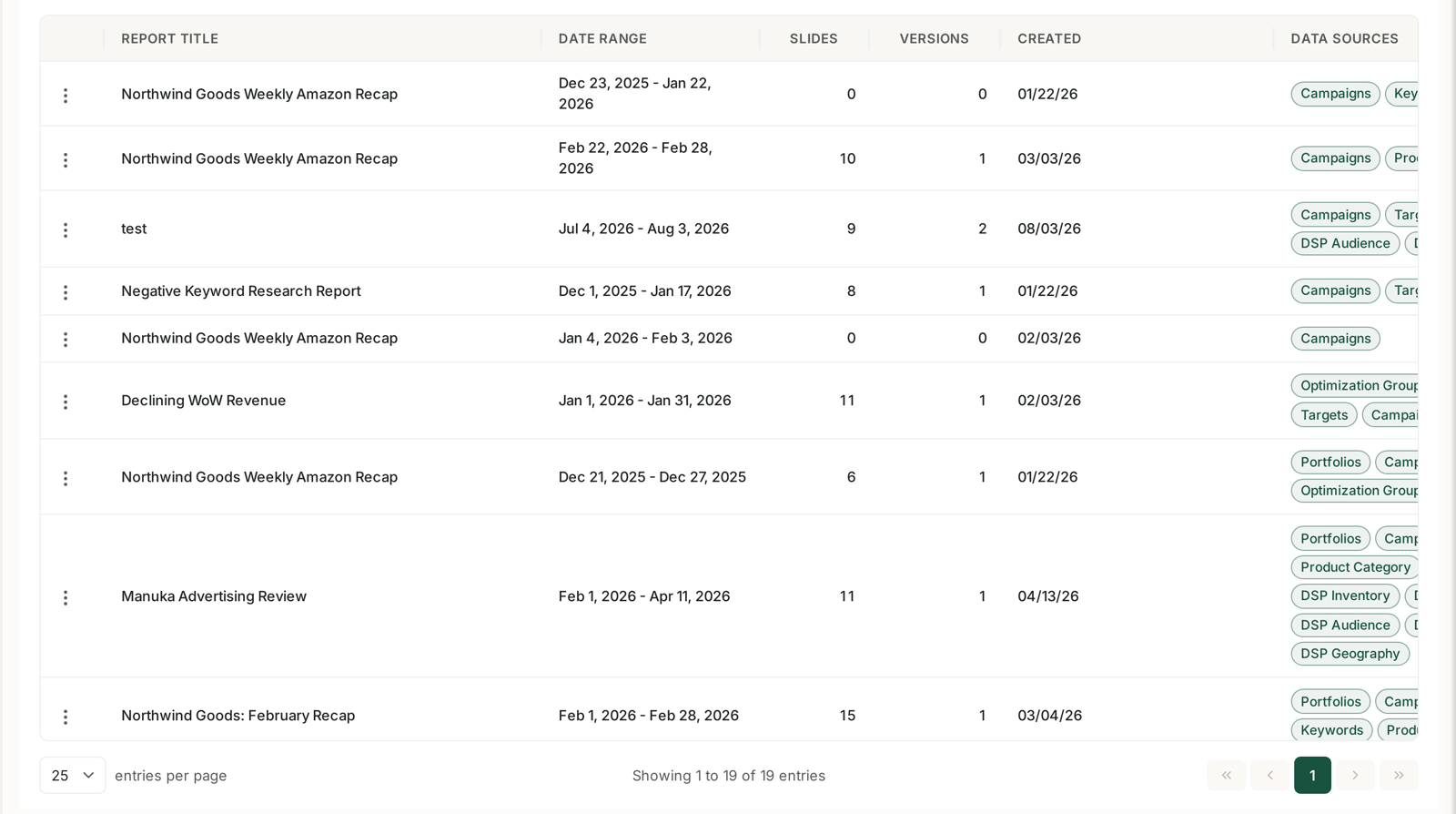
| Column | What it tells you |
|---|---|
| Report Title | |
| Date Range | the period the analysis covers |
| Slides | how many slides it produced |
| Versions | how many times it has been run |
| Created | |
| Data Sources | which parts of your account it drew on |
The data source chips are the most useful column. They show at a glance whether a report looked at Campaigns, Keywords, Products, Targets, Optimization Groups, Portfolios, Product Category, DSP Audience, DSP Inventory or DSP Geography.
That matters because it tells you what a report could not have known. A report built only from Campaigns cannot tell you which search terms wasted money — it never looked at them.
Choosing data sources well
When you create a report, the sources you pick decide what the analysis can see.
Pick narrow for a specific question. “Why did my ACoS rise?” wants Campaigns, Keywords and Search Terms. Adding DSP Geography only dilutes it.
Pick broad for a review. A monthly account review benefits from breadth, because you do not yet know where the story is.
A report with a slide count of zero is one that found nothing to say — usually because the date range was too narrow, or the sources chosen held no data for the period.
Versions are the point
The Versions column is the feature most people miss.
Rerun a report for a new period and you get a new version of the same report, not a new report. That turns month-over-month comparison into something you read rather than something you rebuild.
A practical routine: build one report you care about properly — the right question, the right sources — then rerun it on the same cadence. The second version is more valuable than the first, because it has something to be compared against.
Insight reports or business reports?
They look similar and are for different audiences:
| For | Output | |
|---|---|---|
| Insight report | you, to understand something | slides of analysis |
| Business report | someone else — board, client | dashboard or presentation deck, with your logo |
If you are trying to work something out, use an insight report. If you are trying to tell someone else what you worked out, see Understanding Business Reports.
Related
- Business Report Templates and the AI Report Generator — templates and the AI generator.
- Build a Monthly Board Pack — a worked example.