

Keywords buy searches. Targets buy placements on product pages — your ad shown beside a specific ASIN, or across a category.
They live on their own screen because they behave differently, and judging them by keyword standards leads you to cut the wrong ones.
Prefer to watch? Sixty-seven seconds on why targets need different judgement from keywords.
The screen
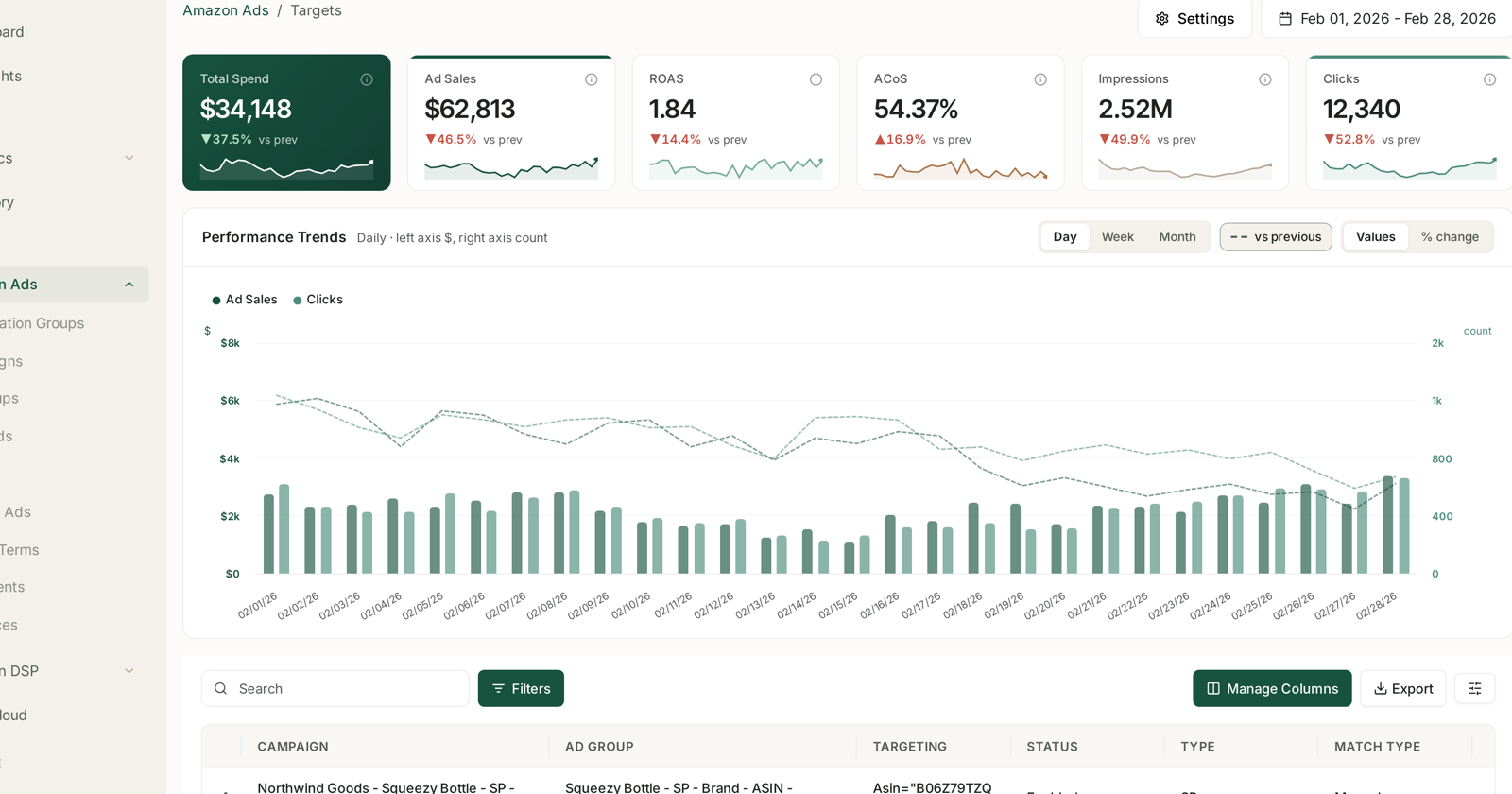
Same layout as the rest of Amazon Ads. The table identifies each target by where it lives and what it points at:
| Column | |
|---|---|
| Campaign | which campaign |
| Ad group | which ad group |
| Targeting | the expression — e.g. Asin="B0..." |
| Status | enabled, paused, archived |
| Type | the ad type |
| Match type | how the target resolves |
The Targeting column holds an expression, not a word. An ASIN target reads as Asin="B0...", which is why this screen looks more technical than Keywords. It is naming a product, not a phrase.
Two kinds of target
Product targeting puts your ad on one specific ASIN's detail page. You choose the product.
Category targeting puts it across a category, optionally narrowed by attributes like price band or review rating. You choose the shelf.
The difference in practice: product targeting is a list you maintain, category targeting is a rule that keeps finding new products.
Why targets need different judgement
Intent is weaker. Someone searching “manuka honey 525” has told you what they want. Someone looking at a competitor's page has told you far less. Expect lower conversion, and set expectations accordingly.
Position matters more than volume. A target on a high-traffic competitor with a much better price will spend and not convert. A target on a comparable product where you are cheaper or better-reviewed can convert well on modest volume.
Category targets drift. The category keeps changing underneath you as products come and go. A category target that worked six months ago may now be reaching a different set of products entirely — which is the main reason to re-check them periodically rather than set and forget.
What to look for
Sort by spend, then look at conversion rather than ACoS alone. A target that gets clicks and never converts is usually a mismatch of product rather than a bid problem.
Compare targets to each other, not to keywords. Targets should look worse than your best exact-match keywords. That is the nature of the placement, not a failure.
Watch for one ASIN target consuming the ad group. A single high-traffic competitor can absorb the budget that ten better-matched targets needed.
Defensive targeting on your own ASINs is legitimate and will look odd on efficiency — you are paying to occupy your own page so a competitor cannot. Judge it as defence, not harvest. This is exactly why campaigns doing different jobs belong in different groups — see Optimization Groups.
Automating them
Targeting rules act on keywords and product targets together — the rule type is called Targeting for that reason. So everything in Targeting Rules: Adjusting Bids and Pausing Targets applies here:
- Pause dead keywords works on targets too — the classic 25-click cutoff.
- Rein in high ACOS steps bids down in tiers.
- Boost profitable winners raises bids on converters.
One caution: if a group mixes keywords and targets, a single ACoS threshold judges both by the same standard, and targets will fail it more often. Scope target-heavy ad groups into their own rule group if you want them judged fairly.
A Harvest Product Targetings rule type is listed in the chooser but not yet available.
Related
- Keywords and Match Types — the other thing you bid on.
- Ad Groups — where targets inherit their default bid.
- Rule Groups — scoping so targets are judged on their own terms.