

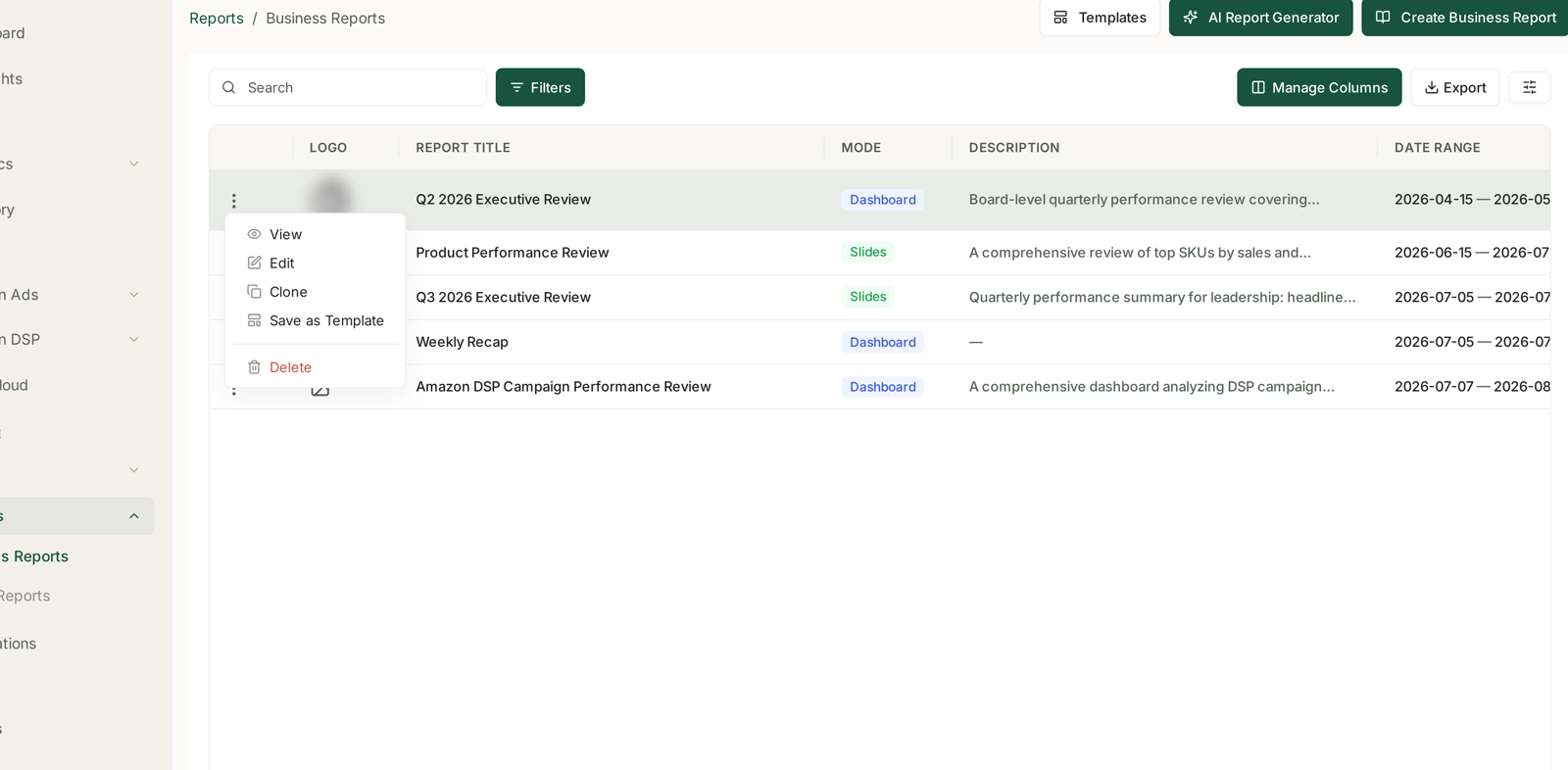
Business Reports has three entry points along the top — Templates, AI Report Generator and Create Business Report — and they solve three different problems. Picking the wrong one is how a five-minute job becomes an afternoon.
Prefer to watch? Eighty seconds on the three entry points and how to describe a report properly.
The three doors
| Entry point | Use when |
|---|---|
| AI Report Generator | you know what you want to say, not how to lay it out |
| Templates | you have built this report before and want it again |
| Create Business Report | you want to place every widget yourself |
The reports list itself carries Mode — Slides or Dashboard — which is the other decision, and the one people get wrong more often. Slides are for sending to somebody. Dashboards are for looking at repeatedly.
The AI Report Generator
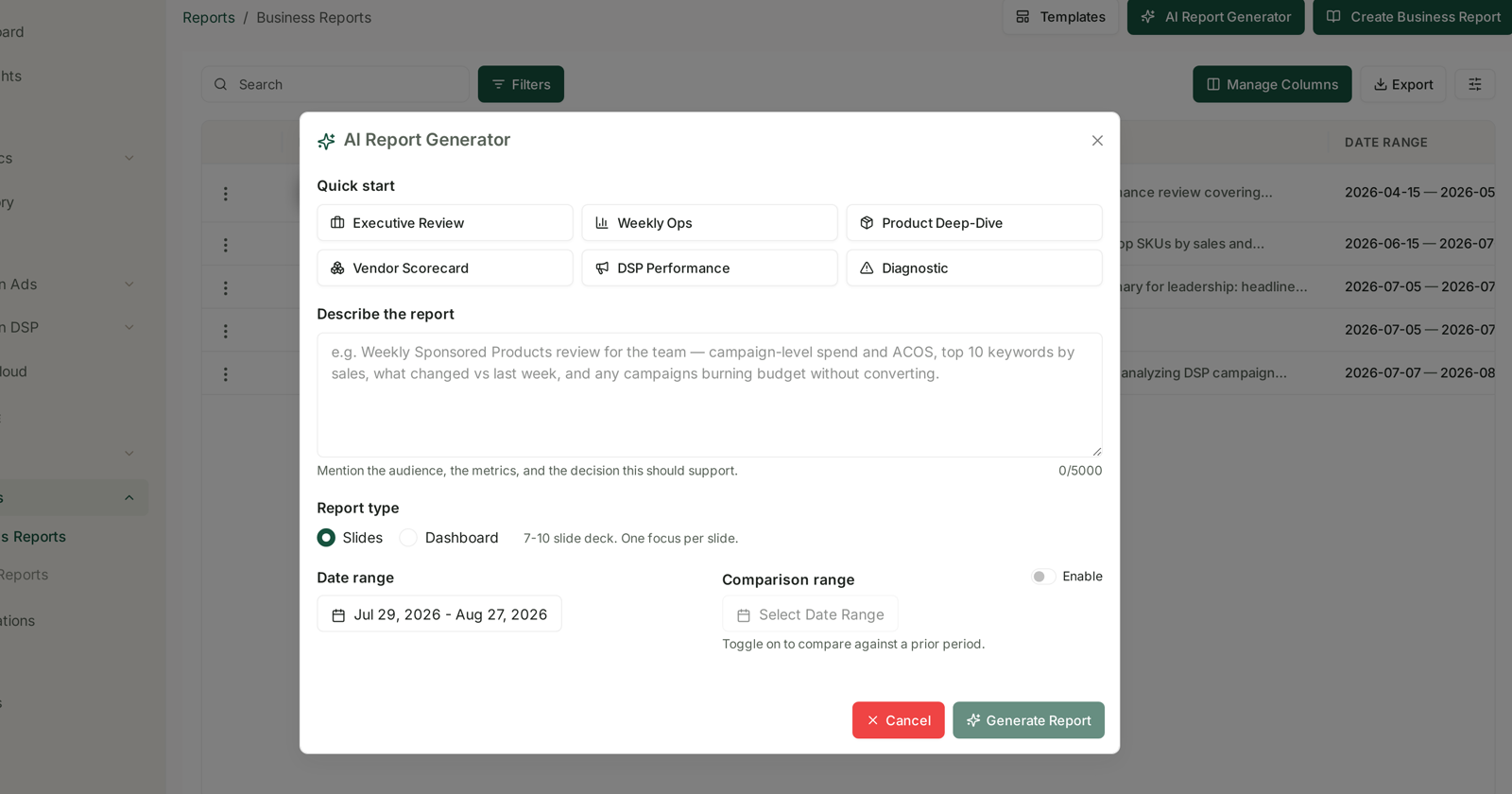
Quick start offers six shapes to begin from:
Executive Review · Weekly Ops · Product Deep-Dive · Vendor Scorecard · DSP Performance · Diagnostic
Then Describe the report, a free-text box of up to 5,000 characters, with the instruction that actually matters:
Mention the audience, the metrics, and the decision this should support.
That is the whole skill. A description like "ad performance last month" produces a generic deck. The placeholder shows the shape that works — who it is for, which metrics, what changed, and what to look out for:
Weekly Sponsored Products review for the team — campaign-level spend and ACoS, top 10 keywords by sales, what changed vs last week, and any campaigns burning budget without converting.
Name the decision. A report written to answer "should we increase the budget on the Squeezy line?" is sharper than one written to "cover Q3", because it tells the generator what to leave out.
Report type picks Slides (7–10 slide deck, one focus per slide) or Dashboard.
Date range, and a Comparison range with an Enable toggle — toggle on to compare against a prior period. Turn it on for anything going to a person rather than a screen. A number without a comparison is not yet information.
Templates
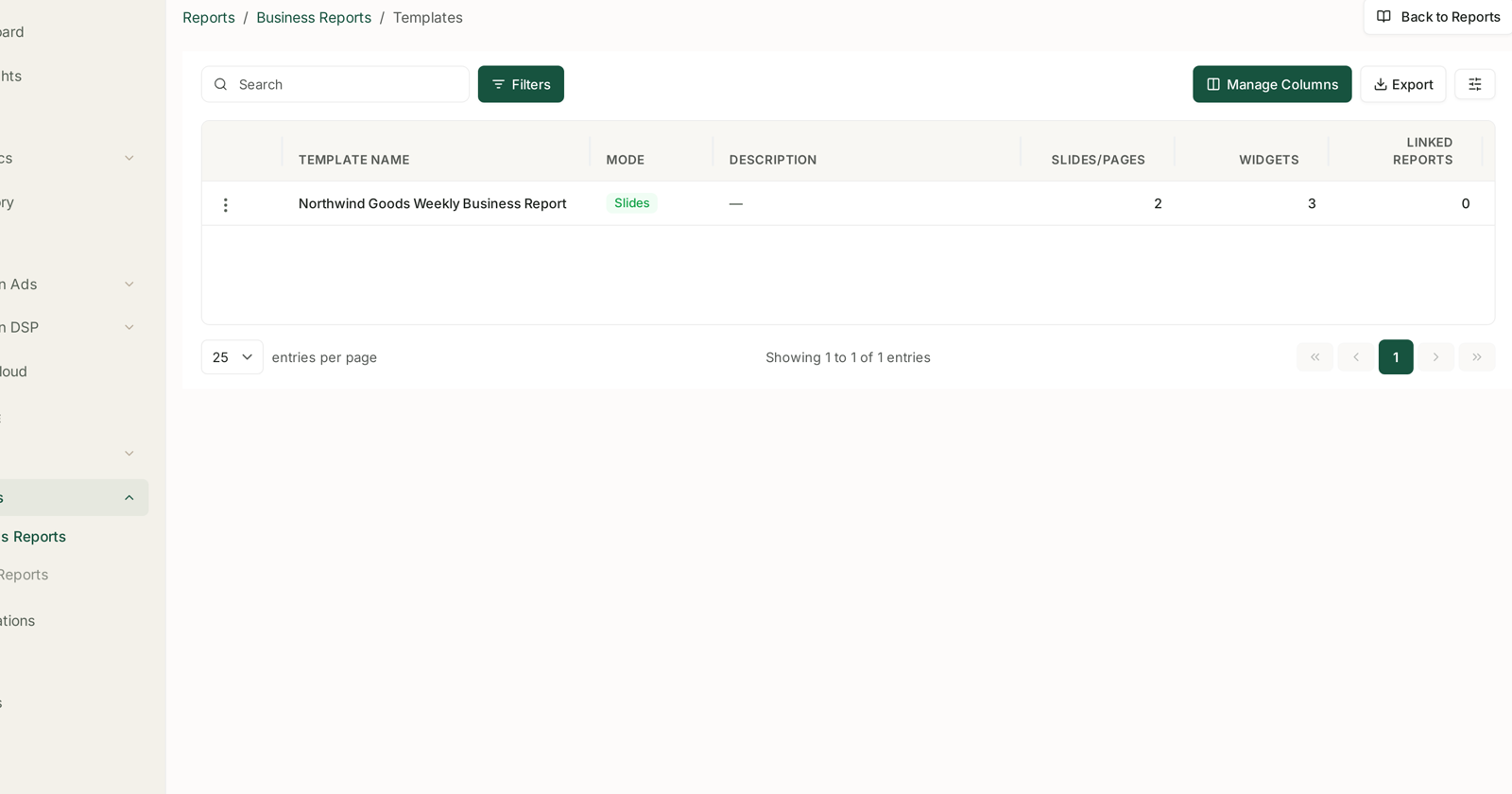
A template is a saved report structure — the layout, not the data. The list shows Template Name · Mode · Description · Slides/Pages · Widgets · Linked Reports.
Templates are created from a report you already have: the ⋮ menu on any report offers View, Edit, Clone, Save as Template and Delete. Build the report once, get it right, then save it.
Linked Reports is the column worth watching. It counts how many reports were built from that template, and a template with several linked reports is doing real work — while one with zero is a layout nobody chose to reuse.
Clone versus Save as Template. Clone copies a report so you can edit a one-off variant. Save as Template makes the structure reusable. Clone for "the same thing but for last quarter"; template for "the thing we produce every month".
Which to use
A one-off question — AI Report Generator. Describe it, read it, move on.
Something you will produce again — generate it once, get the structure right, Save as Template. The next one starts from a known-good layout.
A report somebody else depends on — template, always. Consistent structure is most of what makes a recurring report readable; people learn where to look.
Something genuinely bespoke — Create Business Report and place the widgets yourself. This is the slowest path and the right one when the layout is the point.
Insight Reports are a different thing
The neighbouring Insight Reports section looks similar and is not. Creating one asks for a Report Title, a Slide Template (a visual theme, such as Corporate Blue), a Date Range, and then a set of Data Sources to draw on — Advertising sources such as Portfolios, Campaigns, Targets, Keywords, Product Category, Optimization Group and Products, and DSP sources including Campaigns, Ad Groups, Creatives, Audience, Products, Technology, Geography and Inventory.
The distinction in practice: a Business Report presents metrics you choose. An Insight Report asks the AI to go and find what is interesting in the sources you tick. Insight Reports also keep Revisions, so a report regenerated over time keeps its earlier versions — which is why that list carries a Versions column.
See How to Create an AI-Powered Insight Report.
What not to expect
The generator reads your data, not your business. It does not know a line is being discontinued or that last month included a promotion. Say so in the description.
Generated does not mean checked. Read a deck before it goes to anybody. See Checking Aria's Work When an Answer Looks Wrong — the same discipline applies.
A template is structure, not a subscription. Saving one does not schedule anything; you still choose when to produce the next report.
Related
- Understanding Business Reports — the reports themselves.
- How to Create an AI-Powered Insight Report — the neighbouring section.
- Weekly Business Reports and AI-Generated Insights — the recurring weekly view.
- Build a weekly executive summary you never have to write — the playbook.