

Amazon DSP → Technology breaks your display performance down by the device the ad appeared on. It is the screen that explains why a campaign with respectable totals can still be spending badly.
Prefer to watch? Seventy-three seconds on the seven device types, and why to change the metric.
The screen
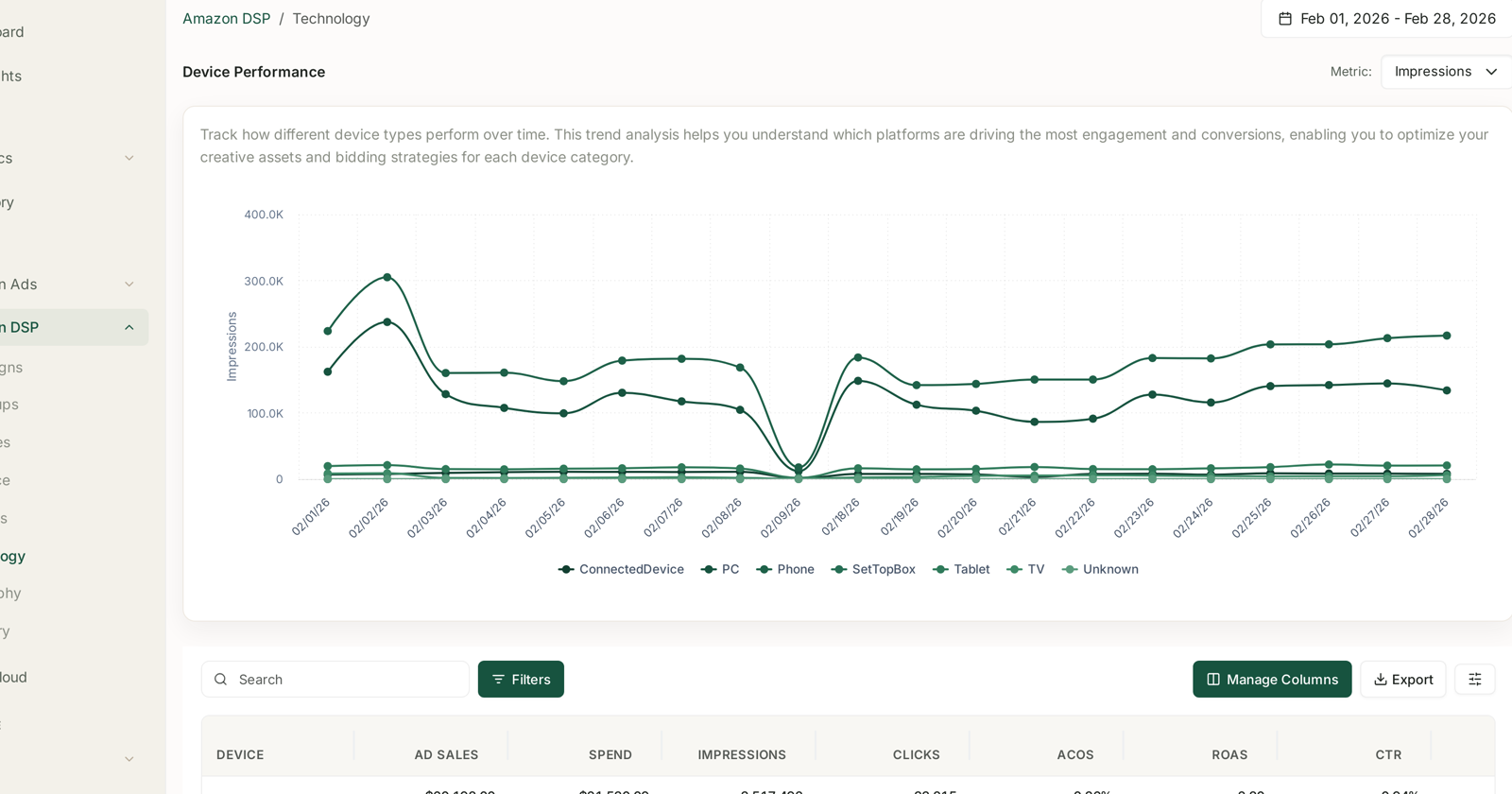
Device Performance opens with a line per device over time, and a Metric selector in the top right — so you can plot impressions, or switch it to spend, sales or a rate.
The devices reported are:
ConnectedDevice · PC · Phone · SetTopBox · Tablet · TV · Unknown
Below the chart, the same breakdown as a table: Device, Ad Sales, Spend, Impressions, Clicks, ACoS, ROAS, CTR.
Change the metric before drawing conclusions
The chart defaults to Impressions, and impressions are the least useful device metric.
Volume tells you where inventory is cheap and plentiful, not where it works. Switch the Metric selector to spend, then to sales, then to ACoS — three views of the same period, and the gap between the first and the last is the finding.
The pattern worth looking for: a device with a large share of impressions and a small share of sales. That is where your budget is going without doing much, and it is invisible in any total.
Reading the devices
Each behaves differently enough that comparing them on one number misleads.
TV and SetTopBox are the clearest case. There is no click in the usual sense, so CTR is close to meaningless and ACoS looks dreadful. Their contribution shows up as detail page views and later branded search — which is why the funnel on DSP Campaigns and the AMC path reports matter more here than efficiency.
Phone typically carries the volume and converts less well than desktop. Normal, not a fault.
PC often shows the best conversion, on smaller volume.
Unknown is a real bucket, not an error. If it is large, treat conclusions about the named devices with care — a big Unknown share means the split you are reading is partial.
What to do with it
Find the mismatch. Large impression share, small sales share. That is your first candidate for a bid or budget change.
Do not cut upper-funnel devices on efficiency alone. TV and connected devices will always look poor on ACoS. Cutting them on that basis removes the reach that made the rest work — and you will see the loss weeks later in branded search, where it is very hard to attribute back.
Check it after any creative change. A creative that works on desktop may not on phone, and the device split is where that shows first.
Watch Unknown over time. A rising Unknown share is a data quality signal worth noticing.
Where this fits
DSP reporting is one dataset with several lenses — campaign, ad group, creative, audience, geography, technology and inventory — and every lens carries the same metric set on a 14-day attribution window.
So Technology answers “on what kind of screen?”, while Inventory answers “through which supply source?” Those are different questions and are worth reading together: a device that underperforms everywhere is a device problem, one that underperforms on a single supply source is a placement problem.
Two cautions
Nothing here is actionable inside TrackIQ. DSP reporting is read-only in the product — device and budget adjustments happen in Amazon's DSP console. This is the screen that tells you what to change, not where you change it.
DSP is a separate connection. An empty Technology screen usually means DSP was never connected. See How to Connect Your Amazon Accounts.
Related
- DSP Campaigns — the funnel and the campaign table.
- DSP Metrics Explained — DPV, add to cart, NTB purchases and CPA.
- DSP Geography — the same data, split by country.