

MCP access is on every plan. You never need to upgrade to connect Claude Desktop — that is not what the tiers are about.
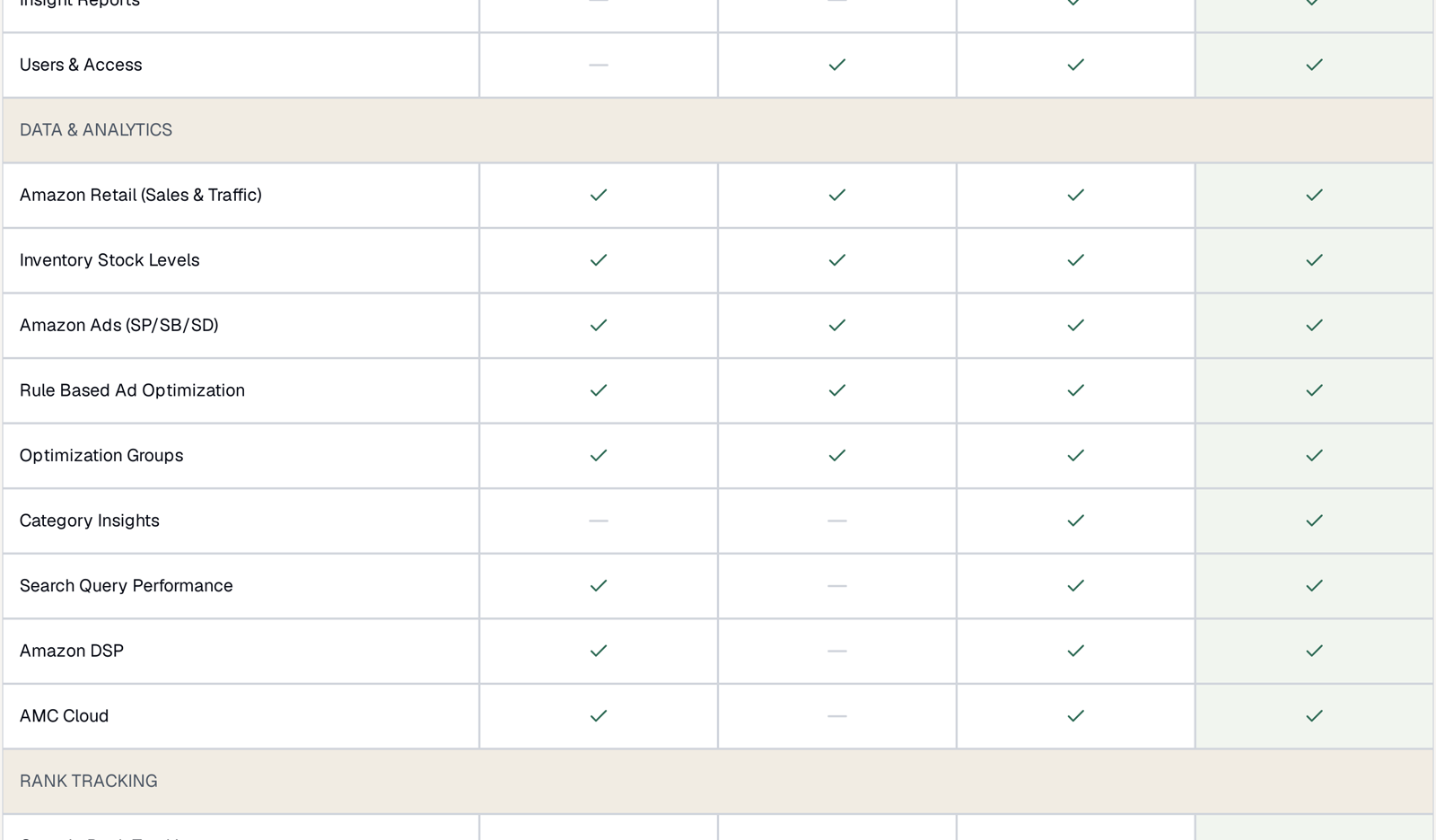
What differs is which data your MCP connection can reach, and it mirrors the plan grid exactly. If a data source is not on your plan, the tools that read it are not available either.
Prefer to watch? Seventy-three seconds on why MCP access is on every plan, and what actually differs.
The rule, in one line
MCP reaches the data your plan includes. Nothing more, nothing less.
There is no separate MCP entitlement to reason about. Read the Data & Analytics rows of the comparison grid and you have your answer.
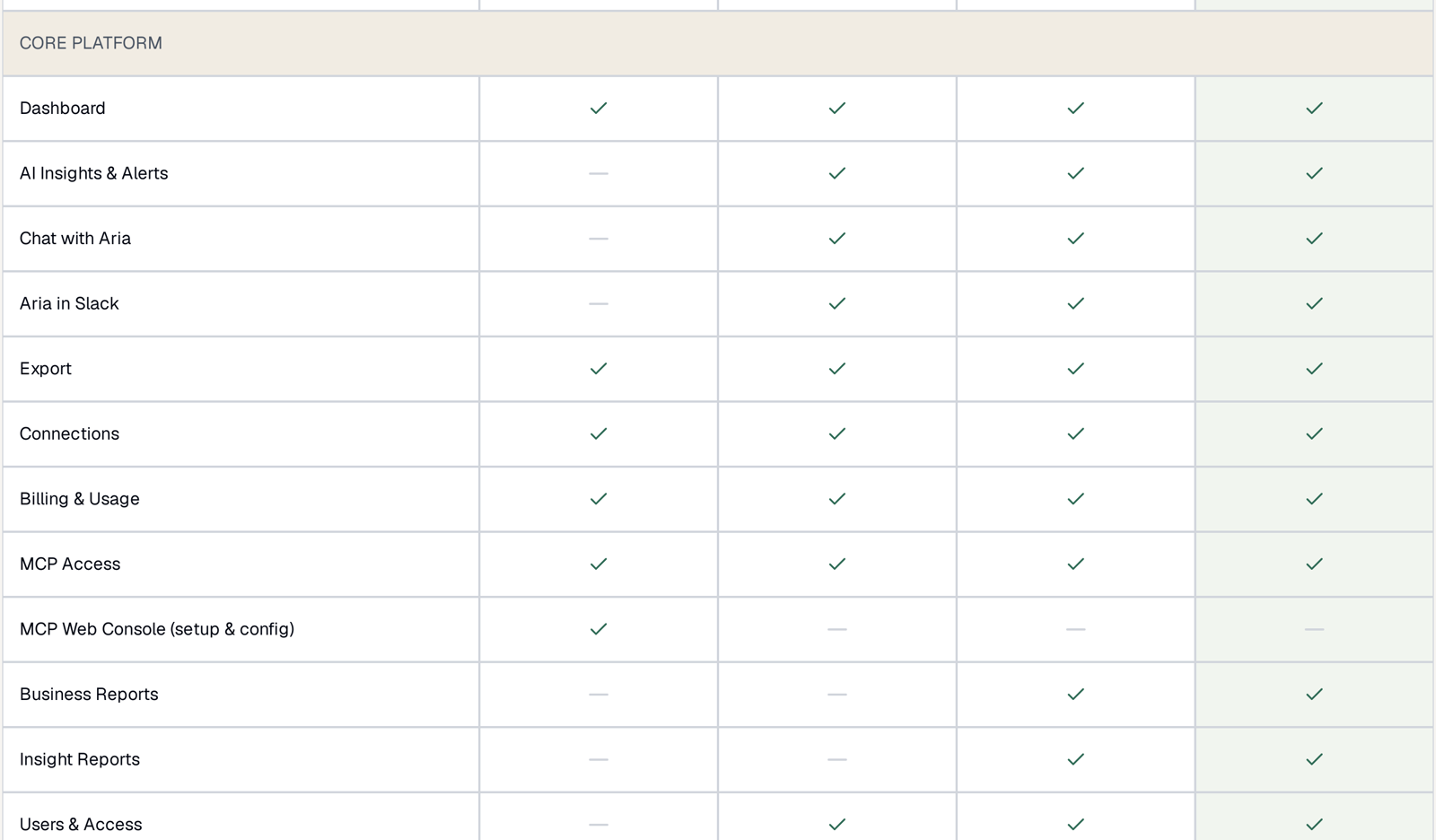
Two rows in that section are worth separating, because they look similar and are not:
MCP Access — ticked on all four plans. This is the connection itself.
MCP Web Console (setup & config) — MCP Only. That plan's entire product is MCP, so it gets a dedicated surface for configuring it. On the other plans you set MCP up from Settings → MCP & API Keys instead, which does the same job.
What each plan's MCP can query
| Data | MCP Only | Starter | PRO | PRO+ |
|---|---|---|---|---|
| Sales & traffic | ✓ | ✓ | ✓ | ✓ |
| Inventory | ✓ | ✓ | ✓ | ✓ |
| Sponsored Ads (SP/SB/SD) | ✓ | ✓ | ✓ | ✓ |
| Organic & Best Seller rank | ✓ | ✓ | ✓ | ✓ |
| Category Insights | — | — | ✓ | ✓ |
| Search Query Performance | ✓ | — | ✓ | ✓ |
| Amazon DSP | ✓ | — | ✓ | ✓ |
| AMC Cloud | ✓ | — | ✓ | ✓ |
The three bold rows are the whole story, and they produce the counter-intuitive result on the pricing page: MCP Only reaches more data than Starter, at less than half the price.
That is not a mistake. MCP Only is sold as Full MCP Access — the complete data surface, with no web application. Starter is the application at entry depth. Neither is a subset of the other.
What it looks like when a tool is not on your plan
Your assistant will say the tool is unavailable rather than inventing a figure. It does not fail silently, and it does not guess.
So on Starter, asking “which queries do I convert on but have no keyword for?” comes back as “I do not have access to Search Query Performance” — not an empty list, which would be far worse, because an empty list looks like an answer.
Distinguishing the three “no data” cases matters:
| What you see | Cause |
|---|---|
| Tool unavailable | your plan does not include that data |
| Empty result | the data exists but there is none in your range — check brand, dates, filters |
| Nothing recent | it has not arrived yet — SQP is weekly, AMC monthly |
See My Dashboard Is Empty for the second and third.
How many tools you get
There are 26 in total. Every plan gets the setup tools and the core sales, inventory, advertising and rank tools. PRO and above add the Search Query Performance, DSP and AMC tools; MCP Only has them too.
Vendor-specific tools return nothing on a Seller account and vice versa — that is your account type, not your plan, and it is not something you can upgrade past.
For what every tool does, see The Full MCP Tool Reference.
Choosing a plan for MCP
Work backwards from the questions you want to ask.
- “I only want my assistant to reach my Amazon data.” → MCP Only. The full data surface, no web app.
- “I want the app and MCP, and I do not need SQP, DSP or AMC.” → Starter.
- “I want the app and I want search, display or AMC questions answered.” → PRO.
- “More than ten people, or role-based AI agents.” → PRO+.
And if you are unsure whether the advanced data is worth it, go up for a week and look. Plan changes take effect at any time and nothing you have built is lost — see Changing Plans: Upgrades and Downgrades.
Two things that are not tiered
Usage. There are no token limits or usage caps on any plan, so an assistant querying through MCP all day is not metered. See Are There Token Limits or Usage Caps?
Write access. MCP is read-only on every plan. No tier lets an assistant change a bid or pause a campaign — that lives in Rule-Based Optimization, under your control. See Security and Data Protection.
Related
- TrackIQ Plans Explained: MCP Only, Starter, PRO and PRO+ — the plans themselves.