

Amazon advertising has a vocabulary problem. The same idea has three names depending on which screen you are on, and a few terms mean something different from what they sound like.
This is the vocabulary the rest of the training assumes. Learn it once and every later article gets easier.
Prefer to watch? One hundred and seventeen seconds on the four campaign types, the three match types, and the two attribution windows that decide how everything reads.
The campaign types
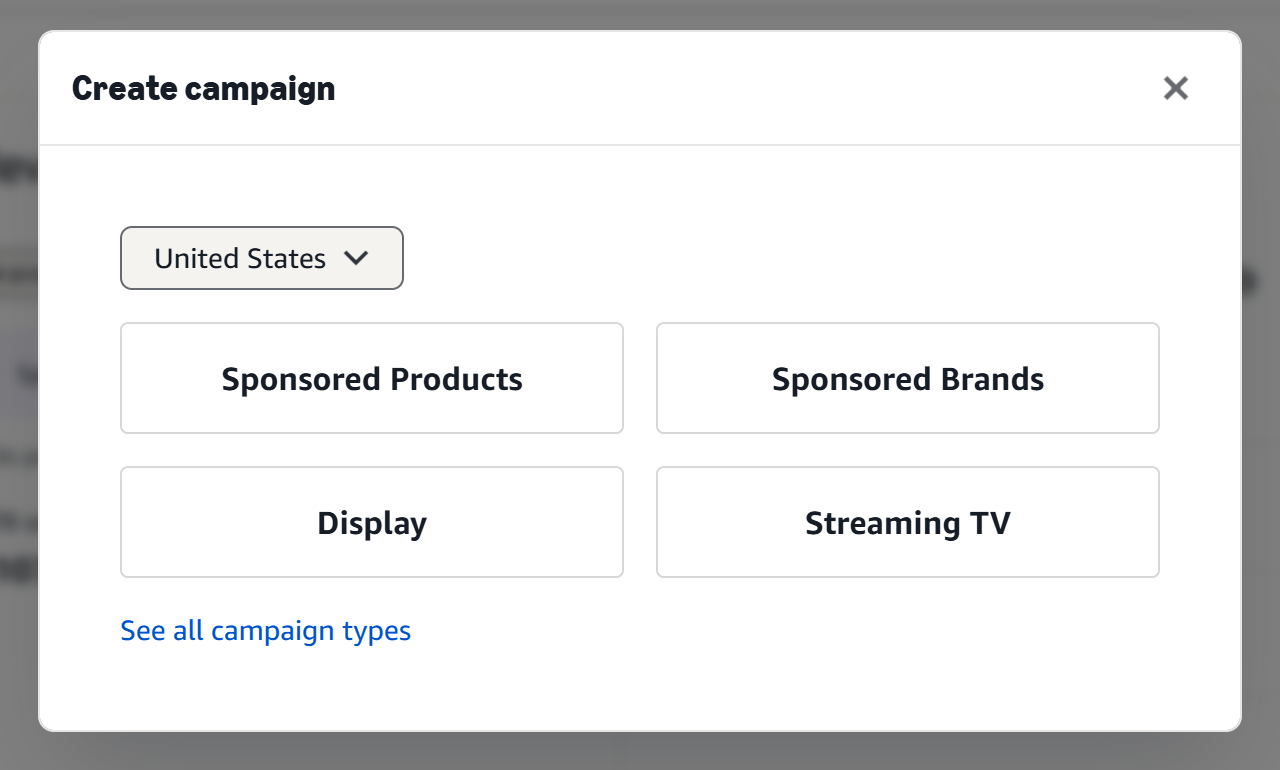
Amazon's campaign chooser offers four self-service types, plus one in beta. Three of them account for nearly all of most sellers' spend.
Sponsored Products (SP) — a single product, shown in search results and on product pages, looking much like an organic result. This is the one that most directly moves organic rank for a keyword, and for most sellers it is the majority of spend. It now also offers Amazon Business and Across retailers variants, which place the same ads in front of business buyers and beyond Amazon respectively.
Sponsored Brands (SB) — a banner with your logo, a headline and several products, at the top of search. It sells the brand rather than one item. Sponsored Brands Video is a format inside SB, not a separate type.
Display (SD) — targets people rather than searches, on and off Amazon. Retargeting and audience work lives here. Amazon labels it simply Display in the chooser, though it is still Sponsored Display everywhere else.
Streaming TV — video ads on premium streaming such as Prime Video, sold self-service with no minimum spend. It is a brand-awareness buy, and it is the newest of the four.
Full-Funnel Campaigns, currently in beta, is not a fifth ad type so much as an orchestrator: it runs display, video and sponsored formats together and decides the mix for you.
A note on what this training covers. SP, SB and SD are what the rest of these articles mean by "the three ad types" — they share the sponsored-ads reporting, and they are what TrackIQ ingests under Amazon Ads. Streaming TV is bought and measured more like Amazon DSP than like a sponsored campaign, so it is judged on reach and new-to-brand rather than ACoS.
Targeting, and why match types matter
Sponsored Products has two targeting modes, and the distinction runs through everything else.
Automatic targeting — Amazon decides what to show you against, in four buckets: close match, loose match, substitutes and complements. Cheap to launch, useful for discovery, imprecise.
Manual targeting — you decide, either by keyword or by product.
Manual keyword targeting has three match types:
| Match type | Triggers on | Use it for |
|---|---|---|
| Exact | that phrase, near enough | your proven winners |
| Phrase | the phrase inside a longer search | controlled expansion |
| Broad | the words in any order, plus related | discovery |
Manual product targeting comes in two shapes: exact (a specific ASIN, or a category) and expanded, which reaches out to products Amazon judges similar.
Do not mix match types in one campaign. It is the single most common structural mistake. Once broad and exact share a campaign you can no longer tell which one earned the sale, and you cannot bid them differently, which was the entire point of separating them.
Where the ad appears: placements
Top of Search — the first row of results. Converts best, costs most.
Rest of Search — further down. Cheaper, usually most of your impressions.
Product Pages — on someone else's detail page. A different intent entirely: the shopper was looking at something else.
Amazon lets you bid these differently with placement multipliers. See Placements: Top of Search vs Rest of Search.
Bidding strategies
Three, and the names undersell the risk.
Dynamic bids — up and down. Amazon may raise your bid by as much as 100% when it predicts a conversion. That is Amazon deciding how much of your money to spend.
Dynamic bids — down only. Amazon lowers the bid when a conversion looks unlikely, never raises it. The safe default.
Fixed bids. Your bid, always. Useful when you are deliberately gathering clean data.
Start on down-only unless you have a specific reason not to. Up-and-down can work on proven exact-match campaigns; it is a poor place to begin.
The metrics, and the two that get confused
| Term | Is | Watch for |
|---|---|---|
| Impressions | times shown | not a goal |
| Clicks / CTR | clicks, and clicks ÷ impressions | low CTR is usually the image or price |
| CPC | spend ÷ clicks | rises with competition |
| Orders / CVR | orders, and orders ÷ clicks | low CVR is the listing, not the ad |
| Spend / Sales | money out, ad-attributed money in | |
| ACoS | spend ÷ ad sales | judges the advertising |
| TACoS | spend ÷ total sales | judges the business |
| ROAS | ad sales ÷ spend | the inverse of ACoS |
ACoS and TACoS are the pair people mix up. ACoS asks whether the ads are efficient. TACoS asks how dependent the business has become on them. A campaign can hold a fine ACoS while TACoS climbs, which means advertising is buying a larger share of a shrinking organic base.
Full definitions in Glossary: ACoS, TACoS, ROAS, NTB and Every Other Column and Understanding ROAS and Key Amazon Advertising Metrics.
Attribution: why nothing adds up
A click today can produce a sale days later, and Amazon credits it backwards to the click.
Sponsored Products: 7 days. Sponsored Brands, Display and DSP: 14 days.
Two consequences you will meet constantly:
Recent days always look worse than they were. Attribution has not finished landing. Judge nothing on the last few days.
The sponsored ad types cannot simply be added together. They use different windows and one shopper can touch several ads. See Why Sponsored Products, Brands and Display Numbers Do Not Simply Add Up.
Keyword or search term?
Worth separating now, because it causes trouble later.
A keyword is what you chose to bid on.
A search term is what a shopper actually typed.
Under broad and auto targeting they are frequently different phrases. Everything you learn about harvesting depends on that gap. See Search Terms and Aggregated Search Terms.
Where to see all of this
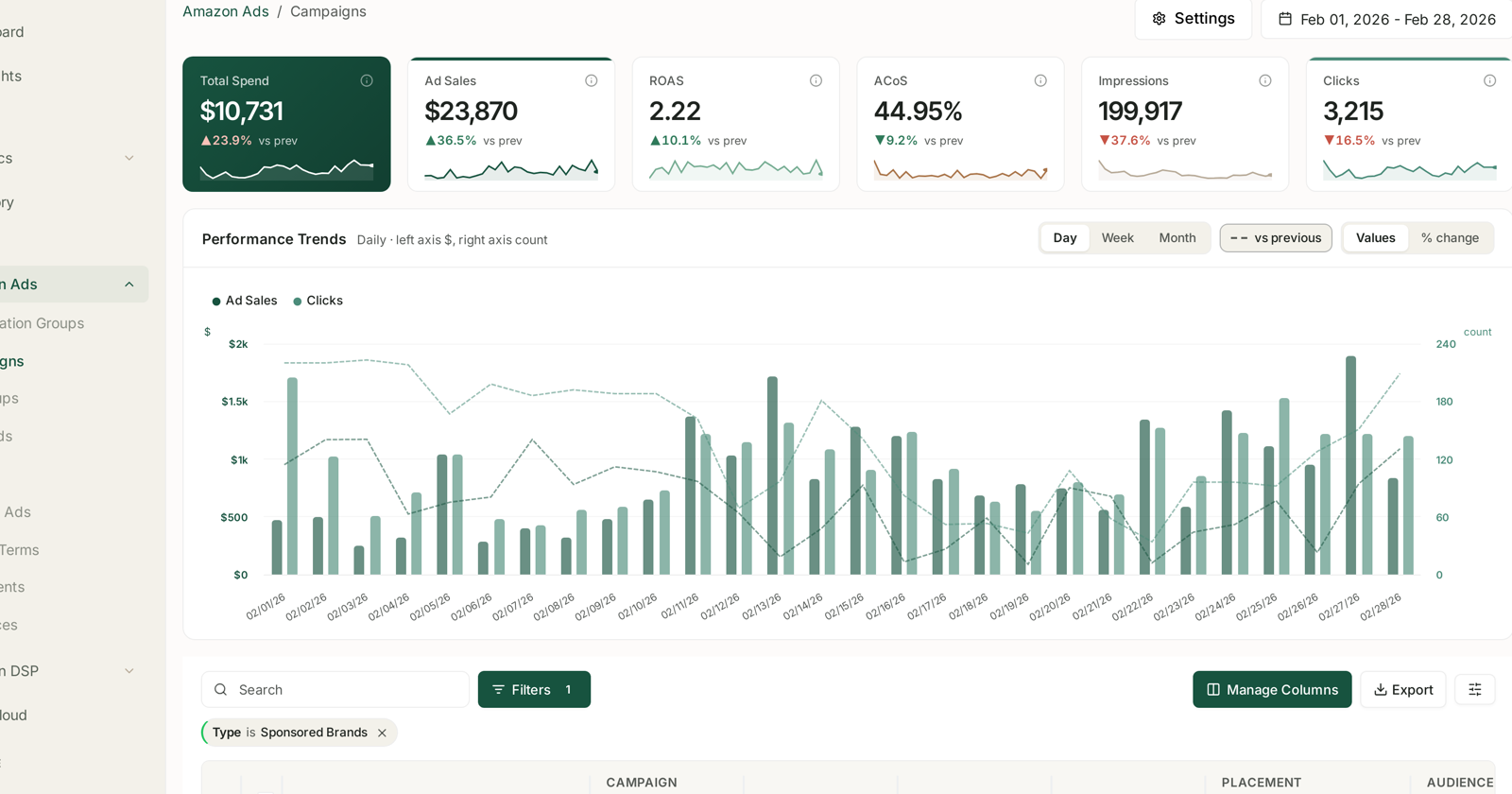
Campaigns are built in Amazon's Ads console. They are read in TrackIQ, which pulls every ad type into one place with the same columns and date controls:
Amazon Ads → Campaigns for the top level, then Ad Groups, Keywords, Targets, Product Ads, Search Terms, Placements and Audiences beneath it.
See Monitoring Your Sponsored Ads Performance.
Related
- Keywords and Match Types — match types in depth.
- Understanding ROAS and Key Amazon Advertising Metrics — the metrics in depth.
- Time to Conversion: Checking Your Attribution Window — measuring your real window.
- What Amazon PPC Is Actually For — why any of this matters to profit.
- Profit Campaigns and Ranking Campaigns — the two jobs a campaign can have.