

Advertising data goes wrong in a way sales data does not: it is usually not missing at all. It is filtered out, still accruing, or being compared against something it was never going to match.
Work down this list in order. The first three explain most of it.
Prefer to watch? Sixty seconds on the three causes that explain most of it.
1. Only enabled campaigns are shown by default
This is the single most common cause of “half my campaigns vanished”, and it is not a fault.
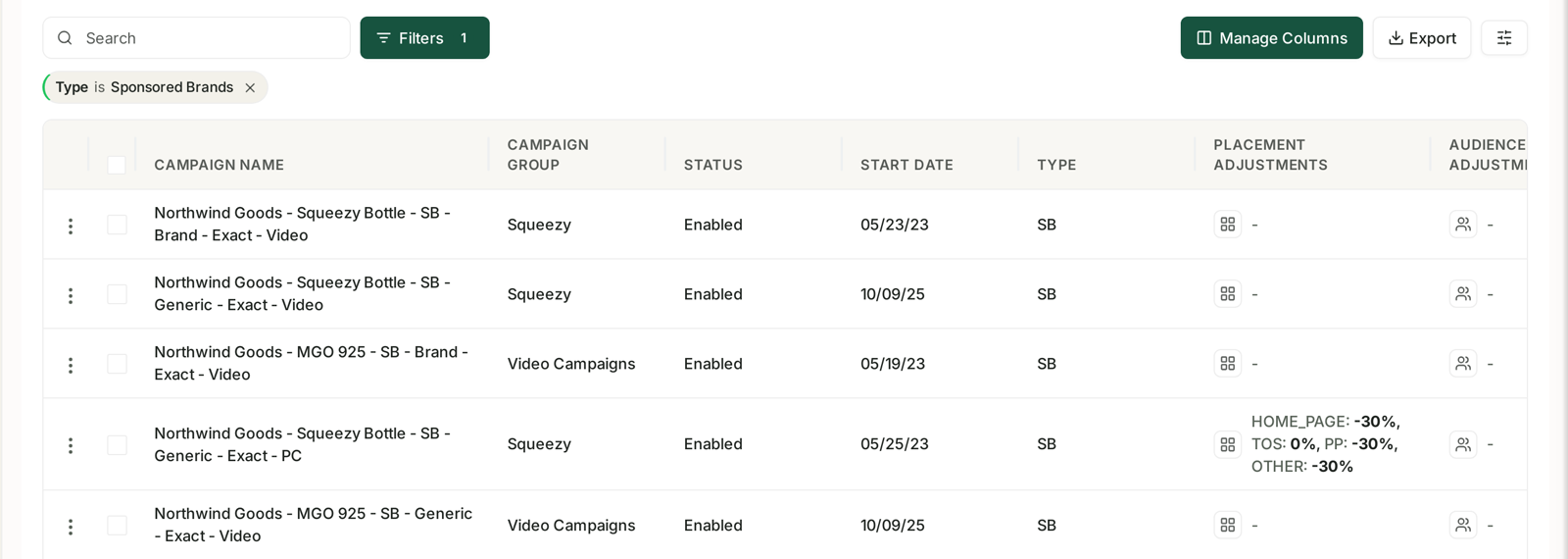
Tables default to enabled entities. Paused and archived campaigns exist and keep their history — they are simply not in the default view.
Change the state filter to include paused and archived, and your missing campaigns reappear with their numbers intact. If you are asking Aria, say so explicitly: “including paused and archived”.
Filters also persist between sessions. A filter you set last week is still applied today, and active filters show as chips above the table. If there are chips, clear them before concluding anything.
2. The last two weeks are still filling in
Amazon credits a sale back to an advertisement after the click, within a window:
| Ad type | Attribution window |
|---|---|
| Sponsored Products | 7 days |
| Sponsored Brands | 14 days |
| Sponsored Display | 14 days |
| Amazon DSP | 14 days |
So any period covering the last fortnight is incomplete by design. Sales attributed today can be added to a click from eleven days ago, which means yesterday's figure can legitimately be higher tomorrow.
The practical rule: a Sponsored Brands campaign three days old has eleven days left to accumulate sales. Judging it today makes it look far worse than it is. For a figure that will not move, use a period that closed more than a fortnight ago.
3. You are comparing ad sales against total sales
Ad Sales is what Amazon attributed to an advertisement. Total Sales is everything you sold.
Comparing an advertising report against a sales report compares a subset against the whole, and the gap is not an error — it is your organic business.

The same confusion produces the other frequent question: “why does my ACoS not match?” ACoS uses ad sales; TACoS uses total sales. They are different questions, and both are correct. See Understanding ROAS and Key Amazon Advertising Metrics.
4. Advertising is a separate connection
Connecting your Seller account does not connect advertising. They are separate authorisations, and each has its own last-synced time.
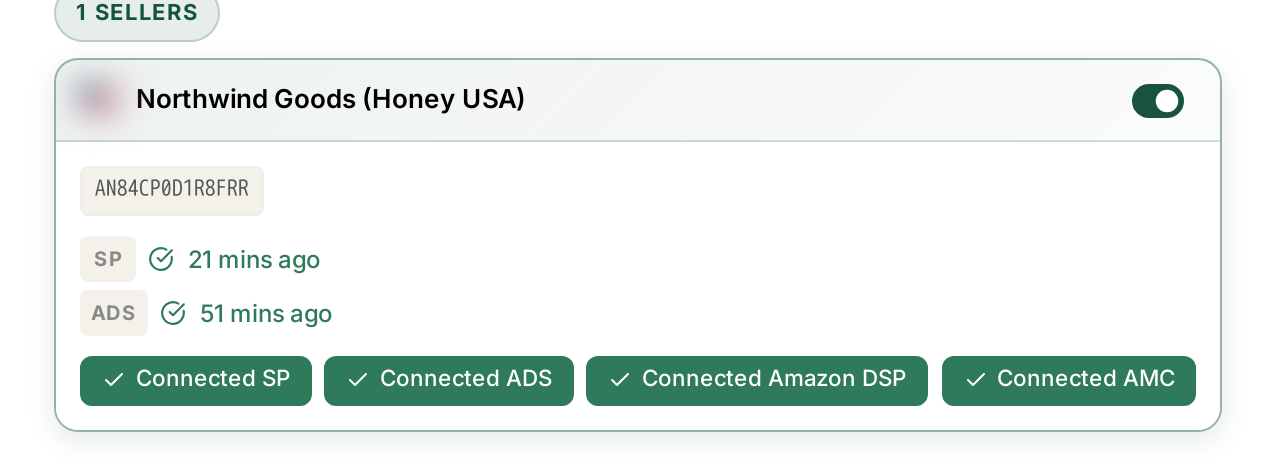
Settings → Connections. If the advertising timestamp is days old while sales is current, that connection has expired — the symptom is a timestamp that stops advancing, not an error message.
Note also that advertising data lands later than sales data even on a healthy connection. A recent day looking thin on ads while sales look fine is normal.
See Fixing a Broken or Expired Amazon Connection.
5. SP, SB and SD do not simply add up
If your per-type figures look right but the total looks wrong, this is why.
A combined total blends a 7-day window with two 14-day windows. It is a reasonable figure for how big each channel is, and a misleading one for how efficient — Sponsored Brands has twice as long to be credited with a conversion, so its ACoS flatters it against Sponsored Products.
Compare like with like: SP against SP, SB against SB. See Why SP, SB and SD Numbers Don't Add Up.
6. Check the brand and the marketplace
Every screen is scoped to the brand in the top bar and the marketplace you have chosen. A campaign that exists in one marketplace will not appear while you are looking at another.
When the trend chart drops off a cliff at the right-hand edge
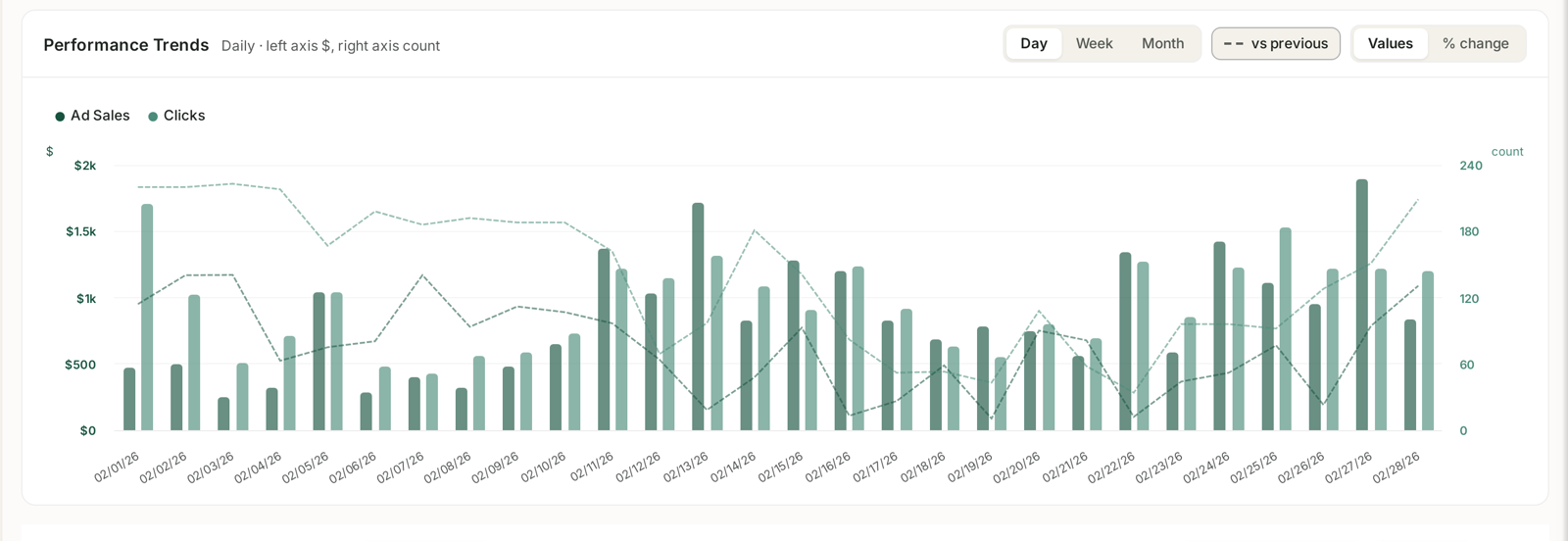
Almost always reporting, not trading. Two causes, in order of likelihood: attribution windows still open, and advertising data landing later than sales.
Before acting on it, look at the same chart tomorrow. A genuine collapse is still there; a reporting artefact has filled in.
Still wrong?
If none of the six applies, it is worth reporting. Three details make it diagnosable straight away:
- The brand and marketplace
- The exact date range
- The ad type — and whether paused and archived were included
A screenshot showing the date control and any filter chips answers most of that in one image.
Related
- Why Do My Numbers Not Match Seller Central? — when it is a mismatch, not a gap.
- Turning Brand Sync On and Off — the silent one.