

Amazon shows your ads in several places, and they do not perform alike. Top of Search converts better and costs more; product pages convert worse and cost less. The Placements screen is where that difference becomes a number.
Prefer to watch? A hundred and seventeen seconds on three placements that behave like three products, and why revenue per click reads cleanest.
Where it is
Amazon Ads → Placements.
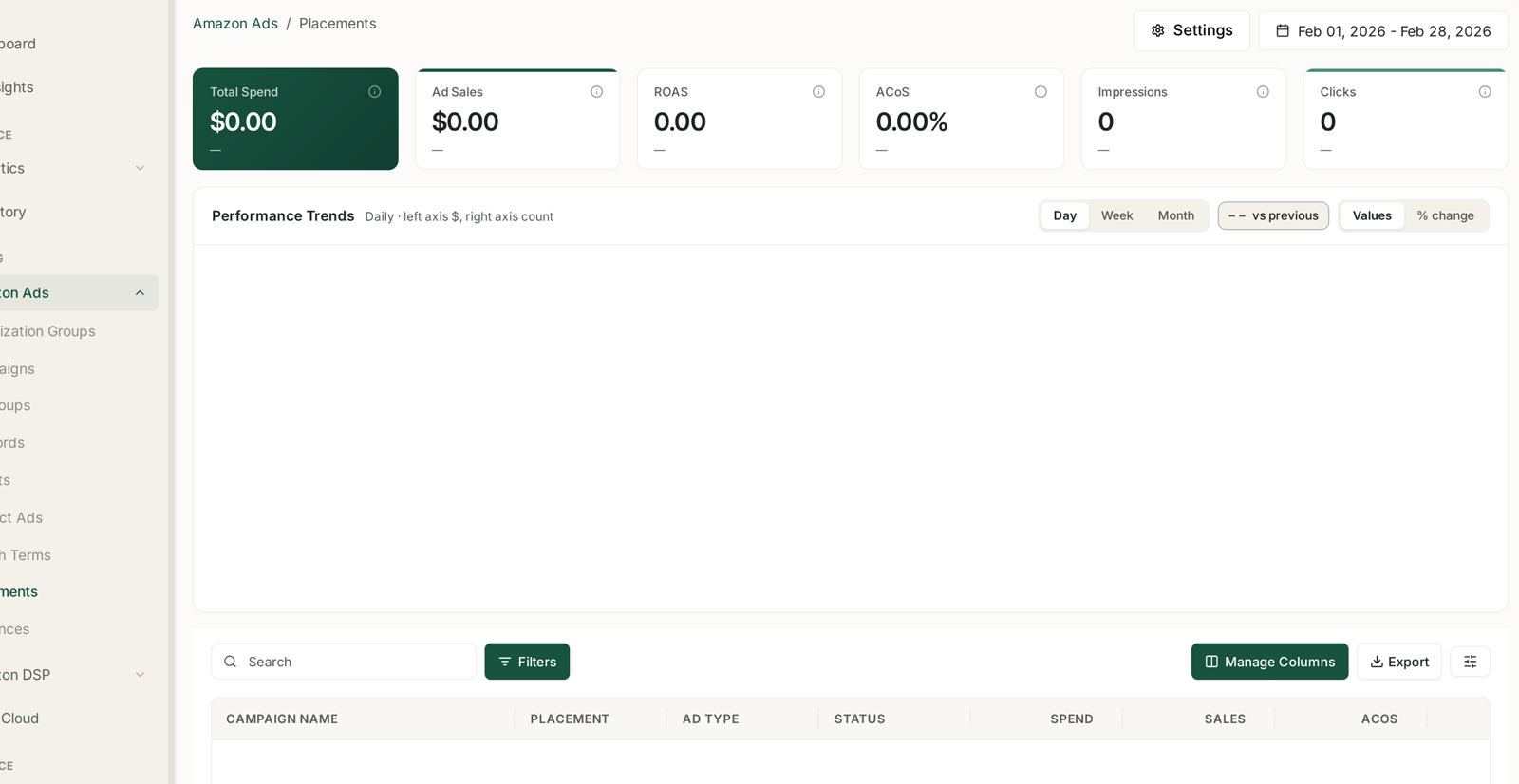
It uses the same anatomy as every other Amazon Ads screen: six KPI tiles, Performance Trends with Day / Week / Month, a vs previous toggle and Values / % change, then a table with Search, Filters, Manage Columns and Export. See Campaigns: Budgets, Placement and Audience Adjustments.
If the screen is empty, that is expected until your campaigns have placement-level data for the selected period. The tiles read $0.00 and the table says There is no data for the selected period. Widen the range, and confirm you are running campaign types that report placement.
The table
One row per campaign per placement:
| Column | |
|---|---|
| Campaign name | |
| Placement | where the ad appeared |
| Ad type | SP, SB, SD |
| Status | |
| Spend, Sales, ACoS | the money |
| CPC, CTR, Clicks, Impressions | the traffic |
| Orders, CR, RPC, ROAS | the outcome |
The row is campaign × placement, so one campaign appears several times. Totals at the top are the campaign; the rows are how that total split.
What the placements are
Top of Search — the first row of results. The most valuable position on Amazon and priced accordingly. Highest CTR, highest conversion, highest CPC.
Rest of Search — further down the results page. Cheaper, less converting, and usually the bulk of your impressions.
Product Pages — on a detail page rather than a search results page. A different intent: the shopper was looking at something else. Lower conversion, often much cheaper, and where competitor-conquesting spend lands.
Read them as three different products, not three strengths of the same thing.
What to do with it
The reason to open this screen is that Amazon lets you bid differently by placement, and this is the evidence for how much.
1. Compare ACoS by placement, within one campaign. Not across campaigns — that confounds placement with everything else.
2. Find the placement that beats your target. If Top of Search runs at 25% ACoS against a 35% target, you are under-buying the best position.
3. Find the placement that misses it. Product Pages at 60% on a 35% target is spend to reduce.
4. Adjust the multiplier in Amazon, then come back and check. TrackIQ reports placement performance; the multipliers themselves are set in Amazon Ads. See Audit Your Placement Multipliers.
Read conversion, not just ACoS
ACoS blends price and conversion, so it can hide the mechanism.
High CPC, high conversion — usually Top of Search. Expensive traffic that closes. Frequently worth it.
Low CPC, low conversion — usually Product Pages. Cheap traffic that mostly does not. Sometimes worth it for reach; often not.
High CPC, low conversion — the one to fix. You are paying premium prices for traffic that does not convert, which points at relevance rather than placement.
RPC (revenue per click) is the cleanest single comparison across placements, because it collapses price and conversion into one number in your own currency.
Cautions
Placement is not the only difference. Match type, keyword and time of day all move with it.
Small placements are noisy. A placement with forty clicks does not have a reliable ACoS.
Multipliers compound with bids. A 100% Top-of-Search multiplier doubles that placement's bid, so raise the base bid and the multiplier together and the result is not what you expected.
Attribution lag applies here too. The last few days under-report. See Time to Conversion: Checking Your Attribution Window.
Related
- Audit Your Placement Multipliers — the playbook.
- Campaigns: Budgets, Placement and Audience Adjustments — where multipliers are set.
- Understanding ROAS and Key Amazon Advertising Metrics — the columns.
- Why SP, SB and SD Numbers Don't Simply Add Up — before you total anything.
- Create a Sponsored Products Campaign — setting placement adjustments at creation.
- Ad Type and Placement Mix — how much of your spend should sit here, and why.
- Placement Bid Optimisation — shifting spend toward the placement that performs.
- Running a Launch: Stabilise, Scale, Scale Back — the impression-share ladder a launch climbs.