

A Studio is a dashboard you get by asking for it. No layout editor, no choosing chart types, no dragging panels — you describe what you want to see, and the answer becomes something that persists.
It is the one Aria feature that turns a conversation into an asset.
Prefer to watch? Sixty-four seconds on asking for a view rather than a figure.
Making one
Select Studio in the visuals row before you ask, then ask for the whole view rather than a single number:
“Week-by-week advertising performance with ad type and product category breakdowns”
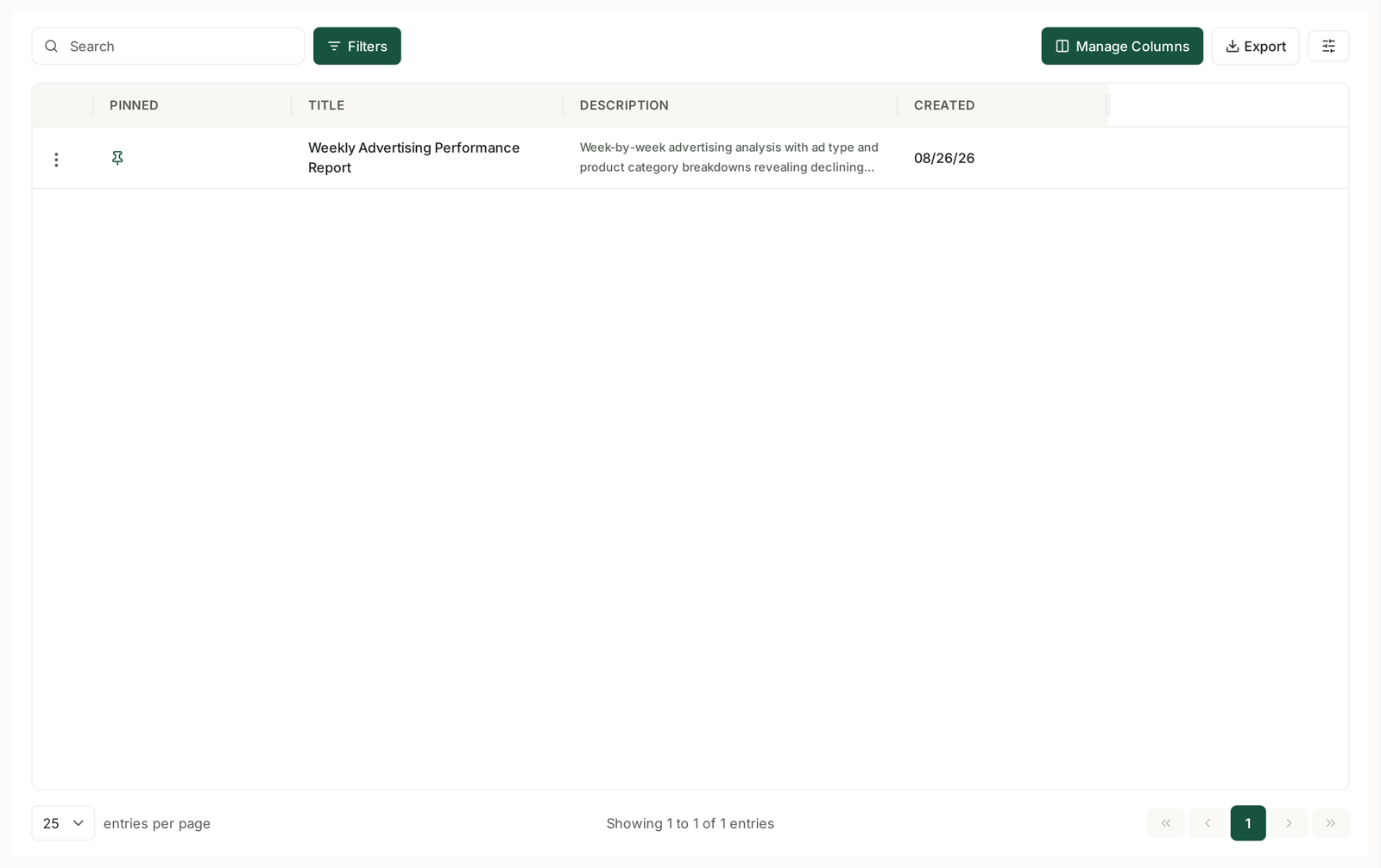
You get a dashboard, and it is saved. It appears under Aria → Studios with a title, a description and a created date.
Ask for a view, not a figure
This is the difference between a Studio worth keeping and one you never open again.
| Weak | Strong |
|---|---|
| What was my ACoS last month? | Monthly ACoS by ad type, with spend and sales alongside |
| Which products sold best? | Top products by revenue, with sessions and conversion for each |
| How is inventory? | Days of cover by product, with velocity and inbound |
A single number does not need a dashboard. A Studio earns its place when it holds several things you always look at together — which is exactly what you would have built by hand, if building it by hand were quick.
Pin the ones you use
The list has a Pinned column. Pinning is what keeps a Studio in reach once you have more than a handful.
Write the description properly. It is the only thing that tells you — or a colleague — what a Studio is for without opening it. “Week-by-week advertising analysis with ad type and product category breakdowns” is useful. “Ads” is not.
The list also has Search, Filters, Manage Columns and Export, and a menu on each row.
Studios versus Business Reports
Both give you something recurring. They are not the same tool.
| Studio | Business Report | |
|---|---|---|
| Made by | asking Aria | Templates or the AI Report Generator |
| Best for | a view you return to | a document other people read |
| Lives | in Aria | in Reports |
| Shape | dashboard | Slides or Dashboard |
The practical rule: a Studio is for you, a Business Report is for an audience. If it needs to be forwarded to a client or read without logging in, it wants to be a report. See Understanding Business Reports.
Plenty of accounts run both — a Studio the team opens daily, and a Slides report that goes out weekly.
When to make one
The second time you ask the same question. That is the signal, and it is a reliable one.
Before a recurring meeting. A Studio that answers the standing questions turns preparation into opening a page.
Per client, if you are an agency. One Studio each, pinned, is a faster route to “how are we doing?” than rebuilding the same answer every time.
Note that there is no cost pressure on any of this — asking is not metered, so the reason to build a Studio is convenience and consistency, never saving usage. See Are There Token Limits or Usage Caps?
What it does not do
It is not a live alert. A Studio shows you data when you open it. If you want to be told when something changes, that is alerts and rules.
It does not escape your plan. A Studio can only show data your plan includes — asking for Search Query Performance on Starter will not work. See What's Included in Each Plan.
It is not scheduled delivery. Nothing arrives in your inbox, and a Studio will not email itself to anyone — you open it when you want it.
Related
- Visuals: Auto, None, Charts, Tables, Mixed, Dashboard, Studio — the row that creates one.
- Asking Aria a Good Question — the phrasing that produces a good Studio.
- Aria Prompt Library — questions worth pinning.