

“How current is this number?” has a precise answer in TrackIQ rather than a general one, and it is per source rather than per account.
Settings → Connections shows it. Everything else in this article is about why the sources differ.
Prefer to watch? Sixty-two seconds on per-source freshness, and why fresh is not the same as final.
Where to look
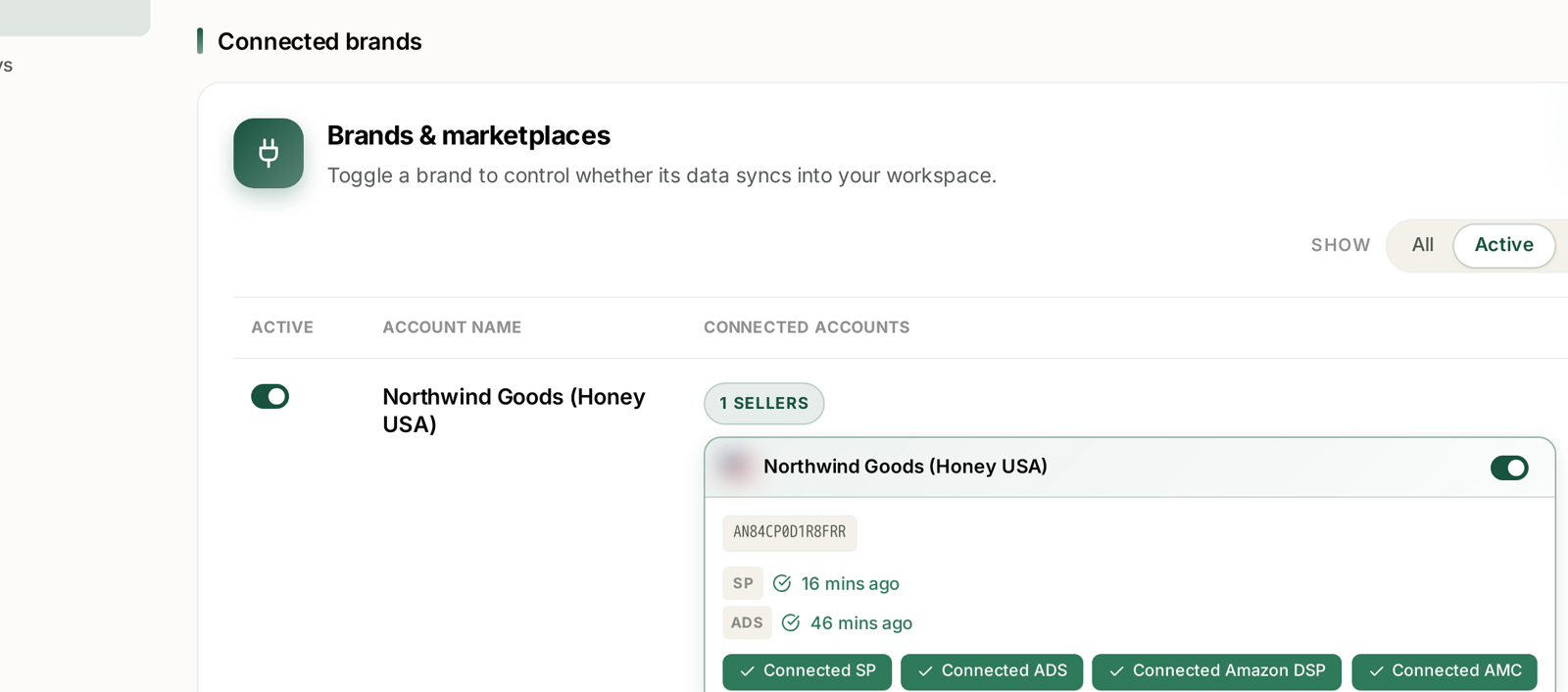
Each connected account shows a badge per source with how long ago it synced — SP for Seller data, ADS for advertising, and so on.
Two badges from a healthy account might read SP 16 mins ago and ADS 46 mins ago. That gap is not a fault. It is the normal state, and it is the single most useful thing on the page.
Four sources, four cadences
| Source | What it carries | Arrives |
|---|---|---|
| Seller (SP) | sales, orders, inventory, traffic | through the day |
| Advertising (ADS) | Sponsored Products, Brands, Display | through the day, behind sales |
| Amazon DSP | display and video | daily |
| AMC | new-to-brand, paths, time to conversion | monthly |
Plus one that is not a connection at all:
Search Query Performance publishes weekly, in Sunday-to-Saturday cohorts. See SQP Is Weekly.
Why advertising always trails sales
Amazon makes advertising reporting available later than sales reporting. Nothing in TrackIQ can shorten that.
The practical consequence is one you will meet on your first day: look at today, and sales will be ahead of ads. A dashboard where ad spend looks suspiciously low against revenue for the current day is almost always this, not a problem.
Judge a day once both have landed.
The other lag: attribution
Sync freshness and attribution are different things, and conflating them causes most “my numbers changed” questions.
Sync is has the data arrived? Attribution is has Amazon finished deciding what it means?
Amazon credits a sale back to an advertisement within a window — 7 days for Sponsored Products, 14 days for Brands, Display and DSP. So a fully-synced figure from three days ago is still going to change, because the window has not closed.
A number can be perfectly fresh and still not final. See Why SP, SB and SD Numbers Don't Add Up.
A practical rule for date ranges
| If you want | Use |
|---|---|
| A trend | any range — ignore the last day or two |
| A figure you will quote | a period that closed over 14 days ago |
| Today's trading | sales only, and check again tomorrow |
The right-hand edge of every daily chart is unreliable, on every screen. It is not a bug and it does not need reporting.
Reading the badges
| What you see | What it means |
|---|---|
| Minutes or a few hours ago | working normally |
| Days ago, and not advancing | expired — reauthorise |
| No timestamp at all | never completed a first sync |
Note the date a timestamp stopped. It usually matches the day your charts started falling, which confirms the diagnosis before you change anything. See Fixing a Broken or Expired Amazon Connection.
Day one is quiet, and that is correct
Amazon delivers history over a period rather than in one go, so a new account fills in over days rather than minutes.
AMC will be empty until Amazon's next monthly delivery. SQP will be empty until the next weekly publication. Neither is broken. See Why AMC Data Is Monthly and Sometimes Empty.
The brand toggle
The Brands & marketplaces panel has a toggle per brand that controls whether its data syncs at all, with a Show: All / Active filter above the list.
Worth knowing, because a brand toggled off will look exactly like a brand whose connection has broken — no fresh data, no error. If a whole brand has gone quiet, check the toggle before the timestamp.
Asking instead of looking
Aria answers “how fresh is my data, by source?” directly, which is quicker than navigating to Settings when you are mid-analysis. See Aria Prompt Library.
Related
- Why Do My Numbers Not Match Seller Central? — when a figure disagrees.
- Time to Conversion: Checking Your Attribution Window — why recent days under-report.
- Search Query Performance Is Weekly: Reading Week Cohorts Correctly — the source with its own cadence.