

Three steps get you from a new account to something useful. The temptation is to open every screen at once; resist it. Do these in order.
Prefer to watch? A minute on the three steps, in order.
Step 1: Connect your Amazon accounts

Settings → Connections.
Connect in this order, because each one unlocks more of the product:
| Order | Source | Unlocks |
|---|---|---|
| 1 | Seller (SP) | sales, orders, inventory, traffic — the foundation |
| 2 | Advertising | Sponsored Products, Brands, Display |
| 3 | Amazon DSP | the DSP screens, if you run display |
| 4 | AMC | the AMC Cloud dashboards |
DSP and AMC are separate connections from your main Seller account. Having one does not give you the others, and this catches most people out.
Step 2: Verify the data actually arrived
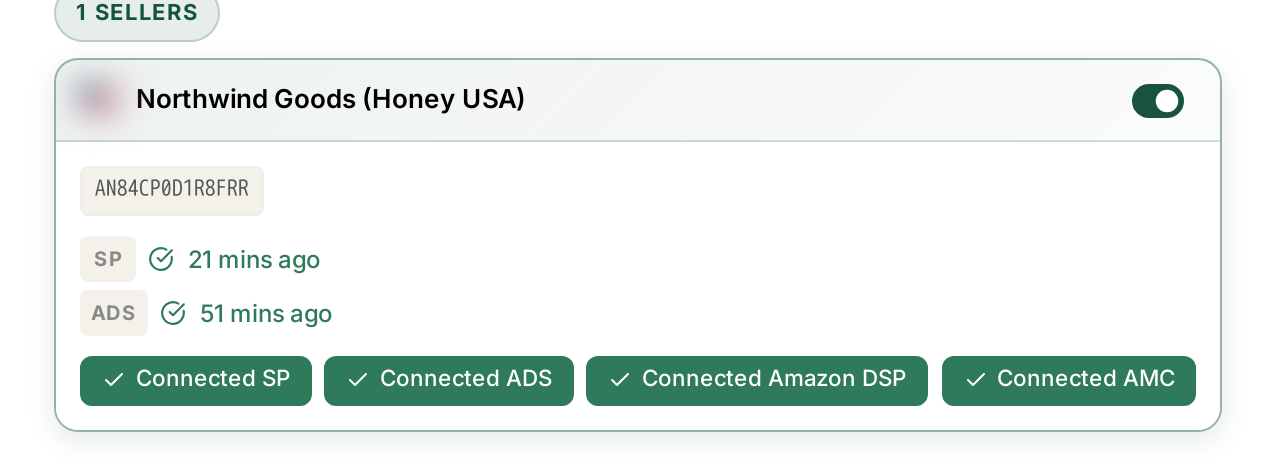
Come back to Connections and look at the last-synced time beside each source.
This step exists because the most common first-day support question is “why is everything empty?”, and the answer is almost always that the first sync has not finished. Until those timestamps appear, empty screens are expected.
Different sources arrive at different speeds, and some data has its own cadence entirely — Search Query Performance publishes weekly, AMC monthly. A blank AMC dashboard on day one is normal.
Step 3: Read one screen properly
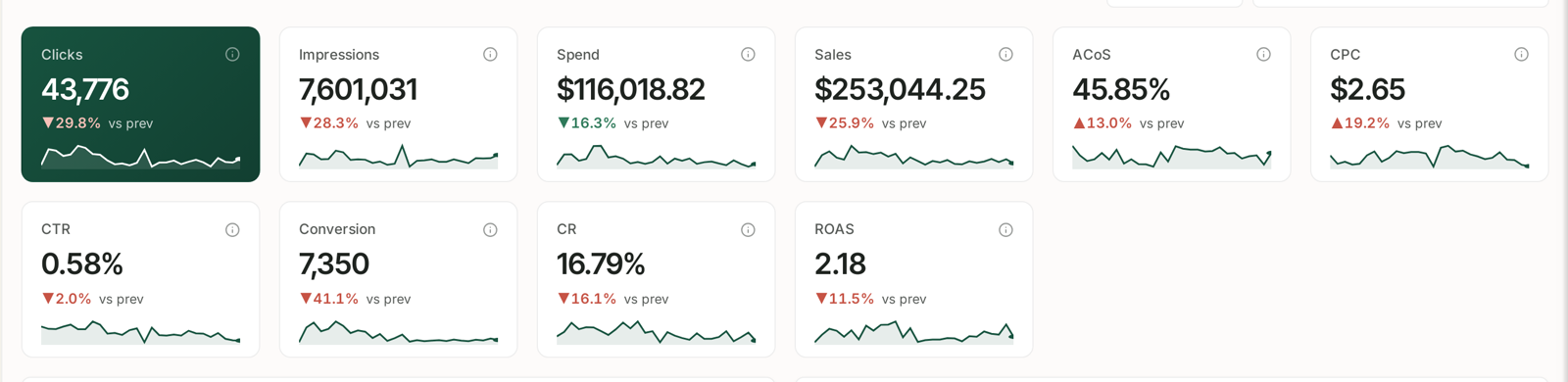
Open the Dashboard and read two numbers:
Month-to-date spend against budget. Compare the bar against where you are in the month. Two-thirds through with the bar past three-quarters means you are on course to overspend.
The out-of-stock count. A stockout costs you rank as well as sales, and rank takes far longer to win back.
Those two have deadlines attached. Everything else on the dashboard is interesting rather than urgent, and can wait until tomorrow.
Then: ask Aria one real question
Once data is flowing, the fastest way to understand what TrackIQ can tell you is to ask it something you actually need to know.
A good question names three things — the metric, the period, and the comparison:
Show me ROAS by week for the past 8 weeks, and tell me which ad type moved most.
That is more useful than an hour of clicking, because it tells you what the data can do without first learning where every screen lives.
Your first week
| Day | Do this |
|---|---|
| 1 | Connect accounts. Verify sync. Read the dashboard. |
| 2 | Check AI Insights — deal with anything under Inventory first. |
| 3 | Open Sales Performance and find which products carry the business. |
| 4 | Open Search Query Performance → Recommended actions and work the top three by impact. |
| 5 | Set one rule — leave it paused, and read what it would have done. |
By the end of that week you will have found money you were wasting and automated one thing you were doing by hand, which is a fair test of whether the tool is working for you.
Related
- What to Do in Your First Week — what to do once you are connected.
- Navigating Your Workspace — finding your way around.
- Glossary: ACoS, TACoS, ROAS, NTB and Every Other Column — if a column name is unfamiliar.