

A figure in TrackIQ rarely matches the equivalent figure in Seller Central to the penny, and in most cases neither is wrong. Here are the causes, roughly in the order they turn out to be responsible.
Prefer to watch? Fifty-five seconds on the five reasons, in order.
1. You are comparing ad sales against total sales
The most common cause by far.
Ad Sales is what Amazon attributed to an advertisement. Total Sales is everything you sold. Comparing an advertising report in TrackIQ against a sales report in Seller Central compares a subset against the whole.
If you want the like-for-like figure, compare Total Sales against Total Sales.

2. Attribution windows have not closed
Amazon credits a sale back to an ad for a set period after the click — 7 days for Sponsored Products, 14 days for Sponsored Brands and Sponsored Display.
So a recent period is still filling in. Sales are being attributed backwards into days that have already passed, and the figure you looked at yesterday can legitimately be higher today. Any comparison covering the last fortnight is measuring a moving target.
3. The date ranges are not the same range
Two traps here.
Time zone. Amazon reports in the marketplace's time zone. A day boundary in one report is not always the same instant as a day boundary in another.
Range length. A comparison figure in TrackIQ is always against the immediately preceding range of the same length. If you are comparing against a Seller Central report covering a calendar month, make sure your TrackIQ range is that calendar month.
4. Different data sets arrive at different speeds
TrackIQ pulls several separate feeds from Amazon, and they do not arrive together:
| Data | Cadence |
|---|---|
| Sales and advertising | daily, with a short lag |
| Search Query Performance | weekly cohorts, published after the week closes |
| AMC Cloud | monthly, on Amazon's schedule |
The last day or two of any range will usually look low simply because not everything has landed. If yesterday looks like a collapse, look again tomorrow.
5. Filters and state
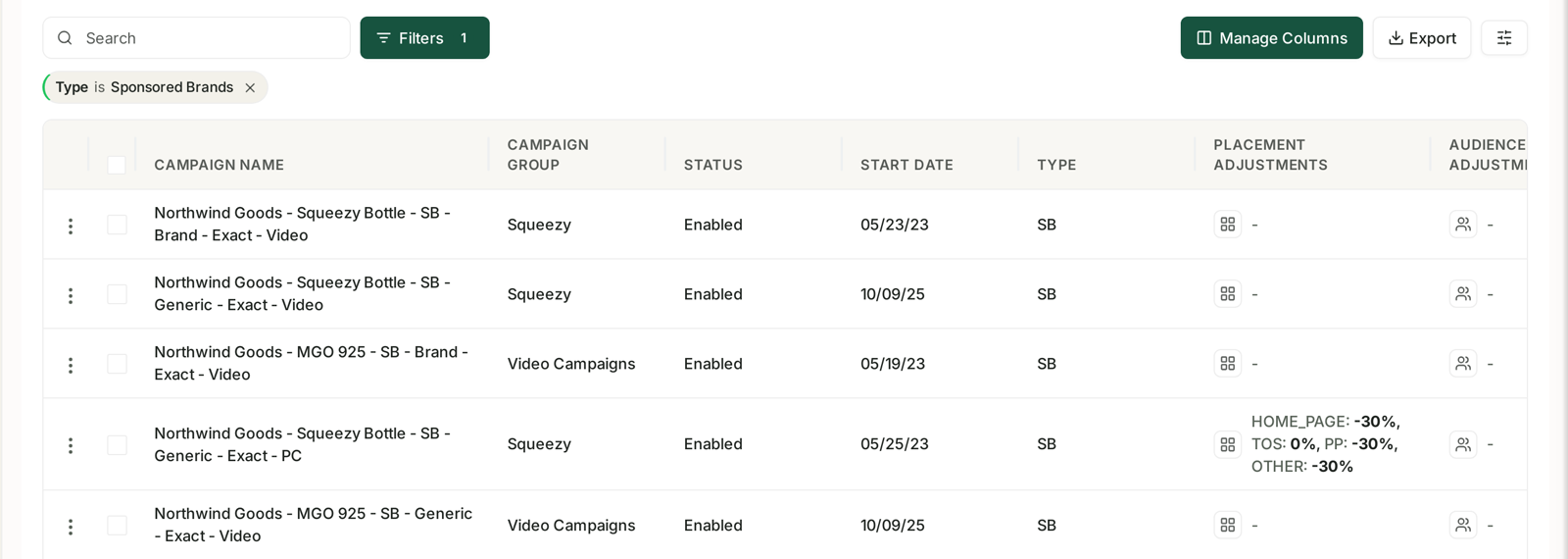
Campaign views show enabled campaigns by default. If you paused campaigns during the period, their spend and sales existed but may not be in the view you are reading. Check whether paused and archived campaigns are included before concluding that money went missing.
The same applies to any filter left active on the table, which also applies to exports.
When it is worth reporting
A few percent on a recent period is normal and usually resolves itself as attribution windows close. A large, persistent gap on a period that closed weeks ago is not. If you see that, note the exact date range, the marketplace and both figures, and send them to the support team — those three things are what make it diagnosable.
Related
- Where Your Data Comes From and How Fresh It Is — the sources and their lag.
- Time to Conversion: Checking Your Attribution Window — attribution, the usual culprit.
- My Ad Data Is Missing or Looks Wrong — if it is the advertising figures.