

Sponsored Products is the ad type that matters most. It is the majority of most accounts' spend, it looks like an organic result, and it is the one that feeds organic rank.
Creating one takes about five minutes. Structuring it so you can still read it in three months takes a little thought, and that is what this covers.
Prefer to watch? One hundred and thirty-eight seconds on automatic versus manual targeting, the three bidding strategies, and the structure that survives contact with a real account.
Before you open the console
Two decisions made now save a rebuild later.
One match type per campaign. Exact, phrase and broad each get their own. Mixing them means you can never tell which earned the sale, and you cannot bid them apart.
One theme per ad group. Products that need a similar bid belong together. A £12 item and a £60 item cannot share a sensible bid.
Creating the campaign
Amazon Ads console → Campaign manager → Create campaign → Sponsored Products.
1. Name it so it reads itself. Something like Brand — Product — SP — Exact. In six months the name is the only context you have.
2. Set the daily budget. Start lower than feels right. You can raise a budget in seconds; you cannot un-spend.

3. Choose where the ads run. Amazon and beyond is the default and covers Amazon retail, Amazon Business and selected sites off Amazon. Amazon Business restricts the campaign to business shoppers only. Leave it on the default unless you are deliberately running a B2B strategy.
4. Choose the products. One product, or a tight group that shares a price band.

5. Pick your targeting.
Automatic targeting lets Amazon choose, across four buckets you can bid separately: close match, loose match, substitutes, complements. Cheap discovery, imprecise.
Manual keyword targeting is your keywords at your bids, in one match type.
Manual product targeting aims at ASINs or categories — exact for a specific ASIN, expanded to reach similar products.
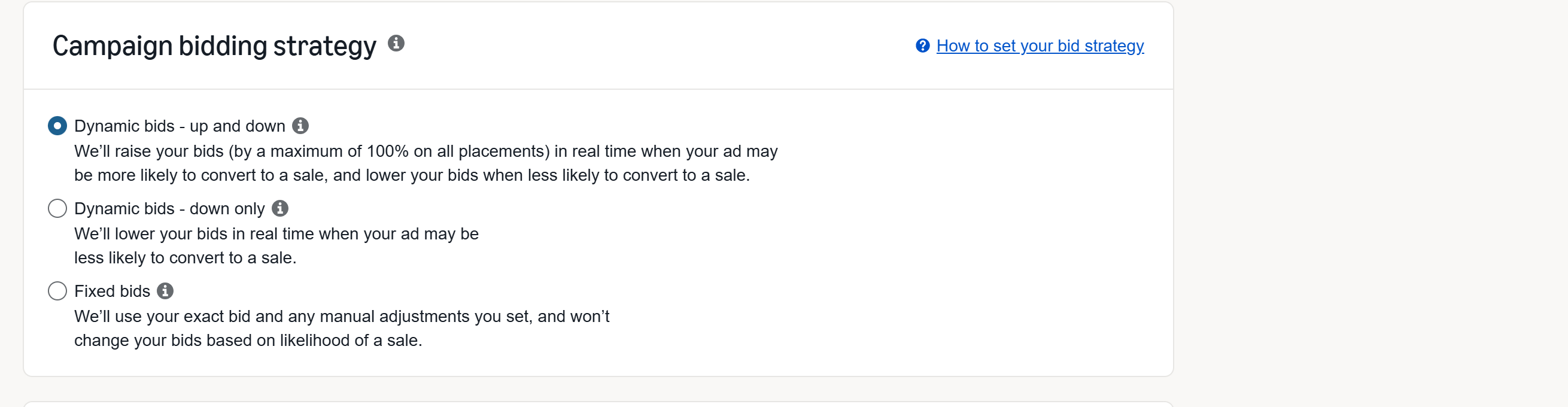
6. Choose a bidding strategy.
| Strategy | What Amazon does | When |
|---|---|---|
| Down only | lowers the bid when a sale looks unlikely | start here |
| Up and down | may raise your bid up to 100% | proven exact campaigns only |
| Fixed | nothing | when you want clean data |
Up-and-down hands Amazon the decision about how much of your money to spend. It is not wrong, but it is not a starting position.
Both negative keyword and negative product targeting are available here, at creation. Most people discover them months later, after paying for the drift.
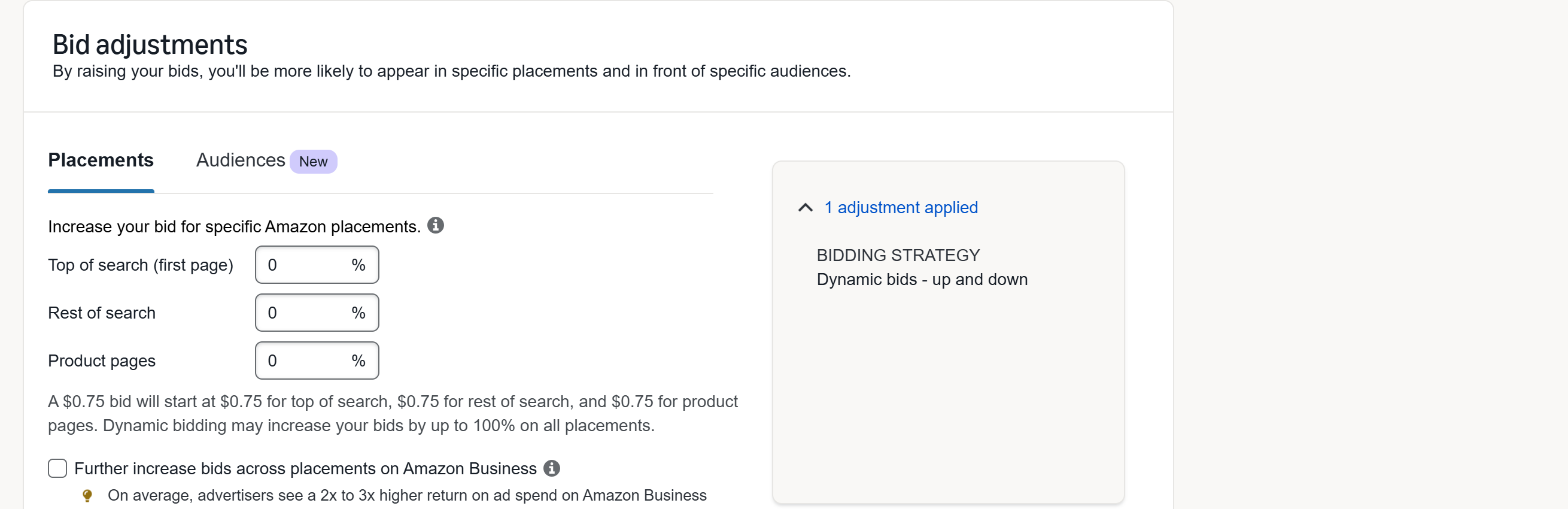
7. Bid adjustments. Amazon lets you raise bids by placement — top of search (first page), rest of search, product pages — and, more recently, by audience. Leave them at zero to begin. You cannot set a sensible multiplier before you have data, and you will have it in a fortnight. See Audit Your Placement Multipliers.
A structure that survives
The pattern most accounts converge on:
An auto campaign on a small budget, running permanently as a discovery engine.
A broad or phrase campaign for controlled expansion.
An exact campaign holding the proven terms, taking the bulk of the budget.
Terms are promoted upward as they prove themselves, and negated in the campaign they came from so you stop bidding against yourself. That routine is Harvest Winning Search Terms into Exact-Match Campaigns.
Then judge it in TrackIQ
Creating the campaign is the easy half. This is the half the console makes hard, because it scatters the answer across screens and resets your date range.
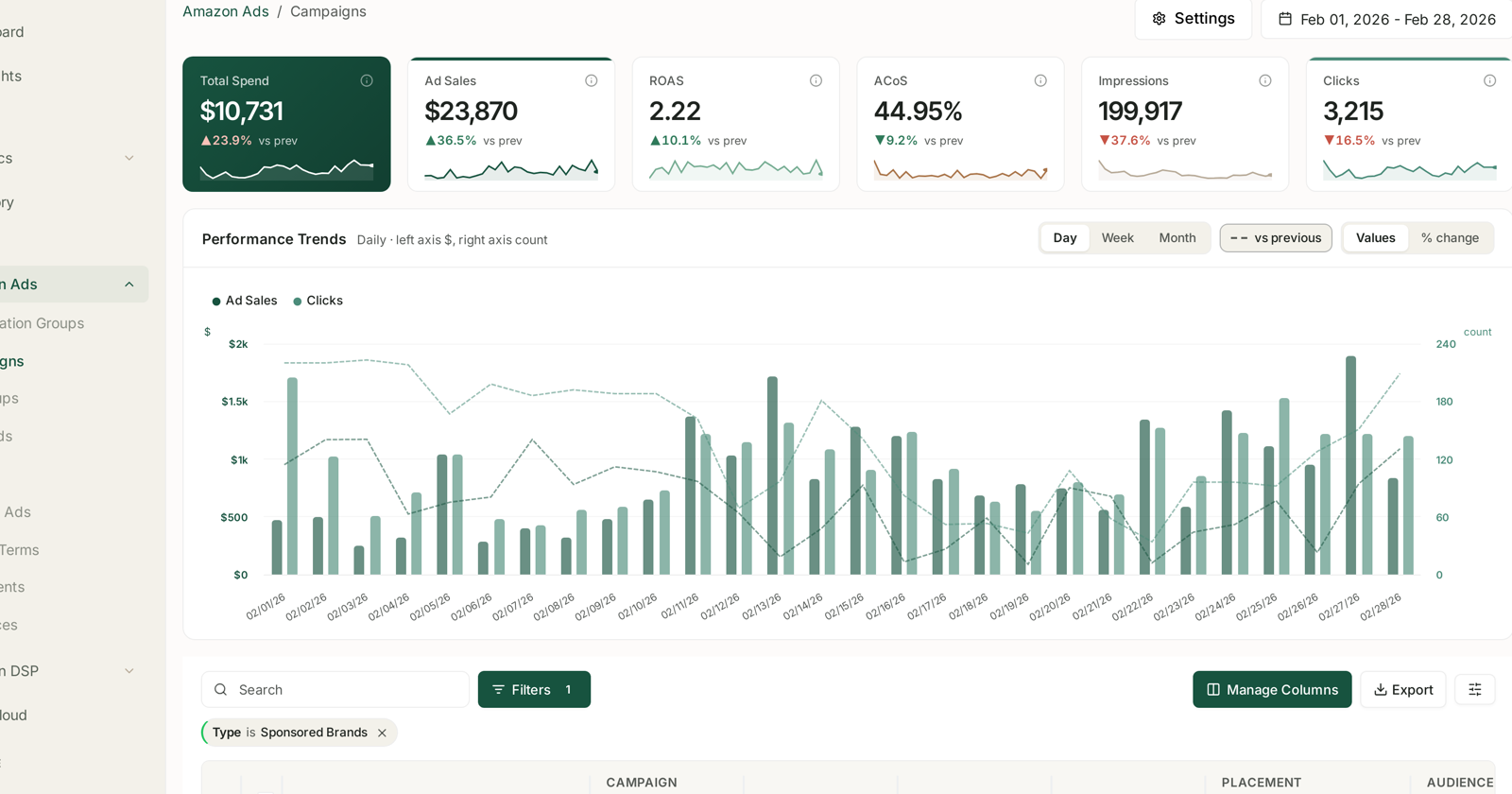
Amazon Ads → Campaigns puts every campaign in one table with consistent columns and a date range that holds. See Campaigns: Budgets, Placement and Audience Adjustments.
Wait before judging. Sponsored Products attributes over 7 days, so the last week always understates. A campaign is not readable for a fortnight.
Then, in order:
1. Is it spending? No spend usually means the bid is under the going rate, or the budget caps at 9am.
2. Is it converting? Clicks with no orders is a listing problem, not a bid problem. Bidding up buys more of the same disappointment.
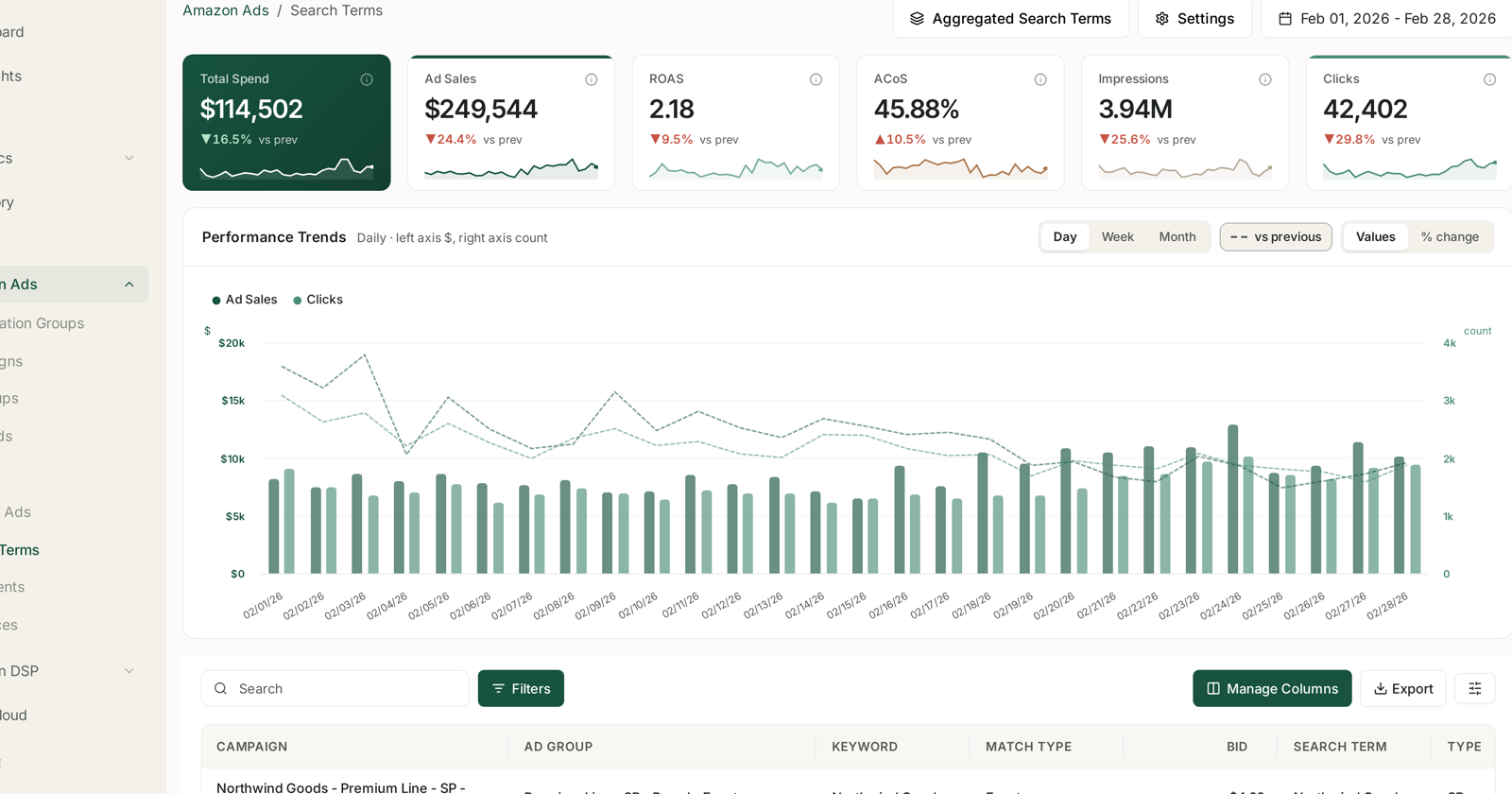
3. What did it actually run on? Amazon Ads → Search Terms shows the phrases shoppers typed, which under auto and broad are rarely your keywords. This is where harvest candidates and negative candidates both come from. See Search Terms and Aggregated Search Terms.
4. Where did it appear? Placements splits Top of Search from Rest of Search and Product Pages, which behave like three different products.
Common mistakes
Mixing match types, as above. The most expensive structural error available.
Judging in three days. Attribution has not landed.
Raising bids on a conversion problem. More expensive traffic to a page that is not converting.
Never negating. Auto and broad drift. Without negatives you pay for the drift indefinitely.
Budget capping early. A campaign that spends its budget by mid-morning is not being optimised, it is being switched off for most of the day.
Related
- Amazon PPC: Core Terms and Metrics — the vocabulary this assumes.
- Keywords and Match Types — reading them once live.
- Cut Wasted Ad Spend in an Afternoon — the first optimisation pass.
- Diagnose an ACoS Spike in Ten Minutes — when it moves against you.
- Profit Campaigns and Ranking Campaigns — deciding what the campaign is for before you build it.
- Restructure Your Campaigns Before You Optimise — the campaigns every product should have, and what to name them.
- Easy-Win Campaigns — six cheap structures with exact starting bids.