

TrackIQ's screens answer the questions TrackIQ anticipated. Sooner or later you have one it did not — a question that joins your Amazon data to your own margins, your own forecast, or your own spreadsheet.
MCP is the answer. It connects your TrackIQ data to the AI tools you already use, so the analysis happens wherever you work rather than only inside the product.
Time: ten minutes to connect. Then it is just how you work.
Prefer to watch? Eighty-five seconds on connecting it, and the questions worth asking it.
Step 1 — Connect it
Settings → MCP & API Keys.
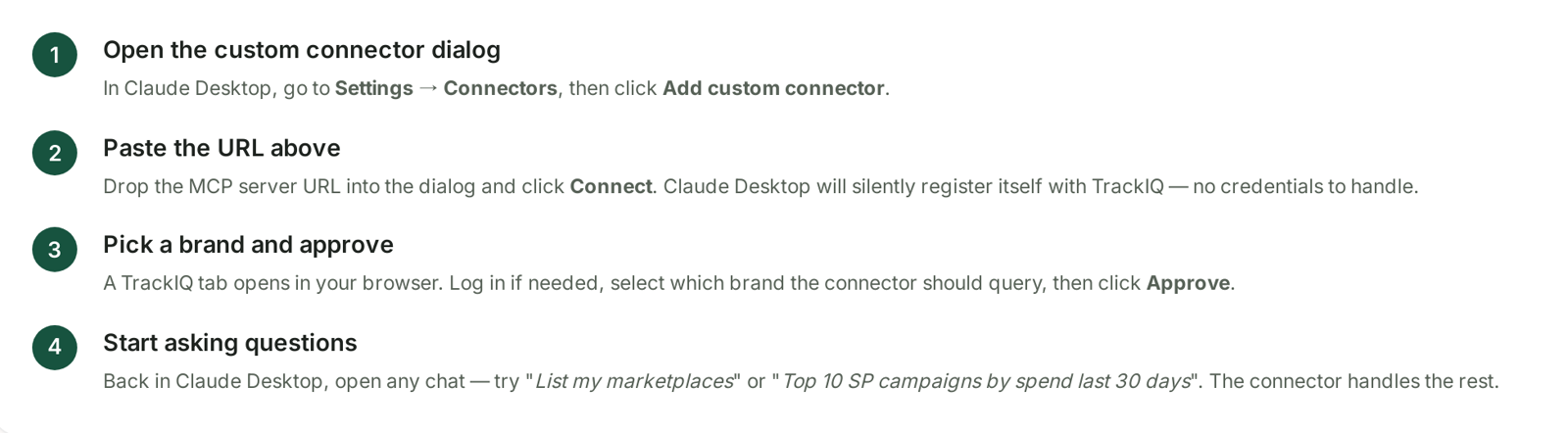
The setup is deliberately small: paste one URL into Claude Desktop, Claude Code or Cursor and it registers itself. No JSON config file, no credentials to copy, no key management.
Cursor is the exception worth knowing about — it does not yet support Dynamic Client Registration, so there is a manual OAuth client path for it. The Advanced section has per-client setup instructions.
See Installing TrackIQ MCP in Claude, ChatGPT and Cursor.
Step 2 — Understand what it can reach
MCP exposes your TrackIQ data as tools an AI can call — campaigns, ad groups, keywords, targets, search terms, product performance, inventory, rank, SQP, DSP and AMC.
Two things follow from that:
It reads the same data the screens do. If a number is not in TrackIQ, MCP cannot invent it.
What each plan unlocks differs. See MCP Tiers: What Each Plan Unlocks — and note the counter-intuitive one: the MCP Only plan includes Search Query Performance, Amazon DSP and AMC Cloud, which Starter does not.
Step 3 — Ask the questions the screens cannot
This is the point of the exercise. The screens are better than MCP for anything they already do — they are faster, sorted, filtered and visual. MCP earns its place on questions that join TrackIQ data to something else:
Your own margins. TrackIQ knows spend and sales; it does not know your COGS. "Pull last month's product performance and work out contribution after ads using the cost column in this spreadsheet."
Your own forecast. "Compare actual units against the forecast in this file and list the ten biggest misses."
Cross-source reasoning. "Take the queries with the worst cart share, look up which ASINs they land on, and check those ASINs' stock cover."
One-off shapes. Anything you would otherwise export to CSV and pivot by hand.
Step 4 — Build the repeatable ones properly
Once a question turns out to be worth asking every week, stop asking it conversationally.
Write it down as a prompt you reuse. The wording matters more than people expect — name the date range, the metrics, and what a good answer looks like. The same discipline as Asking Aria a Good Question.
Keep the source data current. If your margin spreadsheet is three months stale, so is every answer derived from it.
Decide where the output goes. An analysis nobody reads is worse than no analysis, because it cost something.
Step 5 — Watch who is querying what
Settings → MCP & API Keys → Call Logs.
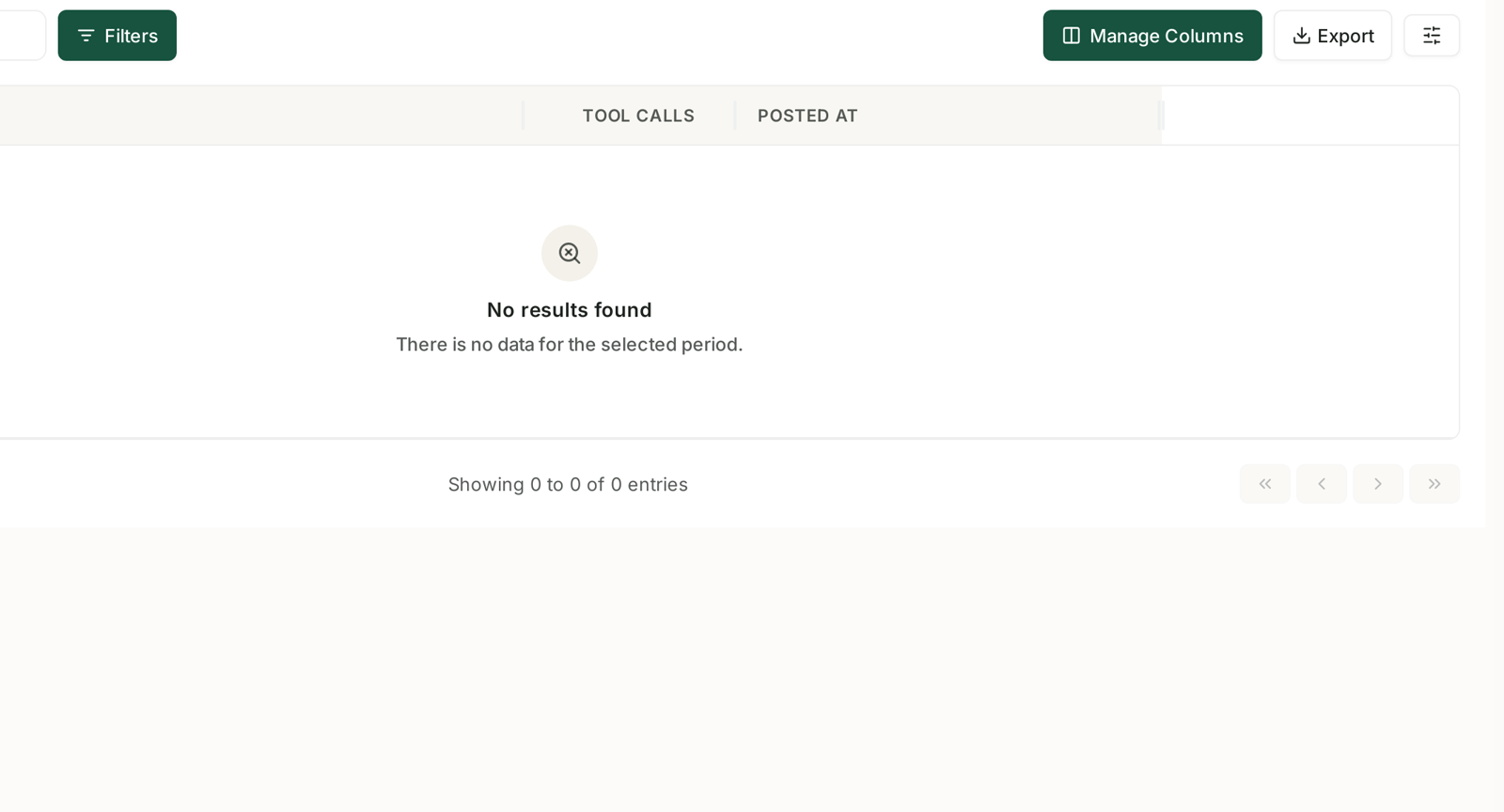
The call log records the natural-language question the AI asked on your behalf, not just an endpoint — with Question, Tool Calls and Posted At, its own date range, and Search, Filters, Manage Columns and Export.
That makes it a genuine audit trail rather than a debug log, and it is worth checking for two reasons:
Verification. If an answer looked wrong, the log shows what was actually asked and which tools ran. That is usually enough to see whether the question or the data was at fault.
Access hygiene. Per-brand API keys mean you can see which integration is pulling what. An unfamiliar pattern is worth a look.
See MCP Call Logs: Seeing Which AI Tools Queried Your Data.
When to use which
| Question | Use |
|---|---|
| Something a screen already shows | the screen — faster and sorted |
| A daily number, on your phone | Aria in Slack |
| Joins TrackIQ data to your own data | MCP |
| A recurring report for other people | a report template |
| A one-off shape you would pivot by hand | MCP |
The mistake is using MCP for things the product already does well. It is not a faster dashboard; it is a way to ask questions the dashboard was never going to answer.
What not to expect
It cannot change anything. MCP is read access. Bids, budgets and rules are changed in TrackIQ or in Amazon.
It does not know your business. It knows your Amazon data. Context about discontinued lines, promotions or supplier problems has to come from you.
Check anything you will act on. An AI reading your data can still reason badly about it. The same caution as Checking Aria's Work When an Answer Looks Wrong.
Data freshness is TrackIQ's freshness. MCP does not reach past TrackIQ into Amazon. See Where Your Data Comes From and How Fresh It Is.
Related
- What Is MCP, and Why It Matters — the concept.
- Installing TrackIQ MCP in Claude, ChatGPT and Cursor — step 1 in detail.
- The Full MCP Tool Reference — everything it can reach.
- MCP Tiers: What Each Plan Unlocks — what your plan includes.