

Most questions are faster to answer than to ask, and TrackIQ puts the answers one click from wherever you are. When that is not enough, a good support message gets you a real answer on the first reply instead of the third.
Prefer to watch? A hundred and seven seconds on the four checks first, then the six things to put in the message.
Where help lives
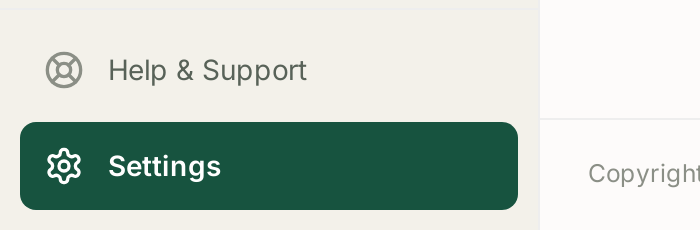
Help & Support sits at the bottom of the left sidebar, directly above Settings. It is pinned there, so it is available from every screen without navigating away from what you were looking at.
Opening it gives you Find answers or reach our team — three browse-topic shortcuts and a way to start a conversation:
Documentation — guides, FAQs, and answers from the TrackIQ team.
Connecting Amazon — linking and managing Seller, Vendor, Ads and DSP accounts.
TrackIQ Features — dashboards, insights, reports and analytics explained.
Chat with us — Start a conversation opens a live thread with the team.
The three topic shortcuts exist because the three cover most of what gets asked, and Connecting Amazon is first-among-equals: connection problems account for a large share of "something is broken" reports.
Try these first — they resolve most cases
Four checks, in order, before writing to anyone:
1. Is the data missing everywhere or in one place? Everywhere points at a connection; one screen points at that screen. See My Dashboard Is Empty.
2. Check the date range. Most "the numbers are wrong" reports are a range that includes days Amazon has not finished reporting, or a comparison period that is not like-for-like. See Date Ranges, Day/Week/Month Granularity and Period Comparison.
3. Check Settings → Connections. Set the brand filter to All, not Active, and read the last-synced time on each source. A stale timestamp is a connection problem wearing the disguise of a data problem. See Fixing a Broken or Expired Amazon Connection.
4. Search the knowledge base for the exact wording on screen. Error text and empty-state copy are usually documented verbatim.
The troubleshooting articles by symptom
| What you are seeing | Read |
|---|---|
| Nothing anywhere | My Dashboard Is Empty |
| Numbers differ from Seller Central | Why Don't My Numbers Match Seller Central? |
| Ad data missing or wrong | My Ad Data Is Missing or Looks Wrong |
| An AMC dashboard is blank | An AMC Dashboard Is Empty |
| SQP looks thin | SQP Data Is Sparse or Missing |
| Rank blank | Rank Data Shows Blank |
| A rule did not fire | A Rule Didn't Run |
| A menu item you cannot see | I Can't See a Menu Item Other People Can |
| Slack has gone quiet | Slack Notifications Stopped |
What to include when you do get in touch
A message with these takes one reply instead of four. Support cannot see your screen, and most of the round trips are spent establishing facts you already have.
Which brand and marketplace. Numbers are meaningless without the scope they were read at.
The exact date range shown on screen. Not "last week" — the dates.
Where you were. The screen name, or the URL.
What you expected and what you saw, as two separate statements. These diverge more often than people expect, and the gap is usually the answer.
When it last worked. "It has never worked" and "it stopped on Tuesday" lead to completely different investigations.
What you already checked from the list above, so nobody repeats it.
A screenshot including the date range and the brand selector.
Things worth stating explicitly
If a rule did something unexpected, include the Change Log entry. It records what was changed, from what, to what, and by which rule — and it answers most rule questions on its own. See The Change Log: Auditing What a Rule Changed.
If an Aria answer looked wrong, say which chat and quote the question you asked. Aria's answers depend heavily on the wording. See Asking Aria a Good Question.
If MCP is involved, check Call Logs first and include the relevant entry — the question and the tools it used. See MCP Call Logs: Seeing What Your AI Tools Asked.
What support can and cannot do
Can: investigate your account's data, explain a discrepancy, re-check a connection, and confirm whether behaviour is intended.
Cannot: make Amazon publish data sooner. A number of the most common reports — SQP's weekly lag, AMC's monthly cohorts, Amazon's suppression of low-volume queries — are Amazon's publishing schedule rather than anything in TrackIQ. Those articles exist so you can recognise them without waiting for a reply.
Related
- Common TrackIQ Questions — the FAQ.
- My Dashboard Is Empty — the first thing to rule out.
- Fixing a Broken or Expired Amazon Connection — the most common root cause.
- Where Your Data Comes From and How Fresh It Is — what "up to date" actually means.