

"Is a 32% ACoS good?" has no answer. Good against what — a launch, a mature line, a clearance? The industry benchmarks you can find online are averages of businesses that are not yours.
The only benchmark that means anything is your own category, last quarter. Category Insights is where you build it.
Time: an hour to set up. Twenty minutes a month after.
Prefer to watch? Eighty-seven seconds on building your own benchmark, and the two patterns to catch.
Step 1 — Define categories you would actually fund
Analytics → Category Insights → + Add Category.
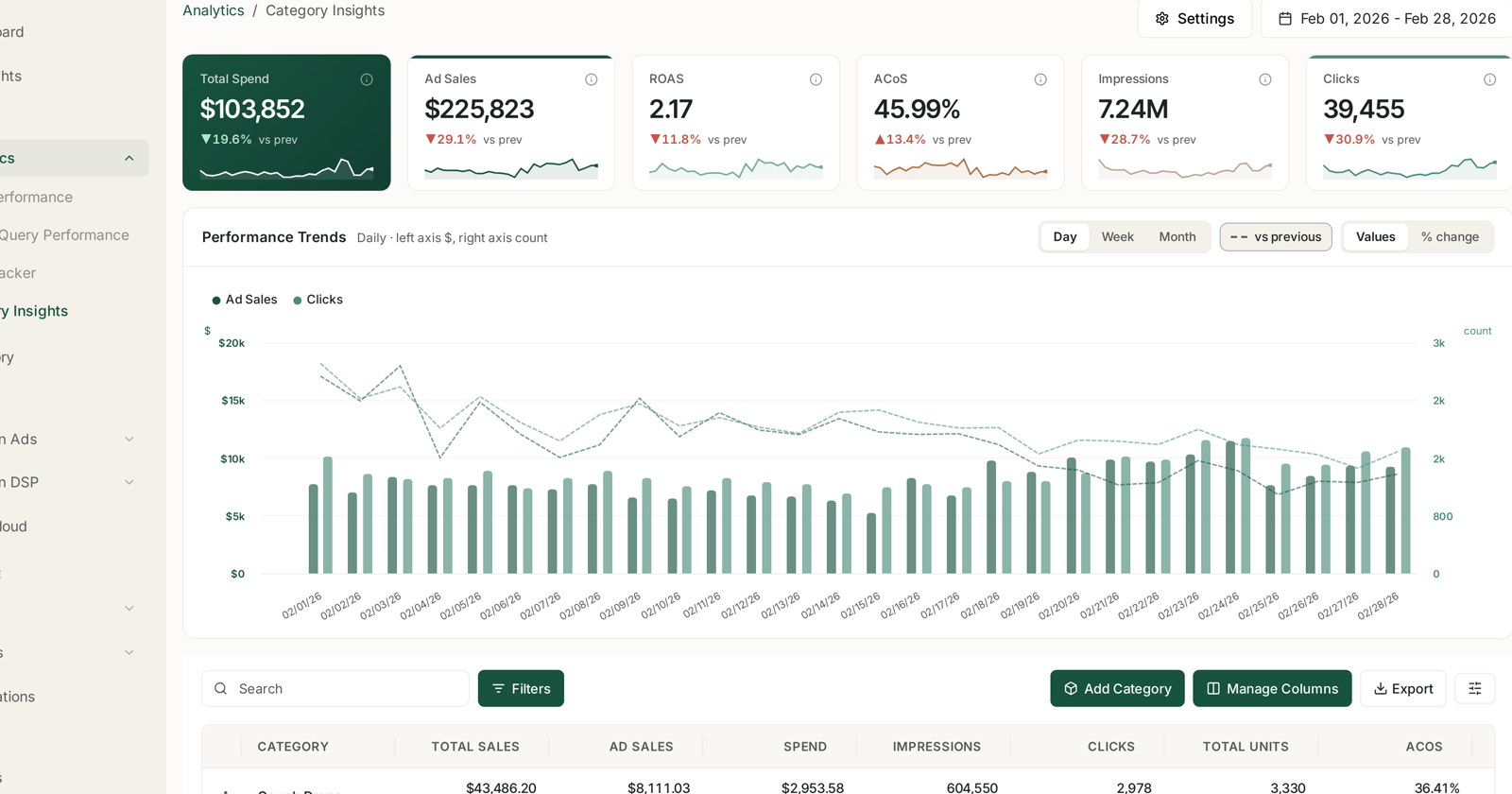
These are your groupings, not Amazon's browse nodes, which means they are only as useful as the thinking behind them.
Group by something you would make a budget decision about:
- A product line you fund as a unit.
- A price tier, where the margin maths is similar.
- A use case, if that is how your customers shop.
Do not group by something you would never act on separately. And do not mix a hero product with a long tail — the hero's numbers get averaged away and the category tells you nothing about either.
A good test: if two products would never compete for the same budget decision, they should not share a category.
Step 2 — Use the column no advertising screen has
Category Insights reports Total Sales beside Ad Sales. Every Amazon Ads screen shows only ad sales — what advertising was credited with. This one shows the whole category.
That difference lets you compute the thing advertising reporting cannot:
TACoS = ad spend ÷ total sales
ACoS asks "was the ad efficient?". TACoS asks "how much of this business is paid?", which is the question a benchmark should be built on.
Step 3 — Establish the baseline
Take a stable quarter — no launch, no stock-out, no promotion — and record per category:
| Measure | Why it belongs in the baseline |
|---|---|
| TACoS | how much of the category is bought |
| ACoS | efficiency of the advertised part |
| Total Sales | the size of the thing |
| Total Units | so you can separate price from demand |
Write them down somewhere outside the product. This is now your benchmark, and it is worth more than any published industry figure because it already contains your margins, your category dynamics and your competitive set.
Step 4 — Compare categories against each other, not a single target
This is the habit the whole playbook exists to build.
A launch category should look worse than a mature one. If they have the same target, one of them is being managed wrongly.
Compare like against like: two mature categories, or this category against itself last quarter. Comparing a launch against a mature line and concluding the launch is inefficient is a category error, not a finding.
The four readings that matter, taken from ad sales and total sales moving together or apart:
| Pattern | Reading |
|---|---|
| Ad sales rising, total sales flat | advertising is replacing organic, not adding |
| Both rising together | advertising is genuinely growing the category |
| Total sales strong, ad sales small | a healthy organic category — do not over-invest |
| Total sales falling, ad sales holding | organic erosion hidden behind steady ad performance |
The first and last rows are the ones worth catching, and neither is visible on any advertising screen. That is the whole argument for using this one.
Step 5 — Watch units beside sales
Total Units next to Total Sales separates two very different stories that look identical on revenue alone:
Units rising, sales flat — you are selling more for less. A price cut, a mix shift toward cheaper items, or discounting.
Units flat, sales rising — price or mix moved up. Fine, unless it is masking softening demand.
Both falling — a real demand problem, and the only one of the three that is unambiguous.
Step 6 — Turn the benchmark into targets
Once you have a stable baseline per category, it becomes the ACoS target for that category's rule group — not a number from a blog post.
Set the target where the category actually performs, then move it deliberately when you want the category to do something different. See Set a Target ACoS Across a Whole Portfolio.
Review monthly. A category whose TACoS has drifted up while total sales held flat is quietly becoming more expensive to run, and that is exactly the slow change a fixed industry benchmark would never surface.
How this differs from Optimization Groups
Both group things and report per group. They group different things:
| Category Insights | Optimization Groups | |
|---|---|---|
| Groups | products | campaigns |
| Shows | total and ad sales | ad performance |
| Answers | how is this part of the business? | how is this part of the advertising? |
Most accounts want both, and they will not line up perfectly — one campaign often advertises products from several categories. That mismatch is normal.
What not to do
Do not benchmark against published averages. They are averages of businesses with different margins, prices and competition.
Do not use a quarter with a promotion in it as your baseline. You will benchmark against an event.
Do not compare a launch to a mature line. See step 4.
Do not let categories drift. A category that made sense two years ago and has quietly absorbed six unrelated SKUs is producing an average of nothing.
Availability starts at PRO. On Starter the section is not in the sidebar. See What's Included in Each Plan.
Related
- Category Insights: Benchmarking Your Categories — the screen in full.
- Understanding ROAS and Key Amazon Advertising Metrics — ACoS against TACoS.
- Set a Target ACoS Across a Whole Portfolio — step 6.
- Optimization Groups — the advertising-side equivalent.
- Scoring Product Opportunities — comparing a candidate market against what you already run.