

Most people do not need a dashboard every morning. They need one number, and they need it where they already are.
Aria in Slack answers questions in a DM or a channel with the same reasoning as the web app — so the daily check-in stops being a login and becomes a message.
Time: five minutes to set up. Saves a few minutes every day.
Prefer to watch? Seventy-four seconds on setup, brand pins, and asking one question properly.
Step 1 — Connect the workspace
Settings → Aria in Slack.
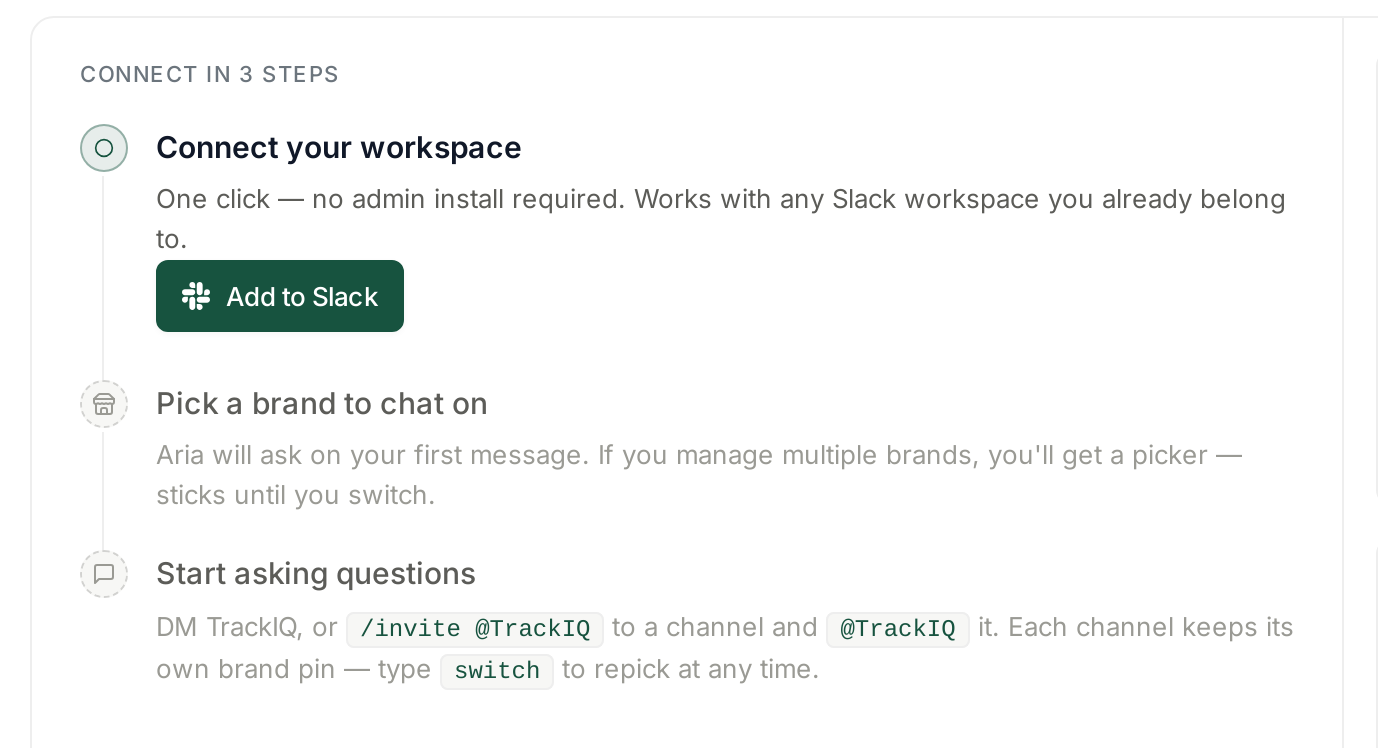
One click — no admin install required. Works with any Slack workspace you already belong to.
That is the part worth knowing before you ask anyone for permission. This is not a workspace-wide app install that needs sign-off; it connects for you, in workspaces you are already in.
Step 2 — Pin the brand
Aria asks which brand to work on with your first message. If you manage several, you get a picker, and the choice sticks until you switch.
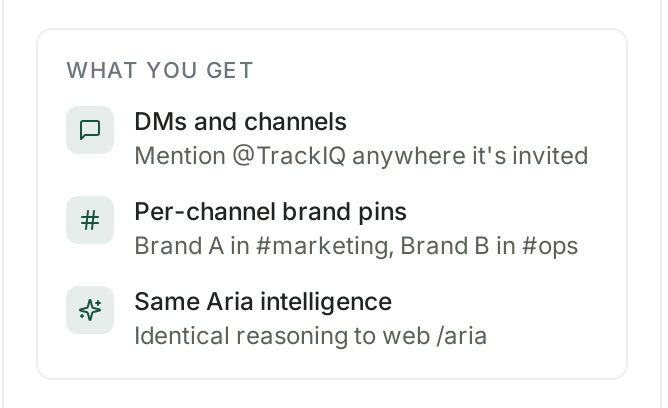
The detail that makes this useful for teams: each channel keeps its own brand pin. Brand A in #marketing, Brand B in #ops, and neither team has to remember which account they are asking about. Type switch to repick at any time.
Step 3 — Put it where the question gets asked
Two placements, and they serve different purposes:
A DM for your own morning check. Private, no noise for anybody else.
A channel for the number the team argues about. /invite @TrackIQ to the channel, then @TrackIQ it in a message. The answer lands in the thread where the discussion is already happening, which is worth more than the answer itself — nobody has to screenshot a dashboard into Slack any more.
Step 4 — Work out your actual daily question
This is where most people go wrong: they ask for a dashboard in text form and get a wall of numbers.
Ask one question with a decision behind it. Good daily questions are short and comparative:
- "How did yesterday compare to the same day last week?"
- "Which campaigns spent more than $100 yesterday with no sales?"
- "Any ASINs below three weeks of cover?"
- "What was our ACoS yesterday and what was it the day before?"
Bad daily questions are open-ended — "how are we doing?" — because the answer has to guess what you meant.
The same principles as the web app apply. See Asking Aria a Good Question.
Step 5 — Decide what belongs in Slack and what does not
Slack is for the check, not the analysis.
| Ask in Slack | Open the app |
|---|---|
| yesterday's number | a month-over-month trend |
| a threshold check | anything you need to sort and filter |
| "did the thing I changed work?" | building a report to send onward |
| a fast answer during a discussion | comparing more than a handful of rows |
If the answer would be a table with twenty rows, you wanted a screen, not a message.
Alerts are separate, and complementary
Aria in Slack is pull — you ask, it answers. Alerts are push — something crosses a threshold and you are told without asking.
Use both, for different things:
Alerts for anything with a hard rule: stock cover, spend without sales, an ACoS spike. Those should reach you whether or not you thought to ask. See Alert Categories, Priorities and What Actually Triggers Them.
Aria for the questions a rule cannot anticipate — which is most of them.
The failure mode is asking Aria every morning for something an alert would have told you unprompted.
What good looks like
After a fortnight you should be opening TrackIQ less often and for longer. The two-minute "just checking" logins collapse into a Slack message; the sessions that remain are real analysis.
If you are still logging in daily to look at the same tile, that tile is a question you have not yet asked Aria.
What not to expect
It is the same Aria. Identical reasoning to the web app — which also means the same limits. It cannot answer what the data does not contain. See What Aria Can and Cannot Answer.
It does not change anything. Asking Aria is a read. Bid and budget changes still happen in rules or in Amazon.
Answers are for the pinned brand. In a multi-brand account, a surprising answer is worth a switch check before it becomes a surprising decision.
Check the reasoning on anything you will act on. Aria shows its plan and its queries; the discipline is the same as in the app. See Checking Aria's Work When an Answer Looks Wrong.
Related
- Chatting With Aria in Slack — the feature in full.
- Connecting TrackIQ to Slack — the connection itself.
- Asking Aria a Good Question — step 4.
- Setting Up Smart Alerts and Real-Time Notifications — the push half.