

Every account carries spend that is not buying anything. Not underperforming spend — spend with nothing on the other side of it. It accumulates quietly, and it is the easiest money you will ever find.
This is a single sitting, in order, from the biggest wins to the smallest.
Time: about two hours. Do it quarterly.
Prefer to watch? Seventy-seven seconds on the order to work in, and the rule setting to get right.
Before you start
Set your date range to the last 30 days, and know your break-even ACoS — the point where an extra sale stops making you money. Everything below is judged against that number, not against a number you like.
Step 1 — Take the recommendations first
Search Query Performance → Recommended Actions.
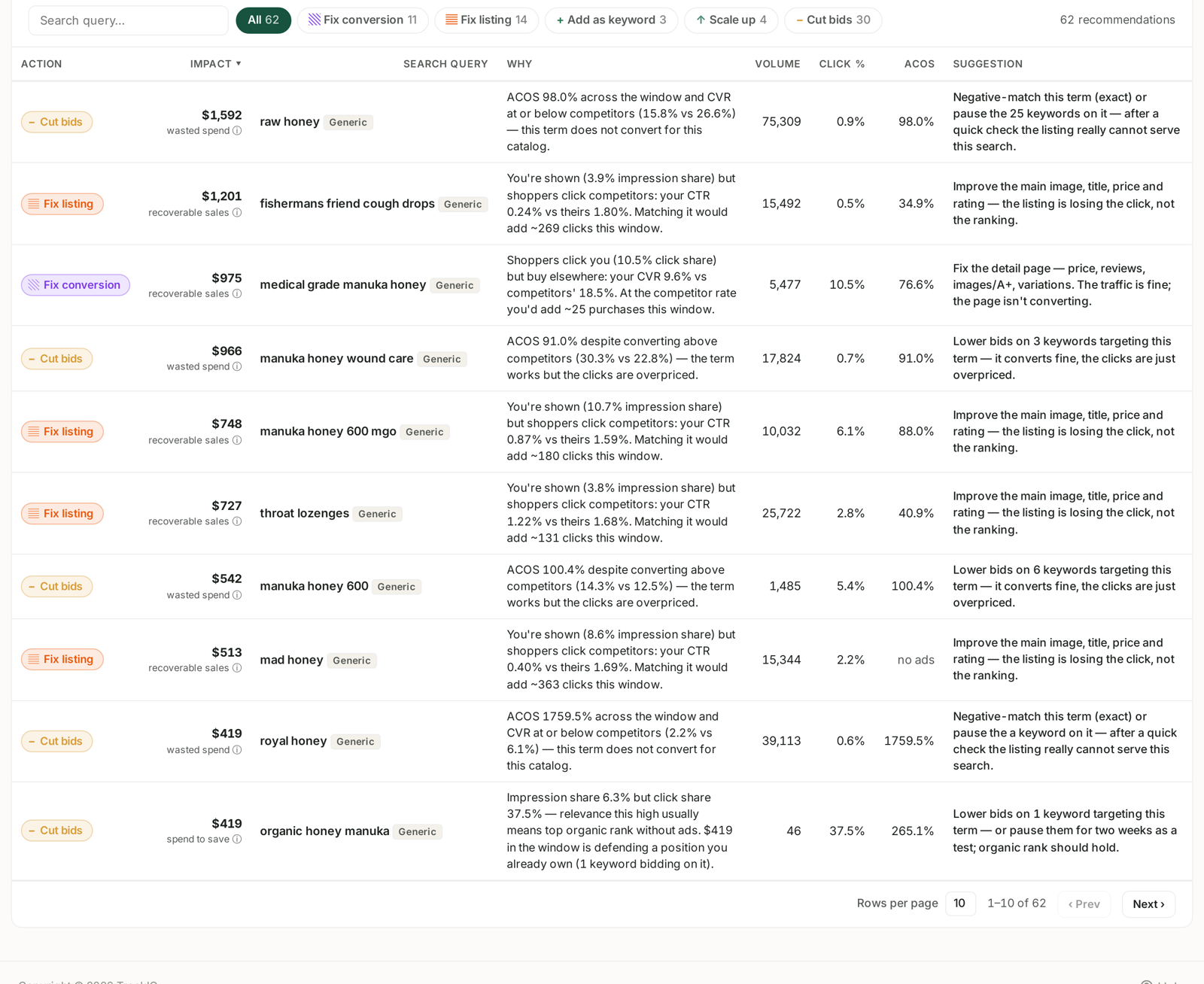
This is the shortest path to the largest wins, because the work of finding them is already done. Filter to Cut bids and sort by wasted spend.
Each row names the query, the money at stake, a Why and a Suggestion. The two shapes worth acting on immediately:
High ACoS, low conversion — "this term does not convert for this catalog". Negative-match it, or pause the keywords carrying it.
High ACoS, decent conversion — "the term works but the clicks are overpriced". Lower the bid. Do not pause it; you would be throwing away a term that converts.
The distinction is the whole point of the screen. Pausing an overpriced-but-converting term is the most common self-inflicted wound in this exercise.
Competitor-brand queries are deliberately absent from these recommendations, because a better page cannot win a shopper who wants somebody else's brand. If a rival is missing from your competitor list, its queries will keep appearing here with advice that cannot work. See Generic, Branded and Competitor Terms.
Step 2 — Find the terms that never convert
Amazon Ads → Search Terms, with Aggregated Search Terms switched on.
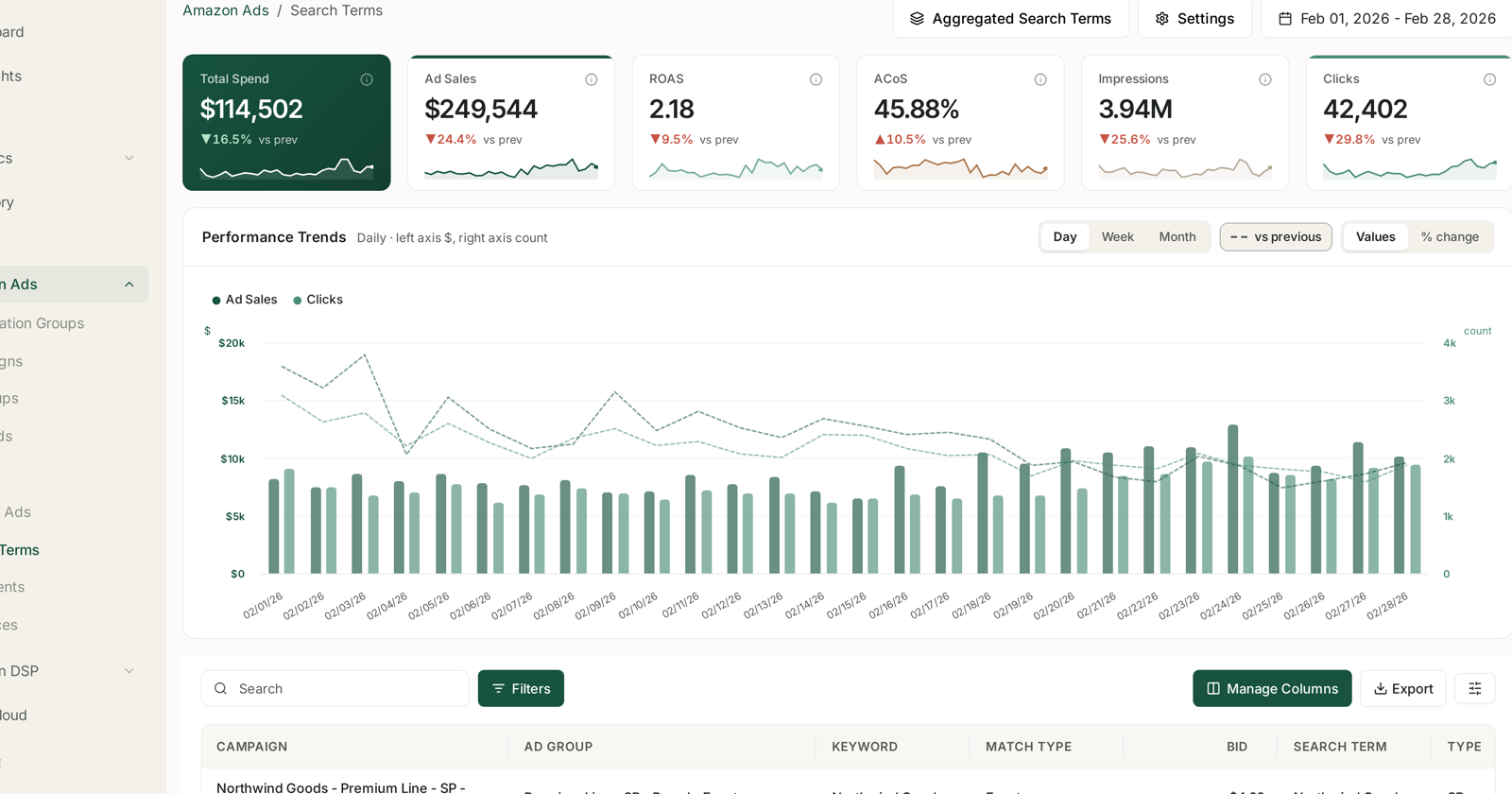
Aggregation matters here. In the default view the same customer search appears once per keyword per ad group, so a term wasting real money looks small in every row and large in none.
Sort by spend, descending. Then look for:
Clicks above ~25, orders zero. Twenty-five clicks is roughly where "not enough data" becomes "this does not convert" for most catalogs. Below that you are guessing.
Spend above your threshold, orders zero. Use spend rather than clicks when your click costs vary a lot — a $0.20 click and a $5 click are not the same evidence.
Add these as negative exact matches in the ad groups they came from. Not campaign-wide unless you are certain: a term that fails in one ad group sometimes works in another with a different product behind it.
Step 3 — The overpriced converters
Same screen, different filter: terms that do convert but at an ACoS well above break-even.
These are bid problems, not relevance problems. Lower the bid on the keywords feeding them by 15–25% and let them run. If the term still converts at the lower bid, you have just taken a loss-maker into profit. If it stops converting entirely, it was only ever buying position.
Do not cut more than about 25% in one move. You will not learn anything from a change large enough to kill the term outright.
Step 4 — The capped campaigns nobody noticed
Check for Campaign Daily Budget Capped in your alerts.
This is the opposite of waste and belongs in the same sitting, because you are already in the numbers. A campaign hitting its budget before the day ends is turning away traffic it could have converted — and if its ACoS is below break-even, that is money you are choosing not to make.
Move the budget you freed in steps 2 and 3 here first, before anywhere else.
Step 5 — Stop it coming back
Automations → Create Rule.
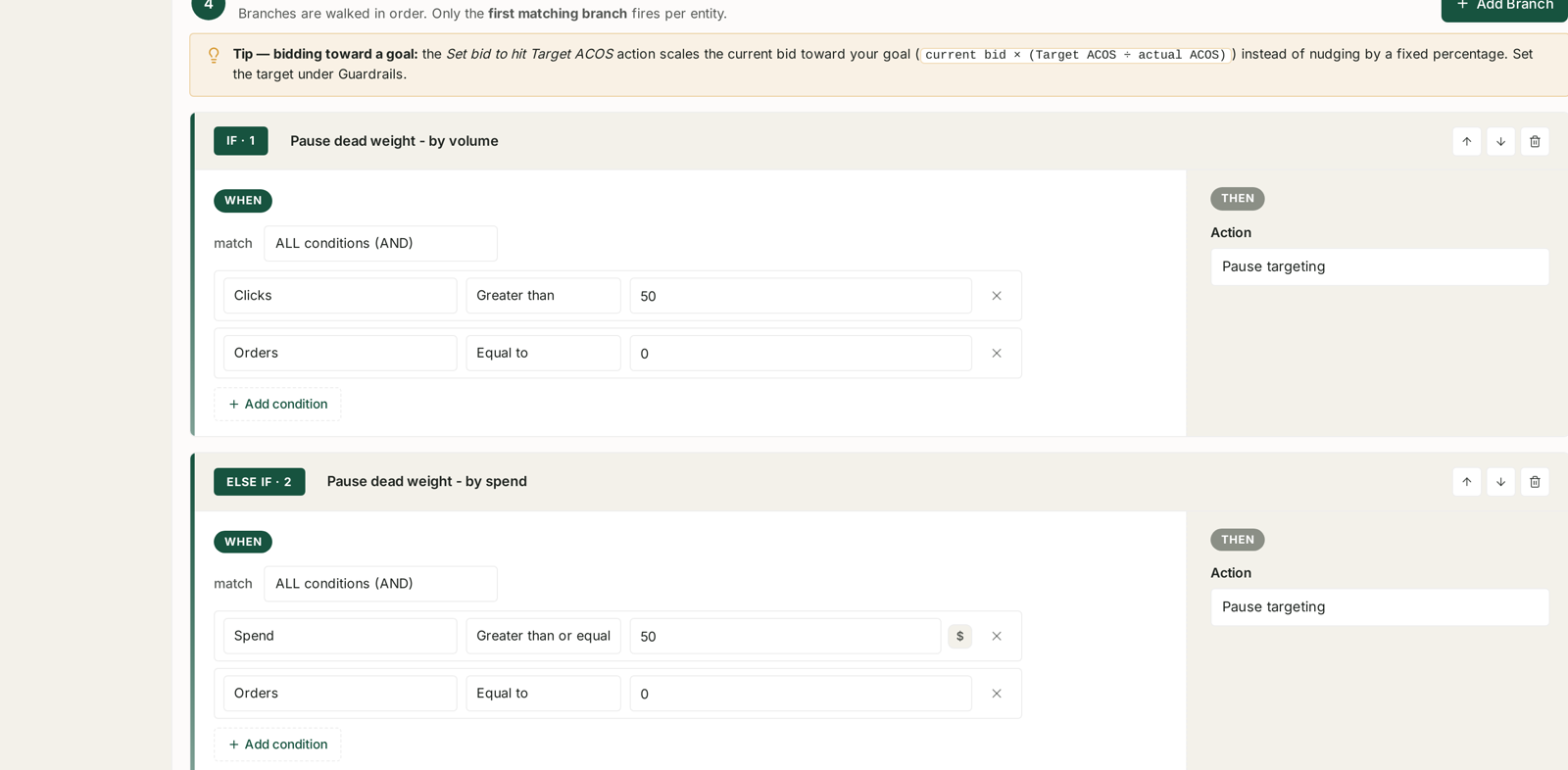
Everything above is manual work you should not have to repeat. Two rules will hold most of it:
A pause rule for dead weight. Clicks greater than 25 and orders equal to 0 → pause targeting. The built-in Pause dead keywords recipe is exactly this.
A bid rule for the overpriced. ACoS above your ceiling → lower the bid, capped at 10–15% per run.
Two things to get right before you enable them:
Set the look-back to 14 days and ignore the freshest day. Yesterday's spend is complete but yesterday's sales are not — a pause rule that reads right up to yesterday will pause things that converted and have not been credited yet. See Look-back Windows and Adjustment Frequency.
Dry-run it first. The preview computes every change and applies none, and it shows which branch claimed each target. See Dry-Run Preview.
What good looks like
A first pass on an account that has never had one typically finds 5–15% of spend with nothing behind it. A second pass three months later should find much less — if it finds just as much, your rules are not doing their job.
Write down what you cut and what you expected to happen. The check in a month is not "did spend fall" — it is "did sales hold".
What not to do
Do not pause on thin evidence. Four clicks and no orders is not failure; it is barely a test.
Do not negate broadly on the first pass. Exact negatives in the specific ad group. You can widen later; you cannot easily discover what a broad negative silently killed.
Do not do this and a bid-strategy change in the same week. You will not know which one moved the numbers.
Do not forget the freed budget. Cutting waste and leaving the money unspent is a smaller account, not a better one.
Related
- Recommended Actions: The Queries That Need a Decision — step 1.
- Search Terms and Aggregated Search Terms — step 2.
- Building a Rule from Scratch — step 5.
- Guardrails to Set Before You Automate Anything — before you enable anything.
- The Bleeder Reports — the same job across three time windows, including the lifetime pass.
- Bid Optimisation: Six Rules — tapering bids before pausing outright.
- Easy-Win Campaigns — where low-bid auto campaigns fit alongside the cleanup.