

Amazon Ads → Keywords lists every keyword you bid on, across campaigns and ad groups, with its match type beside it.
Match type is the column that changes how you read everything else on the row — and it is the one people skim past.
Prefer to watch? Seventy-two seconds on match types, and why you act on exact but investigate broad.
The screen
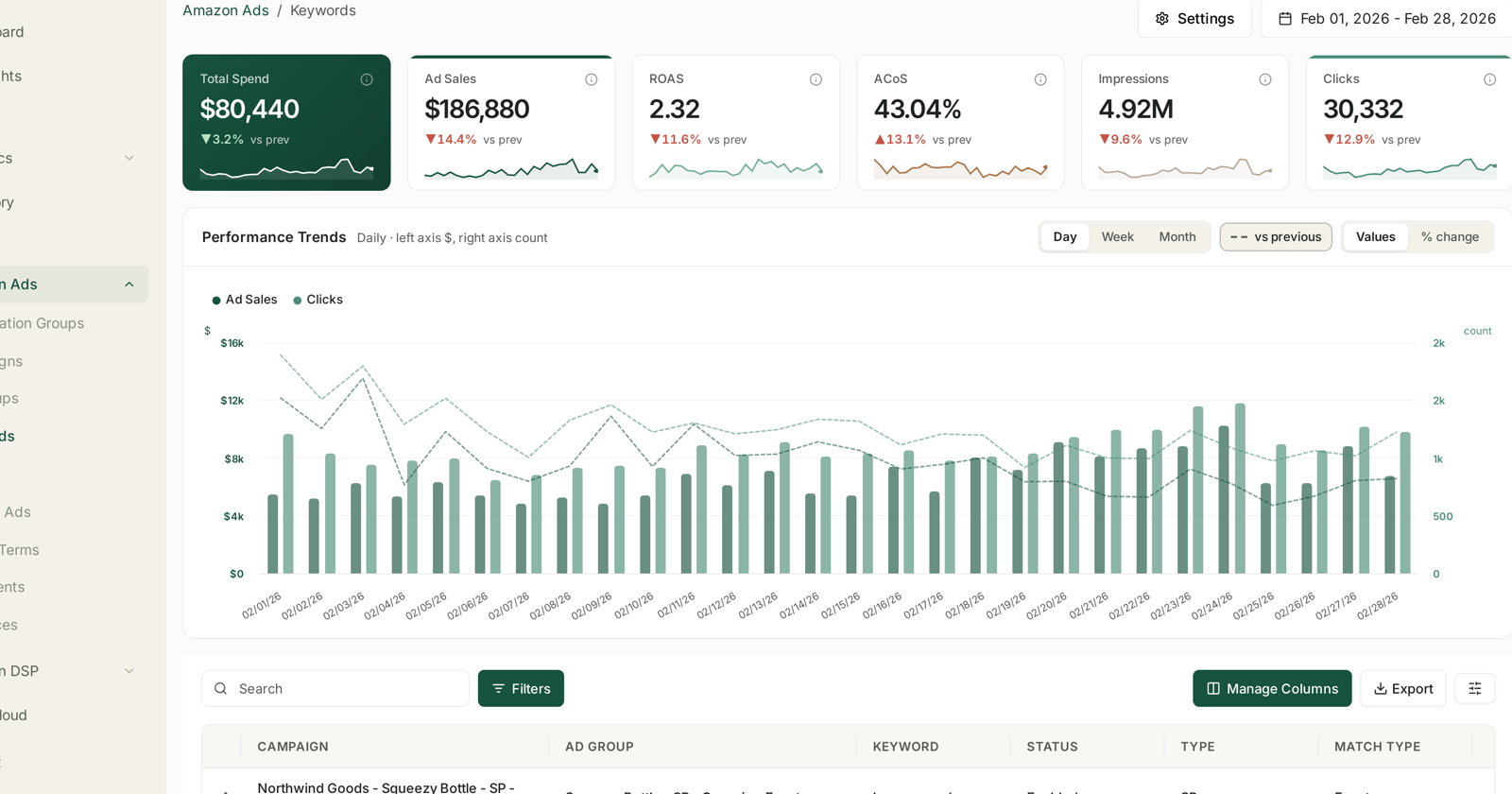
Same layout as the rest of Amazon Ads: six headline tiles with sparklines, Performance Trends with Day / Week / Month, vs previous, and Values / % change, then the table.
The table identifies each keyword by where it lives:
| Column | |
|---|---|
| Campaign | which campaign |
| Ad group | which ad group inside it |
| Keyword | the term you bid on |
| Status | enabled, paused, archived |
| Type | the ad type — SP, SB |
| Match type | broad, phrase or exact |
A keyword is not unique. The same word can appear several times at different match types, in different ad groups, at different bids — and each row is a separate thing you are buying. Sorting by keyword rather than by spend makes that obvious, and is worth doing once.
What match type actually controls
Match type governs how far Amazon may stray from your keyword when deciding whether to show your ad.
| Match type | Amazon shows your ad for |
|---|---|
| Exact | that term, and close variants of it |
| Phrase | that term as part of a longer search |
| Broad | searches it judges related |
Reading them as a range of control against reach is the useful framing: exact is precise and limited, broad is wide and speculative.
Why that changes how you read a row
A broad keyword's performance is not really about the keyword. It is about the pile of searches Amazon matched to it. A broad keyword with poor ACoS may contain excellent searches and terrible ones averaged together.
So a bad broad keyword is a prompt to look at search terms, not a prompt to cut the bid. The bid change applies to everything it matched, good and bad. See Search Terms and Aggregated Search Terms.
An exact keyword's performance is about that keyword, so acting on it directly makes sense.
That is the practical rule: act on exact, investigate broad.
What good structure looks like
Most well-run accounts run the same loop:
- Broad and phrase keywords discover which searches convert.
- Winning searches are promoted to exact keywords, usually in their own ad group where the bid can be set deliberately.
- Losing searches become negatives, so the broad keyword stops paying for them.
The Keywords screen is where step 2 lands and step 3 gets checked. The Search Terms screen is where steps 1 and 3 start.
Reading the table
Sort by spend, not by ACoS. A keyword at 300% ACoS on $4 is not the problem; one at 60% on $4,000 is.
Watch the click count before believing a rate. ACoS on six clicks is not a measurement. This is the same threshold logic the rule engine uses — see Guardrails to Set Before You Automate Anything.
Check the state filter. Enabled-only is the default, so paused keywords with history are hidden.
Note the ad type. A Sponsored Brands keyword is judged on a 14-day window against Sponsored Products' 7. Do not rank them against each other on efficiency.
Acting on what you find
Manual bid changes here are fine for one-off decisions. For anything recurring, the rule engine does the same judgement continuously:
- Hit my Target ACOS scales every bid by distance from your target.
- Pause dead keywords stops targets that have spent enough clicks to prove they will not convert.
- Rescue impression-starved winners raises bids on keywords that convert well but rarely show.
See Targeting Rules: Adjusting Bids and Pausing Targets.
Related
- Search Terms and Aggregated Search Terms — what customers actually typed.
- SQP & Keywords: Finding Queries You Convert On But Don't Bid On — demand you are not buying at all.
- Understanding ROAS and Key Amazon Advertising Metrics — what the tiles mean.
- Amazon PPC: Core Terms and Metrics — match types defined, with the rule that matters most.
- Create a Sponsored Products Campaign — choosing them at campaign creation.
- Bid Optimisation: Six Rules — the rules applied to these targets each week.
- Outlier and Trending Keywords — two sources of keywords worth adding.
- Grouping and Prioritising Keywords — organising them into launch groups.