

TrackIQ pulls your Amazon sales, advertising, inventory and search data into one place, and then does three things with it.
Prefer to watch? Fifty seconds on what TrackIQ does with your data.
The three things
1. It shows you what happened. Every Amazon report you would otherwise open separately — sales, Sponsored Ads, DSP, search queries, rank, stock — in one place, on one date range, with one set of controls.
2. It lets you ask questions. Aria answers questions about your business in plain English and draws the chart for you. You do not need to know which screen the number lives on.
3. It watches while you are doing something else. AI Insights runs checks across your account and tells you when something crosses a threshold — a product about to run out, a keyword spending without converting.
That third one is the difference between a reporting tool and something that earns its place. Reports wait for you to look. TrackIQ comes and finds you.
Who it is for
Amazon sellers, vendors and the agencies who manage them. It is most useful when you have enough going on that watching everything by hand has stopped being realistic — more than a handful of products, or advertising running across more than one campaign type.
What you see first
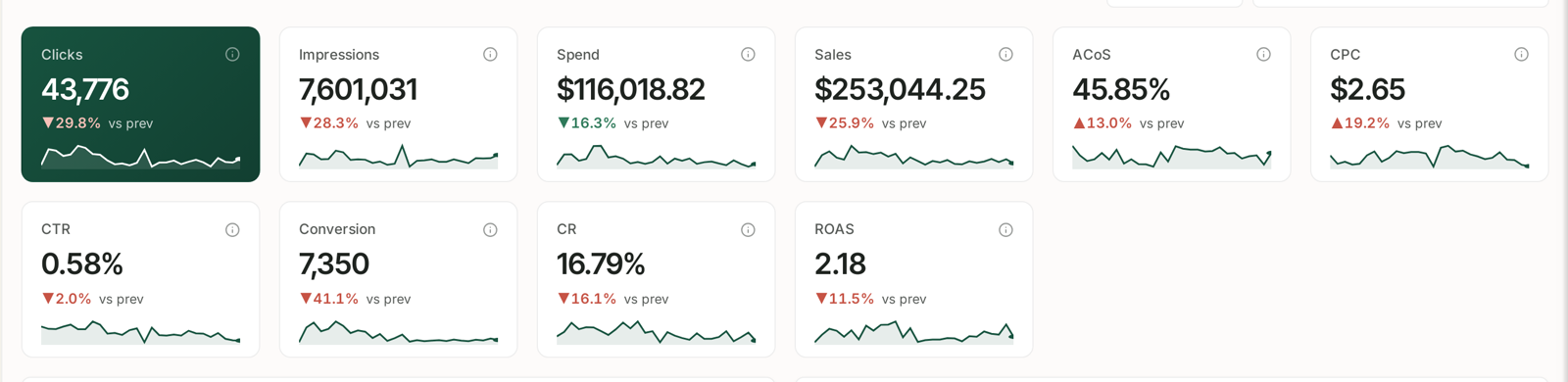
The Dashboard. Ten headline numbers for the period you choose, each with its trend and its change against the previous period. This is the thirty-second version of your account.
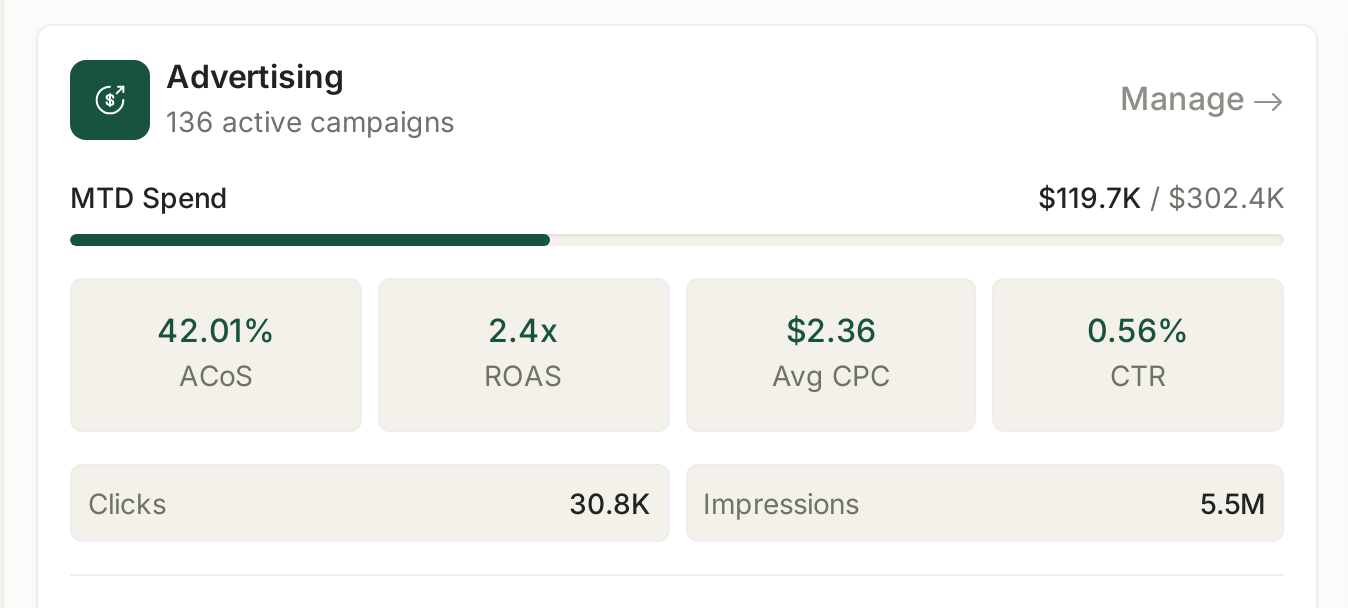
Underneath: how your advertising is pacing against budget, the savings TrackIQ has already found, and how your catalogue is holding up on stock.
None of this needs configuring. It is there as soon as your accounts are connected and the first sync completes.
The two steps to get started
1. Connect your Amazon accounts. Settings → Connections. Start with your Seller account, because sales data underpins everything else.
2. Wait for the first sync, then open the Dashboard. Data does not arrive instantly. The Connections screen shows a last-synced time against each source, and until those appear the rest of the product will look empty — which is expected, not broken.
Everything else in TrackIQ follows from those two steps. See The Quick Start Guide for the detail.
What to read next
| If you want to | Read |
|---|---|
| get set up properly | The Quick Start Guide |
| find your way around | Navigating Your Workspace |
| understand the metrics | Glossary: ACoS, TACoS, ROAS, NTB and Every Other Column |
| stop checking things manually | Rule-Based Optimization |
Related
- Navigating Your Workspace — the shape of the application.
- Glossary: ACoS, TACoS, ROAS, NTB and Every Other Column — the vocabulary, in one place.
- What to Do in Your First Week — five days, an hour each.
- Where Your Data Comes From and How Fresh It Is — what "up to date" actually means.