

The point of a weekly report is not the report. It is that nobody has to ask for it, and that every week arrives in the same shape.
That second part is what makes trends visible. Four reports built four different ways tell you four disconnected things; four built identically tell you a direction.
(For the Business Reports screen itself, see Understanding Business Reports. This is about running it as a habit.)
Prefer to watch? Forty-eight seconds on why the cadence matters more than the report.
Build it once, properly

Start from Templates for a proven structure, or AI Report Generator if you can describe what you want in a sentence.
What you are creating is a structure you will reuse, not a one-off document. That changes how much care the first one deserves — it is worth twenty minutes getting the sections right, because you will be living with them.
Choose the mode for a weekly rhythm
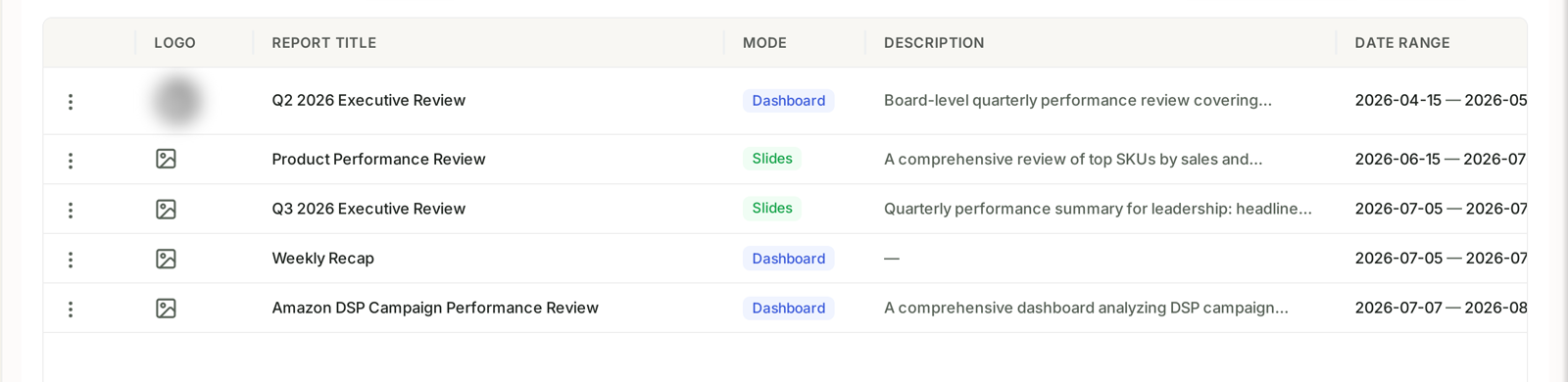
For a weekly recap, Slides usually wins. It can be read without logging in, forwarded, and pasted into a deck. A Dashboard is better when the reader will explore rather than skim — a client checking their own numbers through the week.
A common pattern: one Slides recap that goes out weekly, and one Dashboard per client that stays open all the time.
What the AI adds
The generated sections do not just describe the numbers — they interpret them. “ROAS declined 23% over eight weeks, suggesting advertising efficiency has weakened.”
That is the part that saves you time. Anyone can read a chart; writing the sentence underneath it is the work.
Read it before sending. The interpretation is generated from your data and is usually right, but it does not know context you have — that a dip was a deliberate budget cut, or that a spike was a one-off promotion. Add a line of that context and the report becomes far more useful to whoever reads it.
What a weekly report should contain
Keep it short enough that people actually read it:
| Section | Answers |
|---|---|
| Headline metrics vs last week | did we go up or down? |
| Spend against budget | are we on pace? |
| Top movers | what changed, and by how much? |
| Stock risks | what could stop us next week? |
| One thing being done about it | what are we changing? |
That last row is what turns a report into a document people act on rather than file.
Why the fourth one is the useful one
The first weekly report tells you almost nothing — there is nothing to compare it against.
By the fourth you have a month of consistent measurement, and the questions become answerable: is TACoS drifting up? Is the same product appearing in stock risks every week? Is the thing we changed three weeks ago working?
None of that is visible in a single report, however good. It only appears when the format holds still.
So: pick the format, then stop changing it. Consistency is the feature.
Related
- Build a Weekly Executive Summary You Never Have to Write — the playbook.
- Business Report Templates and the AI Report Generator — templates and the generator.