

The main image is the single most-seen element of your listing. It appears in every search result, every sponsored placement, every browse page — and it is what a shopper judges before reading a single word.
That makes it the highest-leverage thing on the listing. Improve it and everything downstream improves: more clicks for the same impressions, better conversion, better organic rank.
Prefer to watch? One hundred and seventeen seconds on why the top of the funnel multiplies through everything after it, how to tell whether you have a problem, and how to size the prize.
Why it moves the needle more than anything else
Amazon is a scanned interface. A shopper works down a grid of near-identical thumbnails, and most of them get a fraction of a second.
Everything else in your listing only matters after the click. Bullets, A+ content, reviews, price presentation — none of it is seen by someone who scrolled past your image.
So the main image sits at the top of the funnel, and a percentage gained there multiplies through every stage after it. A 15% CTR improvement is 15% more traffic at no additional advertising cost, on every keyword you appear for, permanently.
First: work out whether you have a problem
Do not start a design project on instinct. Establish where your click-through rate actually sits relative to the market.
Search Query Performance gives you both halves of the comparison:
1. Your ASIN's CTR on the top five keywords in your niche.
2. The average CTR of those same five keywords across all sellers.
3. Compare them.
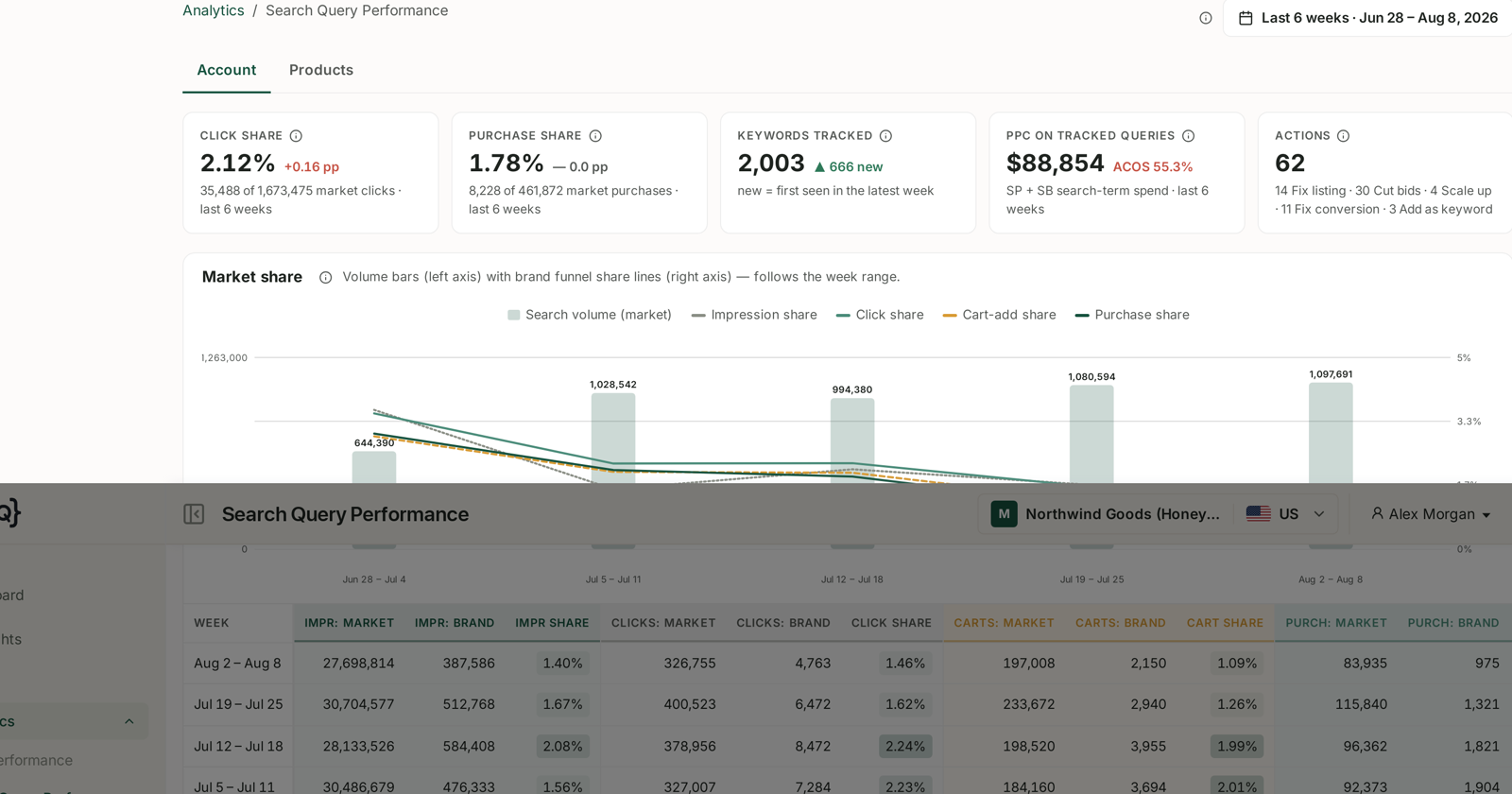
If your CTR is below the average, this is urgent. Shoppers are seeing you and choosing someone else, and every advertising pound you spend is buying impressions that convert to clicks at a below-market rate.
If your CTR is above average, it is still worth testing. Being ahead of the average is not the same as being at your ceiling, and this is the cheapest improvement available to a listing that is otherwise working.
For reading the report properly, see Understanding Search Query Performance and Keyword Research from Search Query Performance.
Size the prize before you commit
The arithmetic is simple and worth doing, because it tells you how much effort is justified.
Take your current impressions and CTR. Model the same impressions at a CTR one or two points higher. Convert the additional clicks at your current conversion rate, and multiply by margin.
On a product with meaningful impression volume, a two-point CTR improvement is frequently worth more per year than any advertising optimisation you could run — and unlike advertising, it costs nothing ongoing once the image is live.
That number is also what tells you whether to hire a good designer or a cheap one.
The three phases
| Phase | What happens |
|---|---|
| 1 | Gather 3–5 reference images, then write a brief for each |
| 2 | Have a designer produce 2–3 new candidates |
| 3 | Test them against each other, then live on Amazon |
The structure exists to stop the two common failure modes: designing from your own taste rather than from what already works in the category, and swapping images without measuring whether the new one is better.
What to expect
Not every new image wins. That is why you produce two or three and test rather than commissioning one and hoping.
A losing test is still information. It tells you the current image is stronger than you assumed, which is worth knowing before you spend further.
Start with one or two products. Your highest-traffic listings, where a CTR gain is worth the most. Once the process works, run it monthly across more of the catalogue.
Related
- Finding Reference Images — phase 1, where the ideas come from.
- Writing an Image Brief — turning an idea into something a designer can build.
- Testing a New Main Image — proving it is actually better.
- Preparing a Launch: CTR and CVR Tactics — where the main image fits in a relaunch.
- Packaging Design for Amazon — the physical product behind the image.