

The short answer is yes: enterprise-grade encryption, your data is never shared with third parties, agency clients get isolated environments for each brand, and you maintain full ownership of your data at all times.
The rest of this article is the part that is more useful than a reassurance — what you control, and where to look to verify it yourself.
Prefer to watch? Seventy-two seconds on what you control, and where to verify it yourself.
What TrackIQ can do with your Amazon account
It reads. It does not sell, list, or message customers.
Each connection is a standard Amazon authorisation: you sign in to Amazon, approve access, and are returned to TrackIQ. TrackIQ never receives your Amazon password — that exchange happens on Amazon's side, and what comes back is a revocable access token.
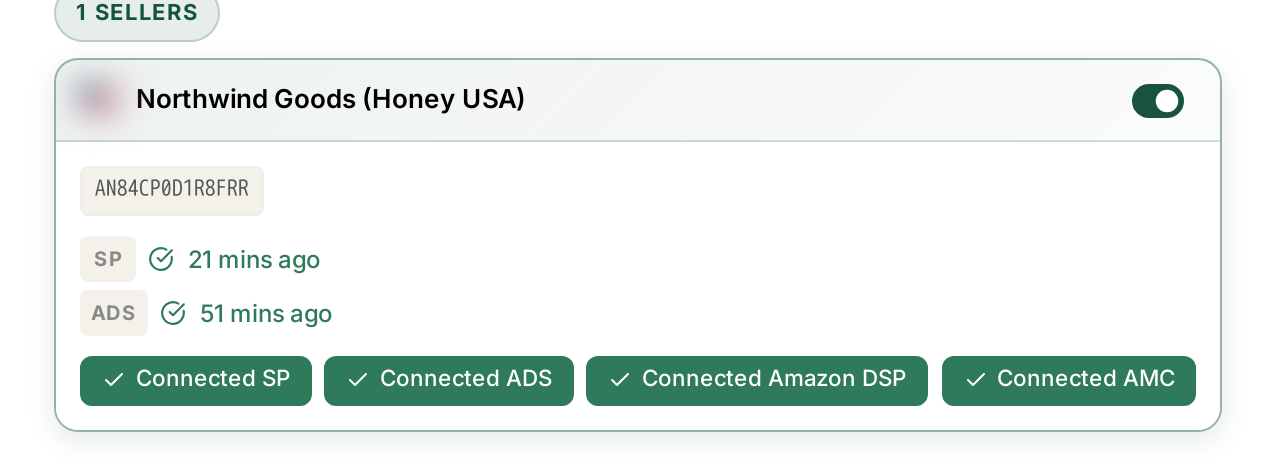
Two properties of that arrangement are worth knowing:
Access is separable. Seller, Advertising, DSP and AMC are four independent authorisations. You can grant advertising access without granting DSP.
Access expires by design. Amazon issues time-limited tokens rather than a permanent key, and revoking access in Seller Central or the Advertising console cuts it immediately. You are never in a position where you cannot withdraw it. See Fixing a Broken or Expired Amazon Connection.
Who inside your company can see what
Access is enforced per role, and the enforcement is genuine rather than cosmetic.
Sections you do not have access to are removed from the sidebar entirely, not greyed out. Navigating directly to the URL returns a 403 Access Denied page rather than the content — the restriction is on the server, not in the menu.
Billing is a good example: a user without billing permission cannot reach Billing & Usage by any route, on any plan.
Users and roles are managed under Users & Access, available on Starter and above.
Multiple brands are separated
Every reporting screen is scoped to the brand selected in the top bar, and agency clients get isolated environments for each brand.
This is the property that matters most if you manage other people's businesses: one client's numbers do not appear in another client's view, and access can be granted per brand.
AI access is the part worth checking
This is where a security question actually earns its answer, because it is the newest surface and the least familiar.
Aria works inside TrackIQ, on the brand you have selected, under your own permissions. It cannot see what you cannot see.
MCP — connecting your own AI assistant, like Claude Desktop — has three properties worth stating explicitly:
It is read-only. Nothing an assistant does through MCP can change a bid, pause a campaign, or alter your account.
It is scoped to one brand, chosen on the consent screen when you connect. A connector approved for one brand cannot read another. Connecting a second brand is a separate, deliberate act.
Every request is logged. Settings → MCP & API Keys → Call Logs records the question that was asked, how many tool calls it took, and when.
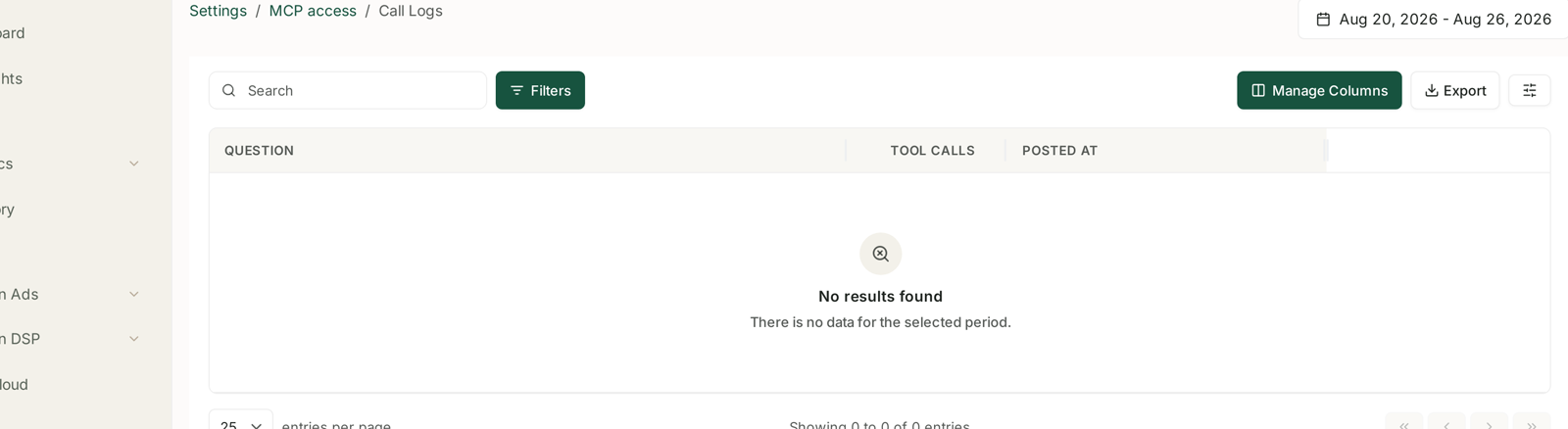
That last one is the practical answer to “which AI tools have been talking to our data?” — you can read it rather than trust it.
API keys are the one thing you must manage
Everything above is enforced for you. API keys are the exception, because they are standing credentials that live wherever you put them.
Issue one key per thing that uses it, never one shared key — revoking a shared key breaks everything at once, while a named key breaks only what you meant to break.
Never paste a key into a chat, a ticket, or a shared document. Use environment variables or a secret store.
Revoke rather than forget. Each brand's panel shows active and revoked counts, which is your audit trail.
If you only use Claude Desktop, issue no keys at all. It self-registers through OAuth and needs none, which is the safest state available.
See Installing TrackIQ MCP in Claude Desktop and Cursor.
A short checklist
Worth running once a quarter, and it takes about ten minutes:
- Settings → Users & Access — does anyone here no longer work on this account?
- MCP & API Keys — is every active key still in use? Revoke the rest.
- Call Logs — does the AI access match tools you recognise?
- Connections — is anything connected that you no longer need?
The first and last catch the most common real-world exposure by a wide margin: access that outlived the reason it was granted.
Related
- The MCP Web Console — issuing and scoping AI access.
- MCP Call Logs: Seeing What Your AI Tools Asked — the audit trail for AI queries.
- Managing Account Settings — where the account controls live.