

Most sellers use Sponsored Brands Video badly or not at all, which is exactly why it is worth using well. Less competition on the format, and a creative that carries far more information than a static ad.
The method has three parts: make three videos, spend a fixed amount finding out which one wins, then scale only the winner across a structured set of keyword groups.
The result you are aiming for is a low-ACOS profit campaign — not rank.
Prefer to watch? One hundred and seventy-two seconds on testing three videos on identical traffic, grouping keywords by order count, and optimising each group against breakeven.
Step A: make three videos, not one
Three is the number because the whole method rests on having something to compare.
Brief them as separate jobs, not one job asking for three. Separate briefs give you genuinely different creative; a single brief produces three variations of the same idea, which tells you nothing.
Landscape, always. Amazon's video placements display landscape properly and portrait poorly.
Subtitles are mandatory. These ads play on mute. A video whose message depends on audio is a video with no message.
Check the current ad specs before commissioning — dimensions, length and file requirements change.
Four concepts worth briefing:
Social-style clip — fast, native, informal.
Unboxing — shows scale and what actually arrives.
Product in use — answers the "how does this work" question.
Review — a person explaining why it is good.
Match the presenter to your actual buyer. Brand Analytics → Consumer Behavior Analytics → Demographics tells you who is buying, so you are not guessing at age or audience.
Step B: test them against 200 clicks each
Pick your 5–10 core keywords — the terms that already drive most of your sales from other campaigns.
Then build three identical campaigns, one per video, changing nothing except the creative.
| Setting | Value |
|---|---|
| Type | Sponsored Brands |
| Goal | Drive page visits |
| Ad format | Video |
| Landing page | Product detail page |
| Targeting | Keyword, Exact only |
| Keywords | your 5–10 core terms |
| Bid | 85% of suggested |
| Daily budget | $10–20 |
| Name | [Brand] [Product] Test Video 1 |
Uncheck Broad and Phrase, and remove the keyword themes. Identical, controlled traffic is the entire point — a difference in match types makes the comparison meaningless.
Check daily that each is spending. If one is not, raise its bids 7%. A video that never gets clicks is not a losing video; it is an untested one.
Set the date range to Lifetime, and pause each campaign at 200 clicks.
Then compare: lowest ACOS and highest CTR wins.
200 clicks is the point at which the difference between videos is a real difference rather than noise. Calling it at 50 clicks is how people scale the wrong creative.
Step C: scale the winner across ordered keyword groups
Now build five campaigns using only the winning video, split by how well each keyword already converts.
Download a 60-day bulk report — Sponsored Products data and Sponsored Products search term data only.
Open the SP Search Term Report tab and group the search terms by order count:
| Group | Orders |
|---|---|
| 1 | 2–3 |
| 2 | 4–5 |
| 3 | 6–7 |
| 4 | 8–9 |
| 5 | 10+ |
Filter at the campaign or portfolio level for the product you are working on, otherwise you pull in terms belonging to other products.
Then create one campaign per group:
Phrase match only.
Maximum 15 keywords per campaign.
Bid 55% below suggested.
Name them so the group is visible — [Brand] [Product] [SBV] [Phrase 2-3].
The grouping is what makes this work. Keywords with similar proven conversion behave similarly, so each campaign can be optimised as a unit instead of averaging strong and weak terms together.
Optimising the scaled campaigns
First, calculate your breakeven ACOS, because every rule below is relative to it:
Gross profit before PPC = price − COGS − FBA fee − referral fee.
Breakeven ACOS = gross profit before PPC ÷ price.
Then review every three days, on a 30-day window:
| Condition | Action |
|---|---|
| ACOS 10% below breakeven | Raise bid 5% |
| ACOS above breakeven | Lower bid by the difference |
| ACOS more than double breakeven | Pause the keyword |
| Under 3 clicks | Raise bid 5% |
| 15 clicks, no sales | Pause the keyword |
"Lower by the difference" is literal: ACOS 47% against a 39% breakeven → lower the bid by 8%.
Raise budgets on the low-ACOS campaigns that are hitting their cap — $20, then $50, then $100, as long as ACOS holds.
And keep feeding them. Re-check the search term report regularly, and add newly qualifying terms into their matching group, still capped at 15 per campaign.
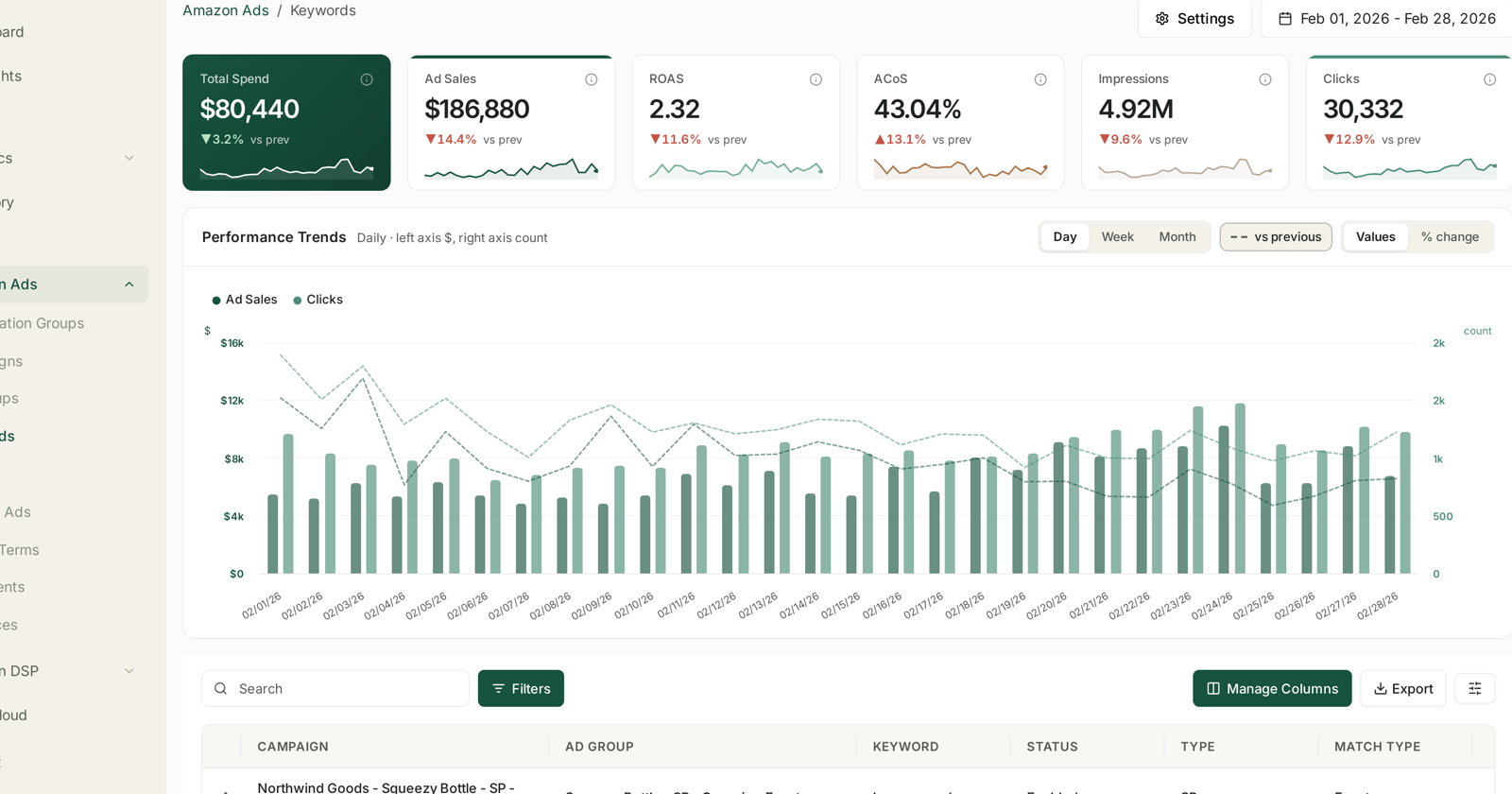
Grouping search terms by order count and checking each one against breakeven ACOS every three days is the whole workload here — see Bid Optimisation: Six Rules and Rule-Based Optimization: Automating Bids and Budgets. Done by hand it is a bulk export, five filters and a rebuilt sheet, twice a week, per product.
What this is for
Profit, not rank. These campaigns should make money — see Profit Campaigns and Ranking Campaigns.
If the ACOS will not come down, the answer is to stop, not to push through it. A ranking campaign can justify a bad ACOS; this one cannot.
Common mistakes
Testing one video, which gives you nothing to compare.
Briefing three videos as one job, and getting three near-identical results.
Calling the winner early, before 200 clicks.
Letting the test campaigns differ in match type, bid or budget, so the comparison measures the settings rather than the creative.
Skipping subtitles, on ads that play silently.
Putting all keywords in one scaled campaign, which averages away the grouping that makes the optimisation rules work.
Running it as a ranking play, and tolerating an ACOS that defeats the purpose.
Related
- Create a Sponsored Brands Video Campaign — the mechanics of the campaign type.
- Profit Campaigns and Ranking Campaigns — which of the two this is.
- Bid Optimisation: Six Rules — the wider version of the rules above.