

TrackIQ supports both Seller and Vendor accounts, and the difference runs deeper than a label. It changes how products are identified, which screens have data, and what "sales" even means.
Prefer to watch? A hundred and ten seconds on SKU versus ASIN, two kinds of sales, and the large part where nothing changes.
The account type is part of the connection
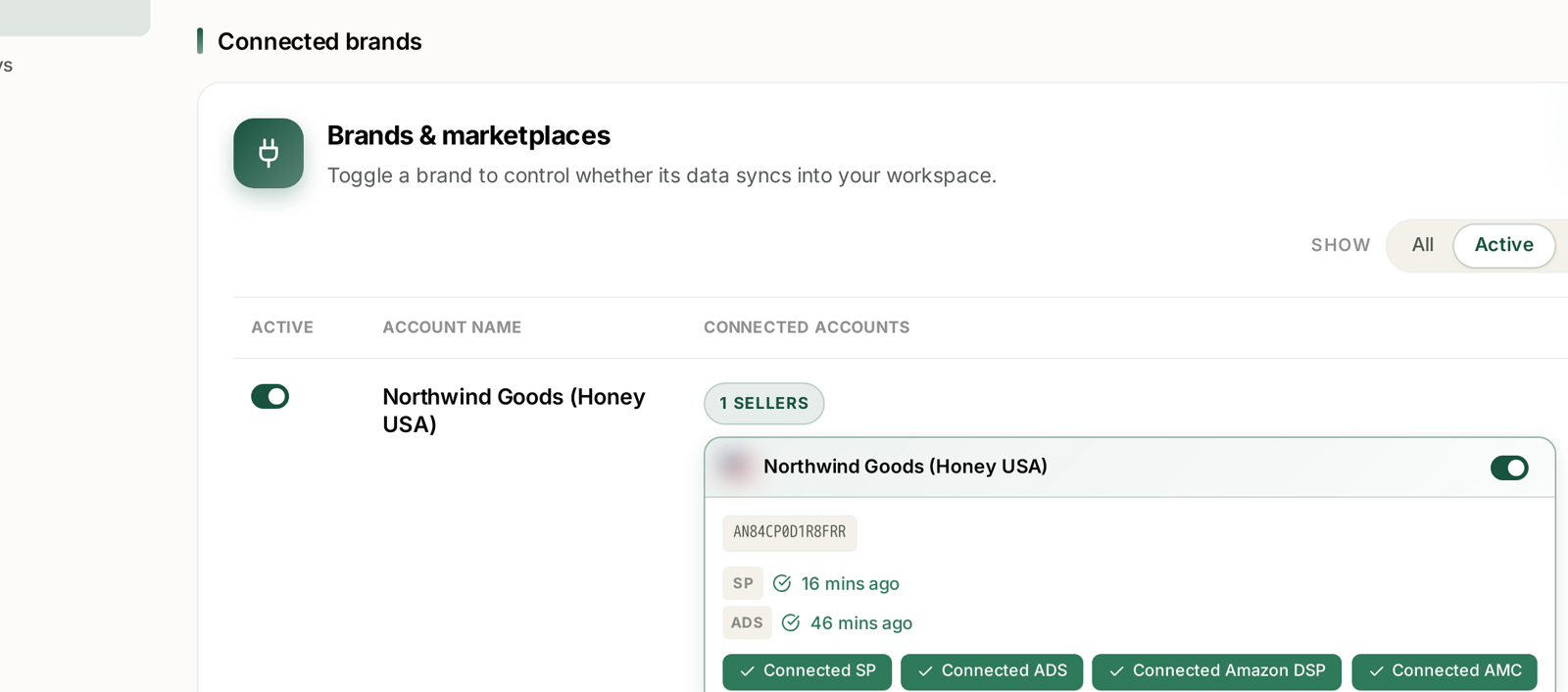
Every Amazon connection records its type alongside its marketplace and currency. The count chip on each brand row states it — 1 SELLERS — and it is set by which Amazon account you authorised, not by anything you choose in TrackIQ.
Seller — you sell to shoppers. Seller Central.
Vendor — you sell to Amazon, which sells to shoppers. Vendor Central.
KDP — Kindle Direct Publishing.
One brand can hold both a Seller and a Vendor connection for the same country. They are separate authorisations and they report separately.
The identifier changes
The single most consequential difference.
Sellers identify products by SKU. Your own code, your own naming, several SKUs frequently pointing at one ASIN.
Vendors identify products by ASIN. Amazon's identifier, one per product.
Everything downstream inherits this:
| Seller | Vendor | |
|---|---|---|
| Product identity | SKU | ASIN |
| Multiple listings per product | common | not applicable |
| Joining ads to inventory | via SKU | via ASIN |
| Export column | SKU | ASIN |
A report built for one will not read cleanly on the other. If you run both, expect to reconcile at ASIN level, because that is the only identifier they share.
What "sales" means changes too
Worth being explicit, because the same word describes two different events.
Seller sales are sales to shoppers. Your revenue is the retail price less Amazon's fees.
Vendor sales are two different numbers:
Shipped / ordered revenue — what Amazon bought from you, at wholesale.
Sell-through — what Amazon then sold to shoppers, at retail.
Those diverge, sometimes badly. Amazon can order heavily and sell slowly, or the reverse. A vendor reading only one of them has half the picture.
Inventory means something different
Seller inventory is yours, sitting in FBA or with you. You control replenishment, and a stockout is your problem to solve directly.
Vendor inventory is Amazon's, once shipped. You influence it through purchase orders and forecasts, not by sending stock when you choose. A vendor stockout is usually a purchase-order problem, and it is not fixed the same way.
So the inventory playbooks are not interchangeable. See Catch a Stockout Before It Costs You Rank, which is written from the seller side.
Advertising is mostly the same
The good news.
Sponsored Products, Brands and Display work for both, and TrackIQ reports them identically. ACoS, ROAS, search terms, placements, rules — all the same.
AMC works for both, given the connection.
DSP works for both.
Which means the advertising half of TrackIQ is common ground, and most of the difference sits in the sales, inventory and product screens.
Vendor screens need a vendor connection
TrackIQ has vendor-specific reporting — forecasting, inventory health, product sales — and it is populated by the Vendor Central connection.
Without a vendor connection those screens have nothing to show. That is not a fault and not a plan restriction; it is an absent data source. Connect Vendor Central from Settings → Connections and they fill in.
If you are a seller, you will never see them populated, and you are not missing anything.
Which am I?
If you are unsure:
Do you set your own retail price? Seller.
Do you receive purchase orders from Amazon? Vendor.
Do you log into Seller Central or Vendor Central? That is the answer.
Both? Then you have two connections and should read every figure with the account type in mind. TrackIQ keeps them separate; the reconciliation is yours.
Related
- Managing Your Connected Accounts — where account types are visible.
- Marketplaces and Currency — the other axis of a connection.
- Inventory: On Hand, Inbound, Days of Cover and Velocity — the seller-side inventory screen.