

Every figure in TrackIQ arrives from an Amazon account you connected. Settings → Connections is where you check that those sources are healthy — and it is the first place to look when a screen is emptier than you expect.
Prefer to watch? Sixty-six seconds on checking your data sources.
What this screen is for

Two jobs: link new Amazon accounts, and manage the brands and marketplaces you have already linked.
Brands and marketplaces
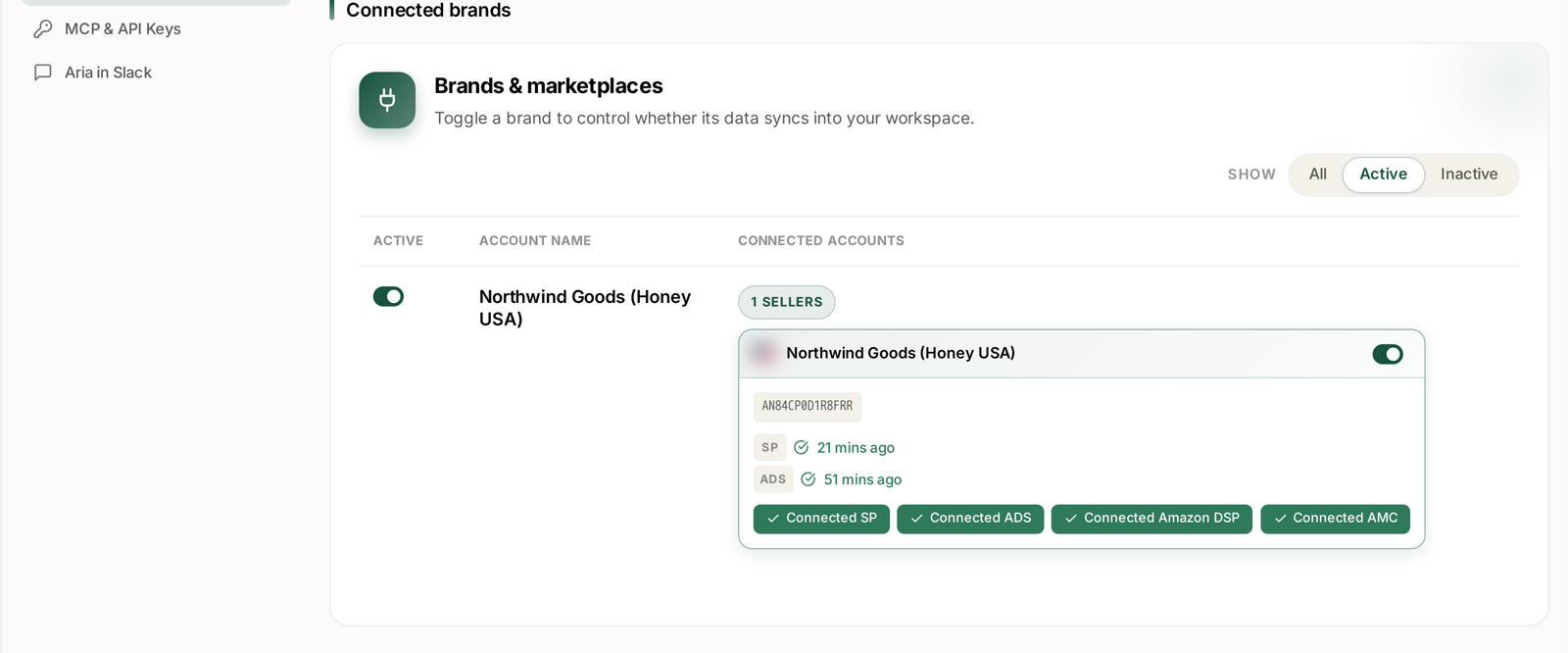
Every brand you have linked, with the number of seller accounts under it.
The toggle in the Active column controls whether that brand's data syncs into your workspace at all. That is worth understanding before you touch it:
- Turning a brand off stops new data flowing in for it. Use it for a brand you no longer manage, or one whose data is skewing an account-wide view.
- Turning it back on resumes syncing.
The Show filter — All, Active, Inactive — lets you see which brands are dormant, which is easy to lose track of once you manage more than a couple.
The connection detail
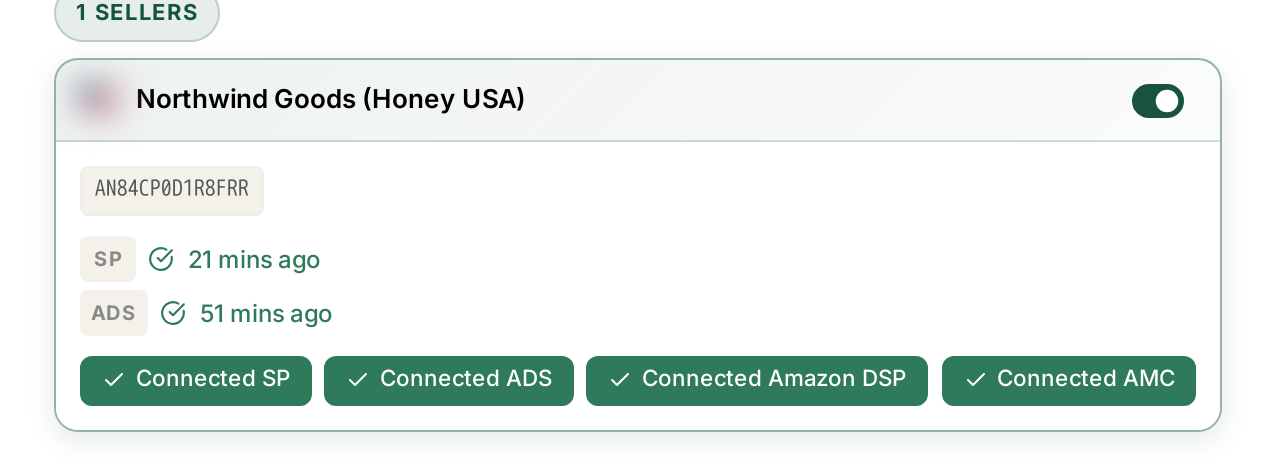
Open a brand and you get the part that matters: which of the four Amazon sources are connected, and when each last brought data in.
| Source | Feeds |
|---|---|
| SP (Selling Partner) | sales, orders, inventory, traffic |
| ADS | Sponsored Products, Brands and Display |
| Amazon DSP | the DSP screens |
| AMC | every AMC Cloud dashboard |
Each shows a timestamp — 21 mins ago, 51 mins ago. This is the real answer to “how fresh is my data?” Rather than guessing whether a number is current, look at when its source last synced.
Different sources sync at different rates, and that is expected. Sales data arrives more often than advertising data. Neither is instant.
Using this to diagnose an empty screen
Most “this screen is broken” reports resolve here. Work through it in this order:
1. Is the source connected at all? An empty AMC dashboard almost always means AMC is not linked for that brand. AMC and DSP are separate connections from your main Seller account — having one does not give you the others.
2. Is the brand toggled on? A brand switched to inactive stops receiving data, and the screens for it go quiet rather than showing an error.
3. When did it last sync? A timestamp from days ago means the connection needs attention — usually a reauthorisation, because Amazon's access tokens expire.
4. Is it the reporting cadence? Some data is simply not daily. Search Query Performance publishes weekly, AMC monthly. See Why AMC Data Is Monthly and Sometimes Empty.
If all four check out and a screen is still empty, that is worth reporting — include the brand, the marketplace and the date range you were looking at.
A habit worth having
When you sit down to make a decision on a number, glance at the last-synced time for the source behind it. It takes two seconds and it stops you acting on a figure that stopped updating on Tuesday.
Related
- Turning Brand Sync On and Off — the toggle that stops data arriving.
- Managing Multiple Brands — running several at once.
- Where Your Data Comes From and How Fresh It Is — how fresh each source is.