

Broad and auto campaigns are discovery engines. They find the queries you did not think of, and then keep paying broad-match prices for them forever.
Harvesting is moving a proven query out of discovery and into a keyword you control. It is the highest-return hour in Amazon advertising, and it is almost entirely mechanical.
Time: about an hour. Do it weekly, or fortnightly at minimum.
Prefer to watch? Eighty-six seconds on aggregation, exact match, and the step people skip.
Step 1 — Find the queries that converted
Amazon Ads → Search Terms, with Aggregated Search Terms switched on.
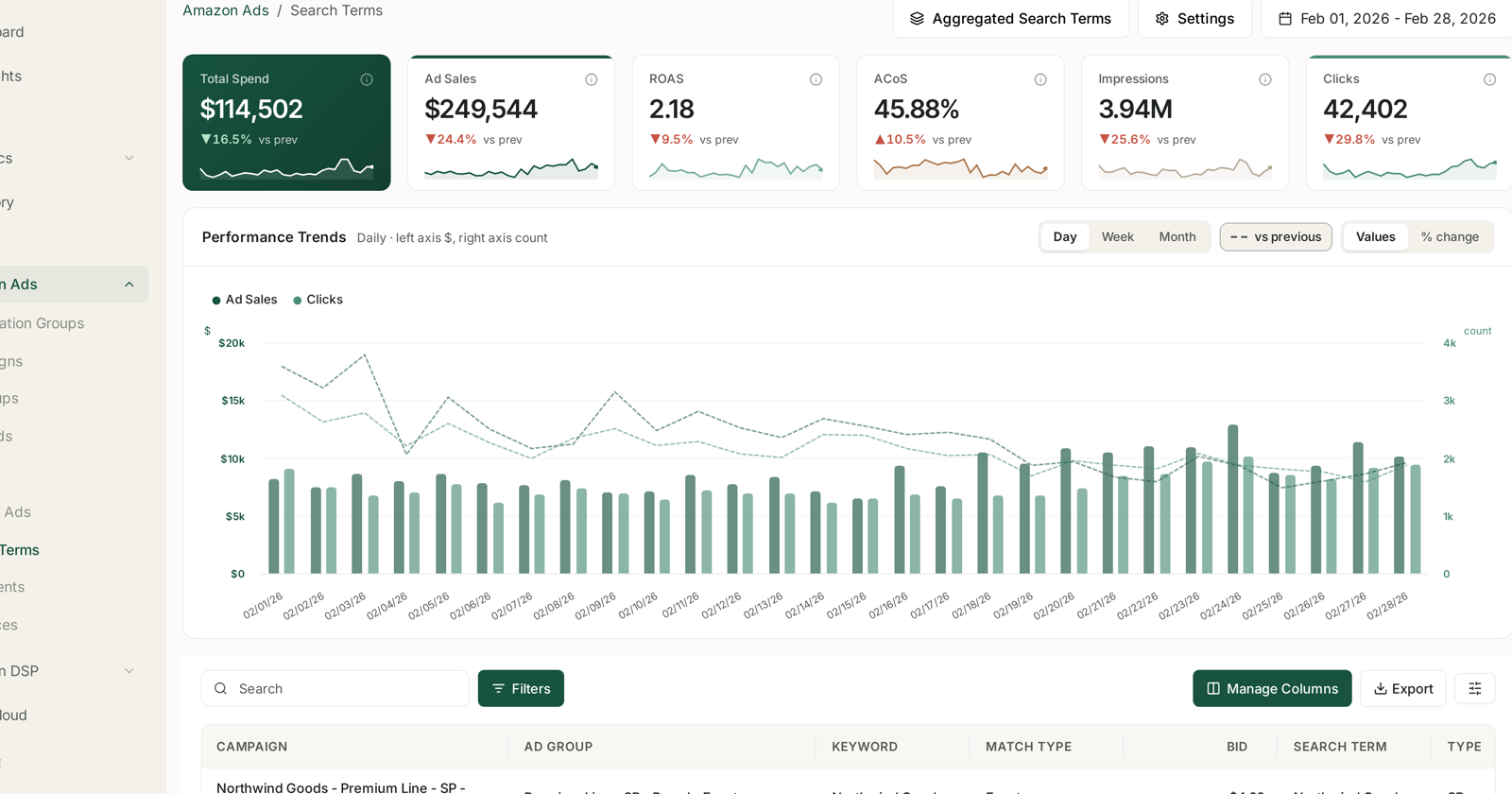
Aggregation is not optional here. In the default view a single customer search appears once per keyword per ad group, so a query that produced twelve orders across three ad groups looks like three unremarkable rows and never surfaces.
Filter to terms from broad, phrase and auto targeting, then sort by orders, descending.
What qualifies: enough orders to be more than luck, at an ACoS you would accept. Two orders is a coincidence; five or more at a workable ACoS is a pattern. Set the bar where you would act by hand.
Step 2 — Cross-check against SQP
Search Query Performance → Recommended Actions, filtered to Add as keyword.
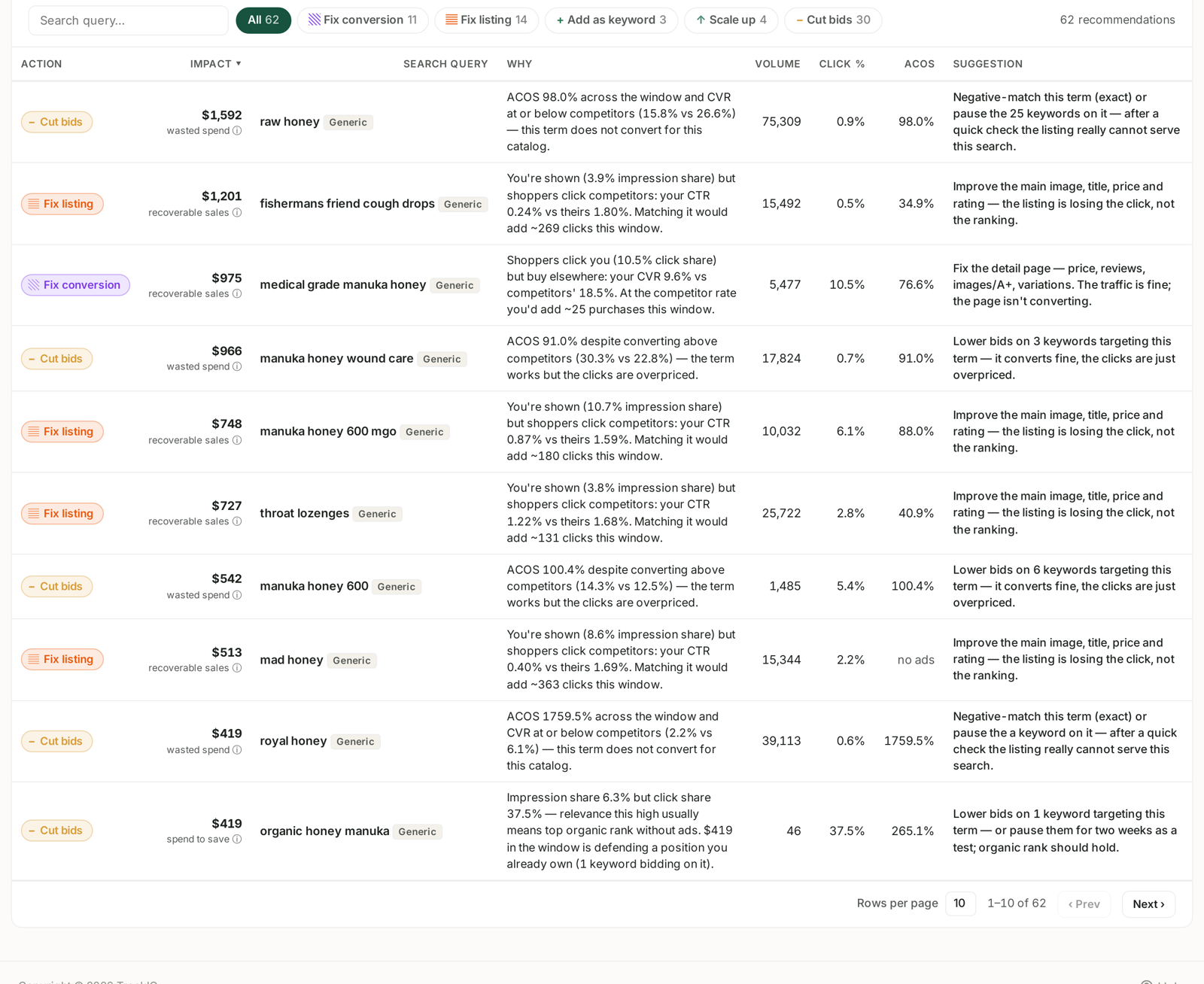
This finds a different population and is worth the two minutes: queries where you have impression and click share but no keyword bidding on them. Some are terms you rank on organically and have never advertised — and those are the best harvests of all, because demand is already proven and you are only choosing to defend it.
The Why column tells you which is which. A row saying you are shown and clicked but not bidding is a straightforward add.
Step 3 — Check you are not already bidding on it
Amazon Ads → Keywords.
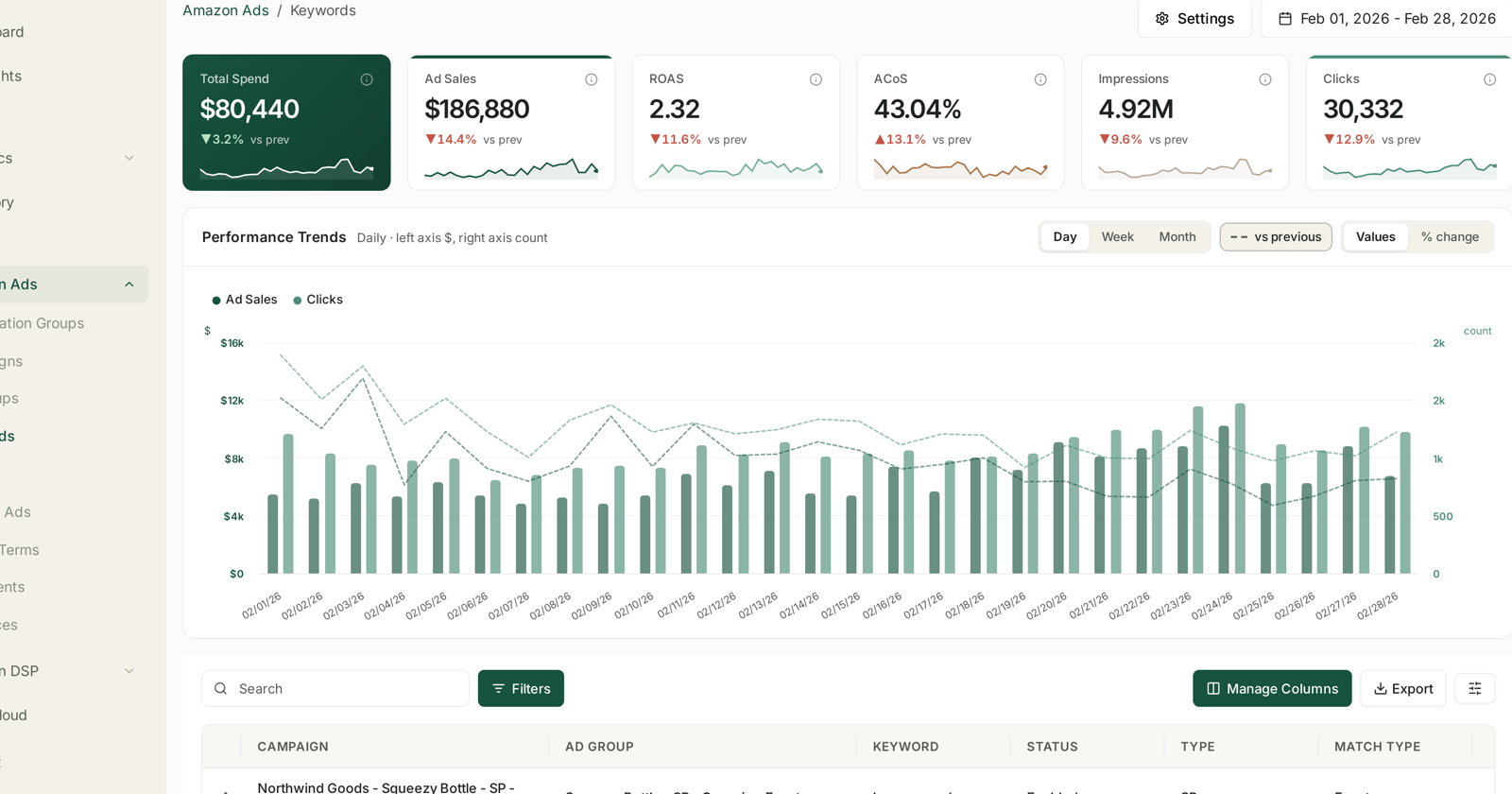
Search each candidate before you add it. Duplicating a keyword you already run means two of your own keywords competing for the same search, which raises your cost and teaches you nothing.
If the term already exists as broad and you are adding exact, that is fine and intended — that is the harvest. If it already exists as exact, you are done; there is nothing to move.
Step 4 — Add it as exact, in the right place
Add the winning query as an exact-match keyword, and put it where you can see it:
A dedicated harvest campaign or ad group is the usual structure. Keeping harvested exacts separate from your discovery campaigns means you can budget and bid them differently, and you can tell at a glance how much of your performance comes from proven terms.
Set the opening bid from what you already paid. You know the CPC the term achieved in broad; start near it rather than guessing. Exact match usually costs a little more per click and converts better, so a small premium is normal.
Keep the product the same. Harvest the term into an ad group advertising the ASIN that actually converted for it. A term that worked for one product will not necessarily work for its sibling.
Step 5 — Negate it in the source
This is the step people skip, and skipping it wastes the entire exercise.
Add the harvested term as a negative exact in the broad, phrase or auto campaign it came from.
Without this you now have two campaigns bidding on the same search: your new exact keyword and the original broad one. You compete with yourself, your costs rise, and the exact keyword never accumulates the clean history that made harvesting worthwhile.
Negative exact, not phrase or broad — you want the broad campaign to keep discovering variants, just not this specific one.
Step 6 — Watch it for two weeks
A harvested keyword needs a fortnight before you judge it, and the failure modes are recognisable:
| What happened | Reading |
|---|---|
| Converts as well or better, similar CPC | working — leave it |
| Converts as well, CPC much higher | you bid too aggressively; ease it down |
| Volume collapsed | the negative is too broad, or exact match is genuinely narrower than the broad variants it was catching |
| Stopped converting entirely | the broad match was converting on neighbouring queries, not this one |
That last row is the interesting failure. It means the term you harvested was never the one doing the work — the broad keyword was matching something adjacent. Go back to the aggregated search terms and look at what else that keyword was catching.
What good looks like
Over a few months, a growing share of your spend sits on exact-match terms with known performance, and your broad and auto campaigns shrink toward what they are actually for: finding new queries, not serving old ones.
A discovery campaign whose spend never falls is a discovery campaign that is not being harvested.
What not to do
Do not harvest on one order. You will fill the account with exact keywords that never fire again.
Do not harvest competitor-brand queries into exact match without deciding that deliberately. They are expensive and they convert differently. See Generic, Branded and Competitor Terms.
Do not forget the negative. Step 5 is the one that pays for the exercise.
Do not do this and a bid change in the same week. You will not know which moved the numbers.
Coming soon
A Harvest Keywords rule type is visible in the rule chooser with a Coming Soon badge — "promote converting search terms into exact keywords automatically" — along with a Negative Targeting rule that would handle step 5. Until they ship, this stays a manual weekly job. See Rule Types Coming Soon.
Related
- Search Terms and Aggregated Search Terms — step 1, and why aggregation matters.
- Keywords and Match Types — step 3 and 4.
- Find converting search queries you aren't bidding on — the SQP-first version of the same hunt.
- Cut Wasted Ad Spend in an Afternoon — the other half of search-term hygiene.
- Score Your PPC Performance — where harvesting sits among the eight reports.
- Search Term Harvesting: Criteria and Bids — the criteria, the fifteen-term cap and the starting bids.