

A bleeder is a target or search term that takes clicks and returns nothing. Not one that converts poorly — one that has never converted at all.
Every account accumulates them. They are the cheapest thing in advertising to fix, because fixing them requires no new budget, no creative work and no strategy: you are simply stopping payment for traffic that has already proven it does not buy.
Prefer to watch? One hundred and twelve seconds on the twenty-click threshold, the three windows that catch different bleeders, and why you negate and pause rather than one or the other.
Three passes, not one
The reason this is three reports rather than one is that the same problem hides at three different time scales, and a single date range misses two of them.
| Report | Window | Finds |
|---|---|---|
| Bleeders | last 65 days | targets with meaningful clicks and zero orders |
| Bleeders 2.0 | last 30 days | targets converting, but at ruinous ACoS |
| Lifetime bleeders | account lifetime | old, quiet targets that have never converted |
Bleeders: clicks with nothing to show
The test: 20 or more clicks, zero orders, over 65 days.
Twenty clicks is the threshold because it is roughly where "no orders" stops being bad luck. A target with six clicks and no sales tells you nothing. A target with forty tells you something real.
Why 65 days rather than 30? Because Sponsored Products attributes over seven days, and low-volume targets need time to accumulate enough clicks to be judged at all. A 30-day window on a slow target produces a verdict on eight clicks, which is not a verdict.
What to do with them. Add as a negative in the campaign that produced it, so you stop paying for it under auto and broad, then pause the keyword if it is one you added deliberately. Negating without pausing leaves you bidding against yourself later; pausing without negating means auto match finds it again next week.
Twenty clicks, or fewer?
Twenty is the bar for a judgement — enough evidence to pause something outright, and the threshold worth using when you are auditing whether an account is being maintained.
The weekly routine is gentler, because it runs again in seven days. Rather than one cut-off it tapers, reducing bids before it pauses anything:
| Clicks, no orders, last 30 days | Action |
|---|---|
| 6–7 | reduce bid by 5% |
| 8–14 | reduce bid by 10% |
| more than 14 | pause the target |
Both are the same idea at different confidence levels. Use the taper weekly; use twenty clicks when you are deciding whether a process exists at all. And on a product converting below 10%, raise every one of these numbers — fourteen clicks without a sale is weak evidence when one in twenty clicks is a normal sale rate.
Bleeders 2.0: converting, but not at that price
The first report catches zeroes. This one catches the more insidious case: targets that do convert, occasionally, at an ACoS that is far past anything your margin supports.
The test: extreme ACoS over the last 30 days, at target, search term and campaign level.
"Extreme" is relative to your break-even ACoS, which is set by your gross margin. If you clear 40% margin, your break-even is roughly 40% ACoS — anything sustained well beyond that is losing money on every sale it makes.
Thirty days, not 65, because these targets have volume. They are spending enough to be judged quickly, and the longer you leave them the more they cost.
What to do with them. These are usually a bid problem rather than a relevance problem: the target is right but you are paying too much to win it. Cut the bid substantially and watch for a fortnight before deciding to remove it. If it still bleeds at a sensible bid, then it is a relevance problem after all.
The exception worth remembering: a high ACoS on a target you deliberately chose for ranking is not a bleeder. It is the plan. See Profit Campaigns and Ranking Campaigns.
Lifetime bleeders: the ones nobody looks for
This is the report that most often surprises people, and it is the one most often missing entirely.
The test: still enabled, and has never produced a sale, across the account's whole history.
These are not new mistakes. They are keywords added during a launch two years ago, in campaigns that still run on small budgets, quietly spending a few pounds a week each. Individually invisible. Collectively, often thousands a year.
They survive because every routine review uses a recent date range, and a target spending £3 a week never appears near the top of a 30-day sort. You only find them by asking the lifetime question explicitly.
What to do with them. Pause, and negate. There is no diagnostic subtlety here — a target with hundreds of lifetime clicks and no lifetime orders is not going to start converting.
Running all three in TrackIQ
The hand-built version of these reports means exporting bulk sheets and pivoting them, once per window. The reason lifetime bleeders get skipped is that it is the most tedious export of the three.
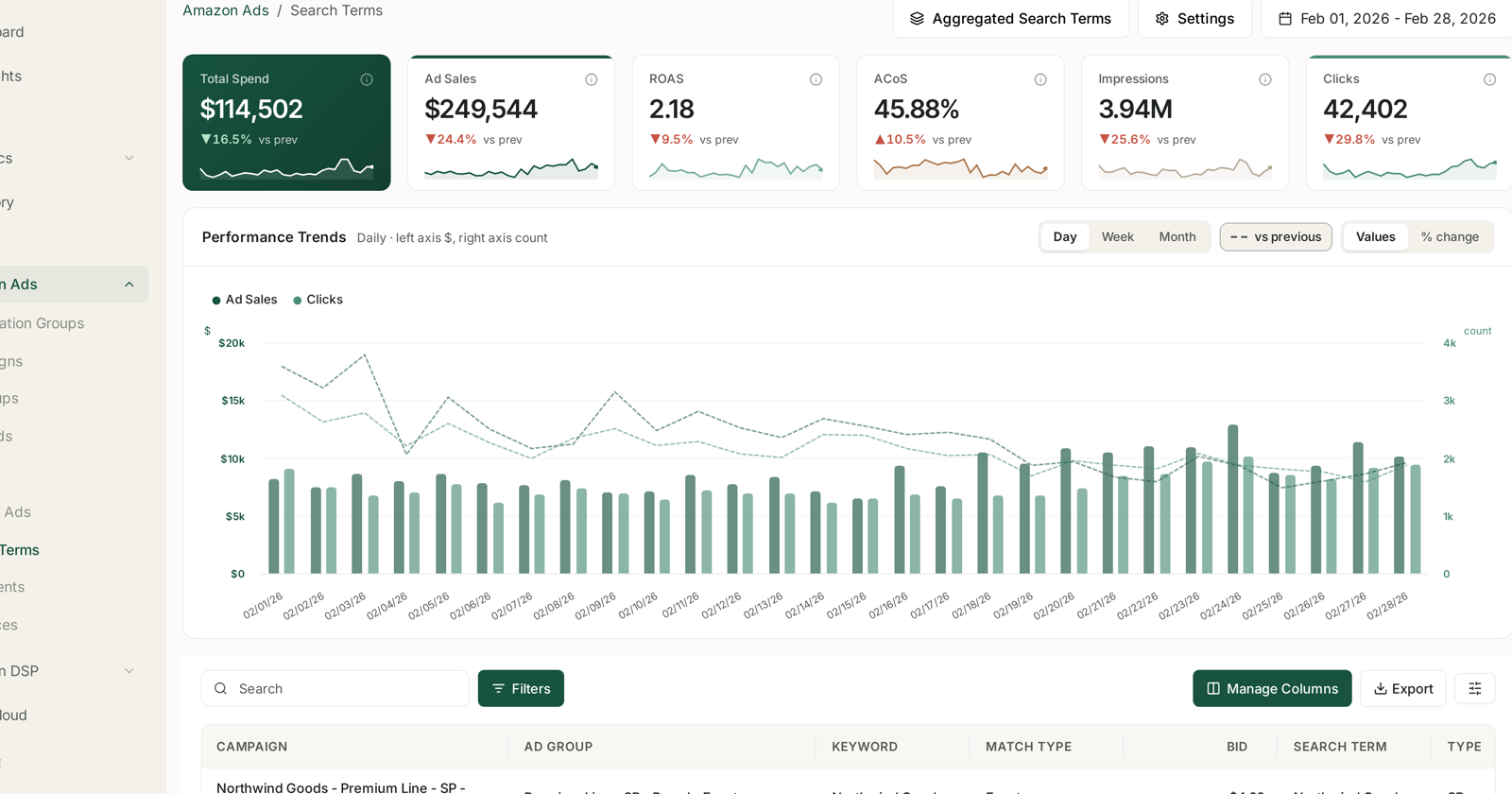
In Amazon Ads → Search Terms and Amazon Ads → Targets, all three are the same operation with a different date range:
Set the date range. 65 days, 30 days, or the widest range available for the lifetime pass. The range holds while you work, so you are not re-setting it on every screen.
Sort by spend, descending. The expensive problems surface first.
Read the orders column. Zero orders with meaningful spend is report one and report three. High spend with a handful of orders is report two.
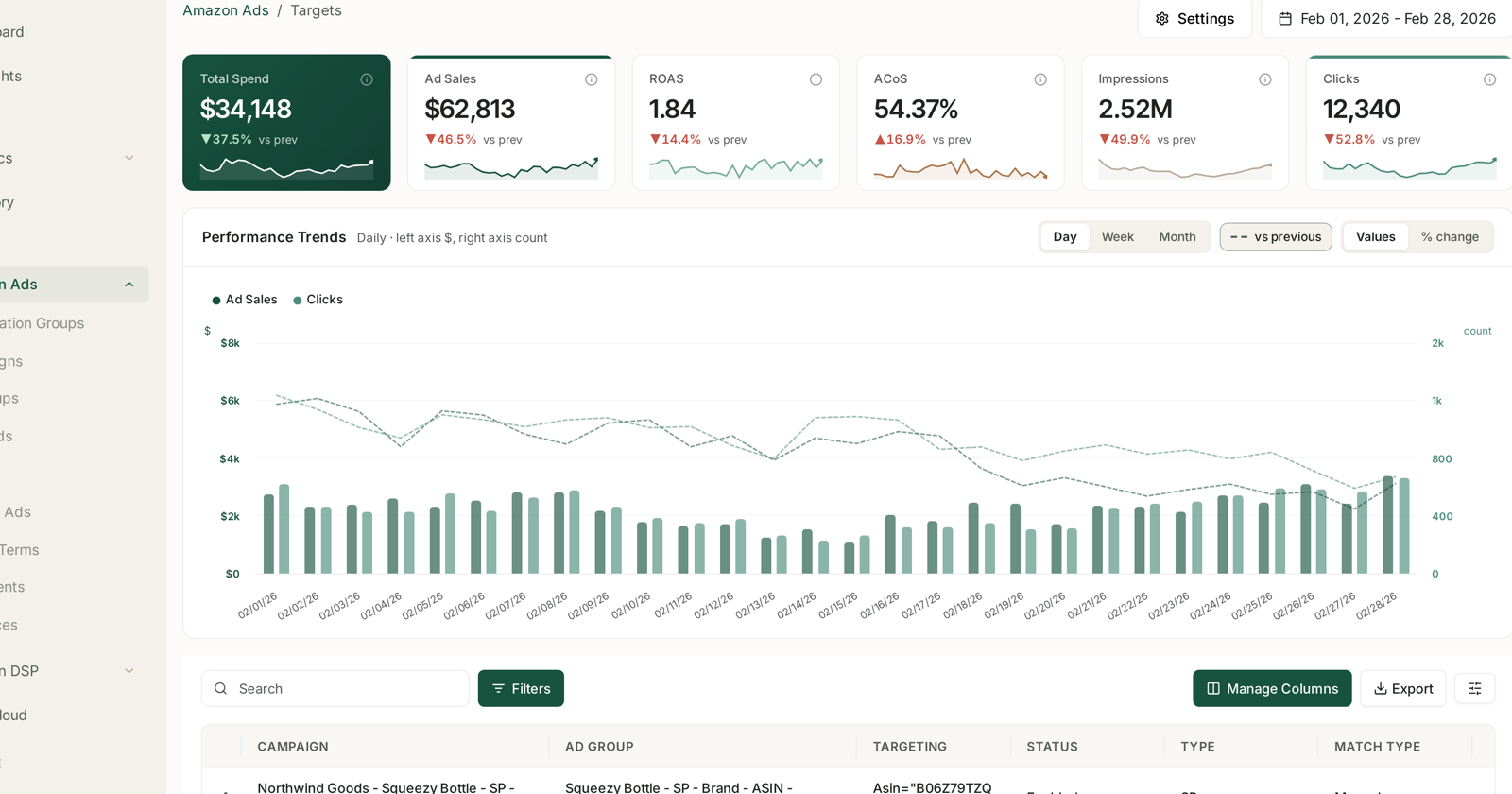
Because the same screen answers all three questions, the lifetime pass costs you a date-range change rather than an afternoon — which is the difference between a report that gets run and one that does not.
For the full walkthrough of the first pass, see Cut Wasted Ad Spend in an Afternoon.
How often
Bleeders and Bleeders 2.0: fortnightly. Frequent enough that nothing runs up a large bill, spaced enough that attribution has landed.
Lifetime bleeders: quarterly. They accumulate slowly, and a quarterly pass catches them before they compound.
Automating the first two is reasonable once you trust the thresholds — see Rule-Based Optimization, and read Guardrails Before You Automate first.
Common mistakes
Judging on too few clicks. Under about twenty, "no orders" is noise.
Negating without pausing, or pausing without negating. Do both.
Using a 30-day window for everything. It hides exactly the targets that have been bleeding longest.
Treating a ranking campaign's high ACoS as a bleeder. Check the campaign's purpose before you cut it.
Cutting a cold Sponsored Display audience for a poor ACoS. Different job, different measure — see Create a Sponsored Display Campaign.
Related
- Score Your PPC Performance — where these three reports sit in the wider score.
- Cut Wasted Ad Spend in an Afternoon — the first pass, step by step.
- Search Terms and Aggregated Search Terms — reading the screen these reports come from.
- Bid Optimisation: Six Rules — the graduated bid taper that runs weekly.
- The Nine-Report PPC Routine — where the three passes sit in the schedule.