

Keywords are what you bid on. Search terms are what customers actually typed. The gap between the two is where most wasted spend and most missed opportunity live.
This screen holds two views of that, switched by one button.
Prefer to watch? Seventy-four seconds on the two views, and how they differ from SQP.
The screen
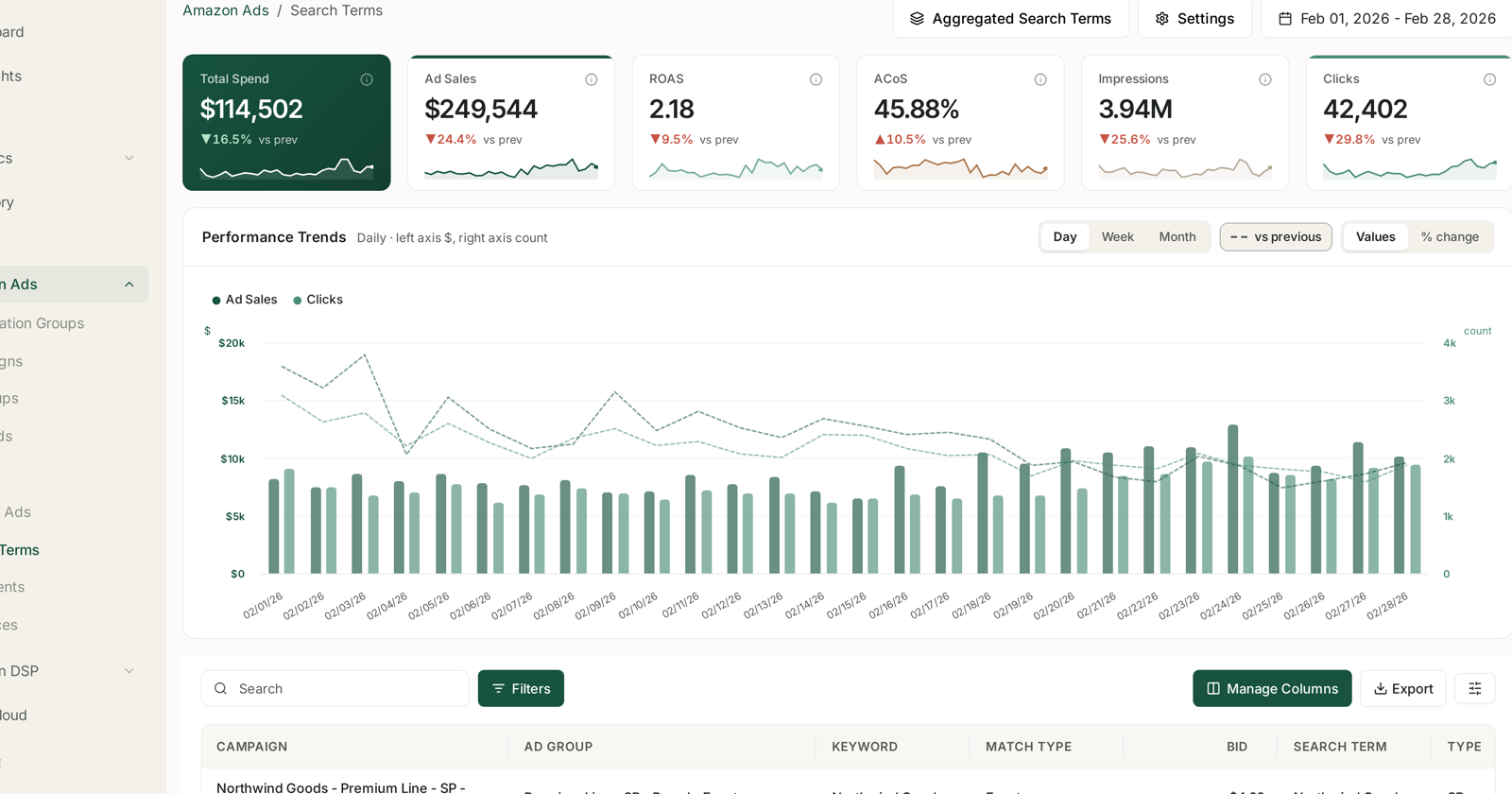
Standard Amazon Ads layout, plus one extra control in the header: Aggregated Search Terms.
The default table shows one row per search term in its context:
| Column | |
|---|---|
| Campaign | where it ran |
| Ad group | which ad group |
| Keyword | the keyword it matched |
| Match type | how loosely it matched |
| Bid | what you were paying |
| Search term | what the customer typed |
| Type | the ad type |
That Keyword → Match type → Search term chain is the whole point of the default view. It shows you not just that a term performed badly, but which keyword let it in and how loosely.
The two views
| View | One row per | Answers |
|---|---|---|
| Search Terms (default) | term per keyword, per ad group | where did this come from, and what do I change? |
| Aggregated Search Terms | term, totalled across the account | how much is this term worth to me overall? |
The same search can appear many times in the default view — matched by several keywords, in several campaigns. That is accurate but makes a term look smaller than it is.
Aggregated adds it up. Use it when you want the real size of a term before deciding whether to build a campaign around it. Use the default view when you are about to act, because that is the one that tells you which keyword to change.
A practical order: find the term in Aggregated, then switch to the default view to see where it is coming from.
The three things to look for
Wasted spend. Terms with real clicks and no orders. These become negative keywords — and note the keyword and match type that let them in, because that is what you attach the negative to.
Winners you are not bidding on directly. A search term converting well through a broad keyword is a candidate for its own exact keyword, where you can set the bid deliberately instead of inheriting one.
Irrelevant matches. Terms that have nothing to do with your product. These point at a match type that is too loose rather than at a bad keyword — the fix is upstream.
That third one is worth separating. A broad keyword producing junk is not a bad keyword; it is a keyword doing what broad does. See Keywords and Match Types.
Sort by spend
A term at 400% ACoS on $3 is noise. One at 70% on $2,000 is the afternoon's work.
And check the click count before trusting any rate — conversion on four clicks tells you nothing.
Search terms versus Search Query Performance
These are different reports, and the difference is the useful part.
| Search Terms | Search Query Performance | |
|---|---|---|
| Covers | searches your ads ran on | all search activity for your products |
| Shows | your spend and results | the whole market, and your share of it |
| Answers | what did I buy? | what was there to be won? |
If you were not bidding, it is not in Search Terms at all. SQP is where you find demand you are missing entirely.
Use both: Search Terms to fix what you are running, SQP to find what you are not. See Understanding Search Query Performance and SQP & Keywords: Finding Queries You Convert On But Don't Bid On.
Automating the loop
The harvest-and-negate cycle is exactly what the rule engine is for. The Harvest Keywords, Harvest Product Targetings and Negative Targeting rule types are listed in the rule chooser but not yet available — so for now this is a manual pass, supported by Cut wasted ad spend and Pause dead keywords on the targeting side.
See Targeting Rules: Adjusting Bids and Pausing Targets.
Related
- SQP & Search Terms: Matching Demand to What You Actually Ran — the same searches, against market demand.
- Harvest Winning Search Terms into Exact-Match Campaigns — turning a term into a keyword.
- Create a Sponsored Products Campaign — the campaign structure that makes harvesting possible.
- The Bleeder Reports — finding the terms that spend and never convert.
- Search Term Harvesting: Criteria and Bids — promoting what this screen surfaces.