

An ad group sits between a campaign and the things you actually bid on. It holds a set of keywords or targets, a set of advertised products, and a default bid they inherit.
It is the level most people skip — and the level where structural problems show up first.
Prefer to watch? Sixty-eight seconds on the default bid, and why a promoted keyword sometimes never spends.
The screen
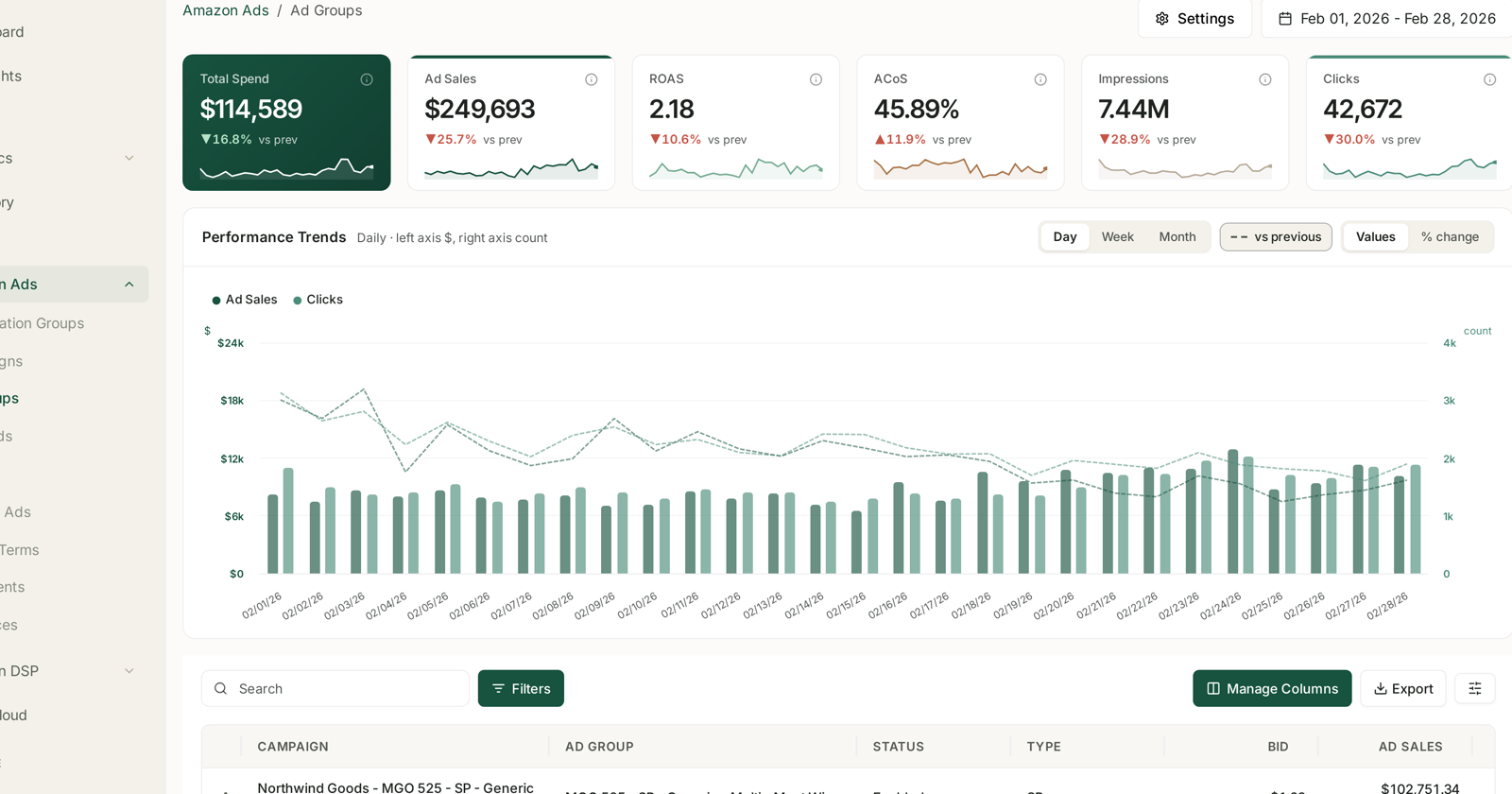
The layout is the one every Amazon Ads screen shares — six tiles, Performance Trends with Day/Week/Month and the Values / % change toggles, then the table. See Campaigns: Budgets, Placement and Audience Adjustments for the anatomy.
What is specific here is the table:
| Column | |
|---|---|
| Campaign | which campaign it belongs to |
| Ad group | its name |
| Status | enabled, paused, archived |
| Type | the ad type — SP, SB, SD |
| Bid | the ad group's default bid |
| Ad sales, spend and the rest | performance |
Why the bid column matters
The Bid column is the ad group's default. Keywords inside it can carry their own bid, but anything without one inherits this.
So an ad group with a badly-set default quietly affects every target that has not been tuned individually — and those are exactly the targets nobody is watching. Sorting by bid across ad groups is a quick way to spot one that was set once and forgotten.
What ad groups are actually for
Structurally, an ad group is a bid and a set of products applied to a set of targets. That gives you two reasons to split one:
Different products need different bids. A $12 item and a $60 item cannot share a sensible bid, because the same ACoS target implies very different maximums.
Different intents need different treatment. Your defended brand terms and your exploratory broad keywords should not sit in one ad group inheriting one bid.
The naming in a well-run account shows this — product line, ad type, then intent, so an ad group name tells you what it is for before you open it.
Reading the table
Sort by spend. An ad group at 200% ACoS on $30 is noise; one at 60% on $9,000 is where the money is.
Compare ad groups within a campaign rather than across the account. Across campaigns you are comparing different products, budgets and intents.
Watch for one ad group dominating a campaign. That usually means the others are starved — either their bids are too low to compete, or the campaign budget is being consumed before they run.
Check the state filter. Enabled-only is the default.
Where ad group problems show up
The symptom is usually noticed somewhere else:
| Symptom | Often an ad group problem |
|---|---|
| A keyword you promoted never spends | it landed in an ad group with a low default bid |
| A campaign's ACoS is fine but one product is unprofitable | mixed price points in one ad group |
| A new product gets no impressions | it is in an ad group tuned for something else |
That first row is the common one after harvesting search terms. Promoting a winner into an existing ad group means it inherits that group's bid, which may be far below what the term needs. See Search Terms and Aggregated Search Terms.
Rules act below this level
Targeting rules act on keywords and product targets, not on ad groups. An Adgroup rule type is listed in the rule chooser but is not yet available.
So today, ad group structure is something you set up well rather than something you automate. Getting it right is what makes the bid rules beneath it behave sensibly — a rule cannot fix two products that should never have shared a bid.
See Targeting Rules: Adjusting Bids and Pausing Targets.
Related
- Keywords and Match Types — what lives inside an ad group.
- Targets: Product and Category Targeting — the other thing that lives inside one.
- Product Ads: ASIN-Level Ad Performance — the products an ad group advertises.